

Finding a laptop that handles both modern gaming and timeline video editing requires balancing CPU horsepower, memory capacity, and graphics processing. Video rendering workloads heavily utilize multi-core processor threads and system RAM, whereas modern video games rely heavily on graphics hardware and sustained thermal cooling.
Choosing the right configuration depends largely on whether your projects demand high timeline memory capacity or maximum 3D rendering performance. Exploring options such as the NIMO lineup helps clarify what modern hardware packages can deliver for creators on the move.
Key Hardware Specifications for Combined Workloads
Video editing software such as Premiere Pro and DaVinci Resolve requires high-speed system memory to preview complex timelines smoothly without dropping frames. Having 32GB of DDR5 RAM ensures that background assets and cache files do not choke your active editing project. For home desks, pairing your portable machine with one of the best ultrawide monitors for gaming and work can significantly streamline your multi-track timeline workflow.
For gaming, the graphics chip dictates achievable visual settings and frame rates across competitive titles and modern releases. Integrated graphics solutions like the AMD Radeon 780M provide solid entry-level frame rates in lighter esports titles, but heavy 3D rendering and ray-traced games still favor high-power discrete GPUs.
Featured Hardware Pick
Below is a featured system offering substantial CPU processing power and memory capacity tailored for mobile productivity and light gaming sessions.

Pros
- Fast 8-core AMD Ryzen 9 8945HS processor
- Expansive 17.3-inch Full HD display
- User-upgradeable DDR5 memory and storage
- High-speed USB4 connectivity with 100W fast charging
- Hardware webcam privacy shutter and fingerprint reader
Cons
- Integrated Radeon 780M graphics limits demanding AAA gaming
- Conflicting RAM capacity listed across product specifications
Detailed System Breakdown
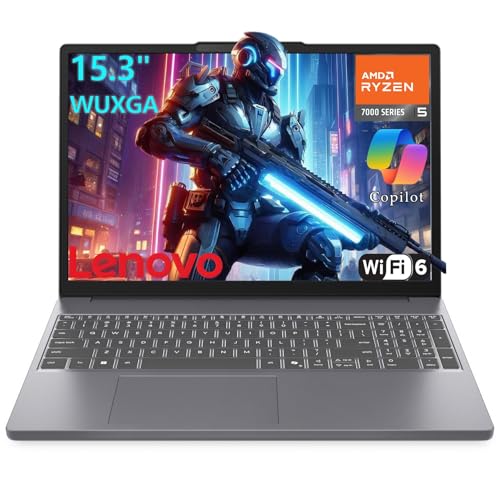
NIMO 17.3″ Gaming Laptop
The NIMO 17.3″ Gaming Laptop is built around the AMD Ryzen 9 8945HS processor, featuring 8 cores and 16 threads running up to 5.2GHz. This high-end processor delivers substantial computational speed for multi-track video editing, audio rendering, and content compilation tasks. It also features integrated AMD Ryzen AI processing designed to accelerate compatible machine-learning tasks and creative tools.
For editing workflows, the included 32GB of DDR5 RAM and 1TB high-speed solid-state drive provide immediate capacity for large media assets. The expansive 17.3-inch Full HD display gives editors extra screen real estate to view extended timelines without feeling cramped. Additionally, the internal memory and storage drives are user-replaceable, allowing you to expand hardware capacity down the road.
The primary compromise on this machine involves its graphics processing architecture. The system relies on the integrated AMD Radeon 780M graphics chip rather than a discrete NVIDIA or AMD GPU. While the 780M handles video playback, video decoding, and esports gaming at modest settings, it will struggle with intensive AAA titles and GPU-accelerated 3D effects.
Hardware Comparison
| Model | Processor | Graphics | Memory | Storage | Display Size |
|---|---|---|---|---|---|
| NIMO 17.3″ Gaming Laptop | AMD Ryzen 9 8945HS (8C/16T) | AMD Radeon 780M (Integrated) | 32GB DDR5 | 1TB NVMe SSD | 17.3″ FHD |
Buying Considerations for Editing and Gaming
When selecting best laptops for gaming and video editing, carefully weigh your primary daily tasks before committing to a purchase. If you primarily assemble video footage, edit large photos, and play casual or competitive games, a high-tier multi-core CPU with 32GB of memory offers dependable performance. If your budget allows for dedicated desk accessories, reviewing how to build the ultimate battlestation on a budget provides great tips for setting up external docks and peripherals.
Conversely, if playing demanding AAA games at maximum graphical settings is your primary focus, you should prioritize a laptop featuring a dedicated graphics card with ample VRAM. Keep in mind that discrete GPUs increase power consumption and heat generation, whereas systems powered by efficient mobile processors and Type-C 100W PD charging offer improved day-to-day portability.
Frequently Asked Questions
Can integrated graphics like the Radeon 780M handle 4K video editing?
Yes, modern integrated graphics chips feature dedicated hardware decoders that process modern video codecs smoothly. The integrated Radeon 780M works well for timeline scrub and standard 4K cuts, though complex 3D visual effects and intensive color grading run faster on dedicated GPUs.
Is 32GB of RAM necessary for video editing laptops?
While 16GB is adequate for standard 1080p video cutting, 32GB is strongly recommended for 4K video editing and heavy multitasking. Ample system RAM prevents timeline stuttering when running editing software alongside web browsers and background asset libraries.





Write Your Review
No reviews yet. Be the first to share your experience!