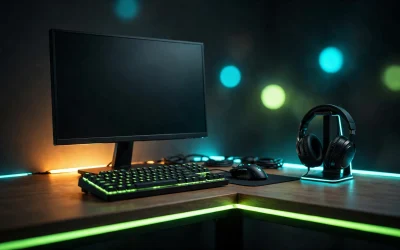
Choosing an ultrawide monitor upgrades your desktop by replacing awkward dual-screen bezels with a single continuous workspace. The 34-inch 21:9 format remains the ideal standard, offering 3440 x 1440 resolution that delivers sharp text alongside wide gaming visibility.
Our specification-based evaluation focuses on panel technology, motion responsiveness, color gamut, and daily productivity suitability. For users deciding between traditional 16:9 displays and wide formats, comparing these options against standard screens in our best 1440p gaming monitors guide highlights how extra horizontal room changes everyday usability.

Alienware AW3423DWF 34" 165Hz QD-OLED Monitor

LG 34GN850-B 34" 144Hz Curved Gaming Monitor

LG 34GS95QE 34" 240Hz OLED Curved Gaming Monitor
As an Amazon Associate we earn from qualifying purchases. Product prices and availability are accurate as of the date/time indicated.
Quick Recommendation Summary
Selecting the best ultrawide monitor comes down to panel chemistry and your primary software workloads. Gamers who prioritize blistering motion clarity and deep contrast should favor modern OLED panels with fast refresh rates. Professionals handling static spreadsheets or code editors for long shifts often benefit from robust Nano IPS panels that eliminate burn-in concerns.
- Best Overall for High-Refresh Gaming: LG 34GS95QE 34-inch Ultragear OLED Curved delivers an ultra-fast 240Hz refresh rate and an immersive 800R curvature.
- Best for Color-Critical Work and Mixed Gaming: Alienware AW3423DWF Curved QD-OLED Gaming Monitor offers 99.3% DCI-P3 coverage, dedicated Creator Mode, and gentle 1800R curvature.
- Best for Static Office Work and Reliability: LG 34GN850-B 34 Inch 21: 9 UltraGear Curved QHD features a resilient Nano IPS panel free from image retention risks.
Detailed Reviews: The 3 Best Ultrawide Displays
1. LG 34GS95QE 34-inch Ultragear OLED Curved
The LG 34GS95QE 34-inch Ultragear OLED Curved serves competitive players who require rapid responsiveness alongside ultrawide field of view. Featuring an aggressive 800R curve, the screen wraps around your peripheral vision to maintain equal viewing distance across the entire panel.
The panel operates at 240Hz with an advertised 0.03ms gray-to-gray response time. This speed virtually eliminates visible ghosting in fast-paced shooters and sim racing titles. Both HDMI 2.1 and DisplayPort 1.4 ports are present, ensuring bandwidth support for modern graphics cards alongside variable refresh rate certification from NVIDIA and AMD.
The self-lit OLED structure produces a 1,500,000:1 contrast ratio with DisplayHDR True Black 400 certification for exceptional shadow detail. However, the steep 800R curvature can distort straight lines in precision drafting or spreadsheet tasks. Static desktop elements also require routine management to minimize potential image retention over prolonged office shifts.
2. Alienware AW3423DWF Curved QD-OLED Gaming Monitor
The Alienware AW3423DWF Curved QD-OLED Gaming Monitor combines quantum dot color conversion with OLED contrast to produce vibrant primary colors. Its 1800R curve provides subtle immersion without bending technical diagrams or browser layouts excessively.
Creative professionals benefit directly from the integrated Creator Mode in the on-screen display menu. This feature allows instant switching between DCI-P3 and sRGB color spaces alongside manual gamma tuning. The panel supports a 165Hz native refresh rate and 0.1ms response time, backed by AMD FreeSync Premium Pro and VESA AdaptiveSync certification.
A notable benefit is the included three-year hardware warranty that explicitly covers OLED burn-in, providing reassurance for long-term ownership. The 165Hz ceiling is slightly lower than dedicated 240Hz esports displays, but the balance of color fidelity and motion handling makes it exceptionally versatile for mixed workloads.
3. LG 34GN850-B 34 Inch 21: 9 UltraGear Curved QHD
The LG 34GN850-B 34 Inch 21: 9 UltraGear Curved QHD represents a practical, high-performance option for users who spend eight hours a day on productivity tasks. Built on a 3440 x 1440 Nano IPS panel, it completely eliminates image retention and burn-in risks associated with organic displays.
The display delivers a 144Hz refresh rate with a 1ms response time, supporting NVIDIA G-SYNC Compatibility for fluid gaming sessions. It provides 98% DCI-P3 color gamut coverage with wide 178-degree viewing angles, maintaining stable chromatic accuracy even when viewing windows off-center.
While the standard IPS contrast ratio cannot reproduce the true inky blacks of OLED competitors in dark rooms, its 400 cd/m² typical brightness excels in bright home offices. The VESA DisplayHDR 400 certification acts mainly as a brightness target rather than providing full local dimming capability, making standard dynamic range the primary strength here.
Key Specifications Comparison
| Model | Panel Type | Curvature | Refresh Rate | Variable Refresh Rate | Key Strength |
|---|---|---|---|---|---|
| LG 34GS95QE | OLED | 800R | 240Hz | FreeSync Premium Pro, G-Sync Compatible | Fastest motion clarity and deep curve immersion |
| Alienware AW3423DWF | QD-OLED | 1800R | 165Hz | FreeSync Premium Pro, VESA AdaptiveSync | Wide color gamut with factory Creator Mode |
| LG 34GN850-B | Nano IPS | 1900R | 144Hz | G-SYNC Compatible, FreeSync | Zero burn-in risk for heavy desktop workflows |
How to Choose an Ultrawide Display
Selecting the right ultrawide monitor requires aligning technical specifications with your workspace habits and graphics hardware. Planning a complete setup with ergonomics in mind, as detailed in our guide on how to build the ultimate battlestation on a budget, helps ensure your desk accommodates these wide stands.
Panel Technology: OLED vs. Nano IPS
OLED and QD-OLED panels offer per-pixel illumination, generating infinite contrast ratios and instantaneous pixel response times. They provide peerless visual fidelity in cinematic titles and dark gaming environments. However, users running static desktop applications for entire workdays must consider pixel maintenance routines.
Nano IPS panels rely on a unified LED backlight, eliminating burn-in vulnerability entirely. They achieve high sustained full-screen brightness and reliable color consistency across broad angles. While black levels appear dark gray in unlit rooms, IPS remains the safer investment for dedicated software development, financial charting, and text-heavy office work.
Curvature Radius Explained
The curvature number indicates the radius of the circle in millimeters if the curve were extended fully. A lower number represents a steeper, tighter bend across the screen surface.
An 800R curve provides an intense, wraparound sensation that places the outer display edges directly inside your focal arc. This setup is ideal for flight simulators and racing games. Conversely, an 1800R or 1900R curve is gentler, making it easier to read horizontal documents without perceiving geometric distortion.
Graphics Card and Port Requirements
A resolution of 3440 x 1440 contains roughly 34 percent more pixels than a standard 2560 x 1440 display. Driving demanding games at high frame rates requires a capable mid-range or upper-tier graphics card. For high refresh rates above 144Hz, verify whether your GPU supports DisplayPort 1.4 with DSC or native HDMI 2.1.
Frequently Asked Questions
Is 3440 x 1440 ultrawide suitable for daily office work?
Yes, 34-inch ultrawide monitors offer roughly 110 pixels per inch, providing clean text rendering in productivity software. The wide 21:9 aspect ratio accommodates two full-sized application windows side by side without needing a dual-monitor setup.
Will an ultrawide monitor stretch unsupported games?
Most modern PC titles natively support 21:9 aspect ratios. When playing games locked to standard 16:9 widescreen, displays present black vertical bars along the left and right borders without stretching the central image.
Do curved ultrawide monitors work on monitor arms?
Most ultrawide displays feature standard VESA mounting patterns, such as 100 x 100 mm. Because curved 34-inch panels distribute their weight forward, ensure your desk mount supports the display weight specification without drooping.
Final Verdict: Which Ultrawide Should You Choose?
If competitive performance and visual depth are your top priorities, choose the LG 34GS95QE 34-inch Ultragear OLED Curved for its unmatched 240Hz refresh rate and dramatic 800R curve. Creators balancing gaming with digital editing will appreciate the balanced 1800R profile and precise sRGB emulation on the Alienware AW3423DWF Curved QD-OLED Gaming Monitor. For professionals who need a dependable daytime workhorse with zero retention concerns, the LG 34GN850-B 34 Inch 21: 9 UltraGear Curved QHD remains a durable, high-performance Nano IPS choice.