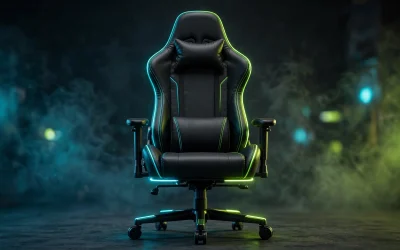
Building a capable desk setup does not require allocating thousands of dollars toward luxury aesthetics or premium branding. A disciplined budget plan prioritizes physical ergonomics and stable peripherals first, ensuring comfort during extended daily sessions.
Putting together an efficient gaming room begins with selecting structural furniture that fits your available space. Only after securing stable seating, adequate desk surface area, and accurate peripherals should you invest remaining funds into ambient lighting.
Strategic Budget Allocation for Desk Setups
Most failed setup budgets spend heavily on cosmetics while compromising on posture and physical input hardware. Spending money on items your body directly contacts prevents physical fatigue and reduces long-term replacement costs.
A balanced expenditure model directs roughly thirty percent toward your display, twenty-five percent toward ergonomic seating, and fifteen percent toward desk space. Peripherals and audio absorb the remaining budget, alongside minimal allocations for basic cable routing accessories.
| Setup Component | Allocation Share | Primary Focus |
|---|---|---|
| Display | ~30% | Refresh rate and panel clarity |
| Ergonomic Seating | ~25% | Spine support and frame durability |
| Desk Surface | ~15% | Stability and equipment footprint |
| Mouse and Keyboard | ~15% | Sensor precision and switch feel |
| Headset Audio | ~10% | Microphone clarity and ear cushioning |
| Cable Organization | ~5% | Routing clips and under-desk trays |
Core Components for an Affordable Setup
Selecting reliable entry-level gear requires evaluating documented structural specifications rather than flashy marketing slogans. The items below supply verified structural frames, optical sensors, and acoustic drivers suitable for an entry-level battlestation.

Homall Ergonomic High Back Gaming Chair - White

Homall 51-Inch L-Shaped Gaming Desk

Logitech G203 Wired 8000 DPI Gaming Mouse

HyperX Cloud Stinger 2 Core Gaming Headset
As an Amazon Associate we earn from qualifying purchases. Product prices and availability are accurate as of the date/time indicated.
Desk Foundation: Space and Surface Area
The desk serves as the physical anchor for monitors, keyboards, and audio equipment. The Homall L Shaped Gaming Desk Computer Corner Desk utilizes an L-shaped configuration measuring 50.4 inches on its primary span, maximizing corner room efficiency. Its carbon-fiber textured laminate rests over steel Z-shaped legs, providing a rigid platform that minimizes screen wobble during intense gaming.
This workstation includes a detachable monitor riser shelf that elevates screens above the primary desktop plane. However, the 17-inch surface depth remains relatively shallow, which means larger monitor bases may require precise corner positioning or dedicated monitor arms.
Seating: Ergonomic Support and Frame Rigidity
Poor posture quickly ruins gaming comfort, making a supportive chair a mandatory investment rather than an optional luxury. The Homall Gaming Chair, Ergonomic Faux Leather features high-density shaping foam supported by a 1.8 mm thick internal steel frame. A Class 3 pneumatic gas cylinder allows seat elevation adjustment from 17.3 to 21.5 inches to match common desk heights.
The backrest reclines between 90 and 155 degrees and includes detachable headrest and lumbar support pillows. Users should note that while the backrest angles backward smoothly, the padded armrests remain fixed in place without height adjustment.
Pointer Input: Sensor Precision and Switch Reliability
Accurate cursor navigation requires a consistent optical sensor without artificial smoothing or hardware acceleration. The Logitech G203 Wired Gaming Mouse – Black houses an 8,000 DPI optical sensor capable of tracking rapid flick shots reliably. Primary click buttons incorporate metal spring tensioning for crisp tactile feedback and consistent switch actuation.
Its symmetrical six-button shell accommodates fingertip and claw grip styles across various hand sizes. Connecting via a lightweight 6.89-foot USB Type-A cable, this mouse eliminates wireless latency concerns while keeping setup costs strictly restrained.
Audio and Communication: Driver Tuning and Spatial Tracking
Clear communication and precise positional audio cues directly affect competitive performance in multiplayer titles. The HyperX Cloud Stinger 2 Core – PC Gaming Headset utilizes 40mm directional dynamic drivers tuned to emphasize low-end frequencies and critical footsteps. A swivel-to-mute electret condenser microphone mutes voice input instantly when flipped vertically.
Weighing 275 grams with memory foam ear cushions, this headset avoids excessive skull clamping pressure during long matches. The universal 3.5mm analog connector guarantees plug-and-play operation across PC motherboards, consoles, and mobile audio jacks.
Essential Peripheral and Hardware Comparison
Comparing hardware specifications helps determine whether entry-level options meet your physical requirements. The table below outlines key dimensions, interfaces, and structural limits across these foundational workstation picks.
| Product Name | Category | Key Technical Specification | Interface / Form Factor |
|---|---|---|---|
| Homall L Shaped Gaming Desk Computer Corner Desk | Workstation Desk | 50.4-inch dual span, Z-frame legs | Corner L-shape layout |
| Homall Gaming Chair, Ergonomic Faux Leather | Ergonomic Seating | 1.8 mm steel frame, Class 3 gas lift | 90 to 155 degree recline |
| Logitech G203 Wired Gaming Mouse – Black | Input Peripheral | 8,000 DPI optical tracking sensor | Wired USB Type-A (2.1 m) |
| HyperX Cloud Stinger 2 Core – PC Gaming Headset | Audio Hardware | 40mm drivers, swivel-to-mute mic | Analog 3.5 mm CTIA |
Selecting Display Panels and Input Hardware
When selecting a visual display, balance panel resolution against hardware graphics capabilities to prevent performance bottlenecks. If your system runs an entry-level graphics card, high-refresh 1080p panels offer high frame rates without excessive load, whereas mid-range builds benefit from our recommendations in the best 1440p gaming monitors guide.
Keyboards also shape typing ergonomics and overall input speed across daily gaming and office work. Choosing the right mechanical switches requires balancing tactile feedback against noise levels, as detailed in our guide on mechanical keyboard switches.
Cable Management and Room Aesthetics
Clean cable routing transforms an ordinary desk into a professional battlestation without requiring high monetary expenditure. An inexpensive under-desk metal tray or adhesive basket routes power bricks and excess display cords away from leg room.
Re-usable hook-and-loop ties bundle peripheral cables neatly behind display monitor stands and desk legs. Adding an extended fabric desk mat dampens mechanical keyboard vibration and provides a smooth, uniform surface for optical mouse glide.
Single-color warm white or neutral LED light strips placed behind the monitor create effective bias illumination. Bias lighting minimizes eye strain in dimly lit rooms by reducing the contrast gap between a glowing monitor panel and dark walls.
Summary Recommendation
Constructing an exceptional battlestation on a budget requires discipline: secure a stable desk and comfortable chair before spending on accessories. The Homall L Shaped Gaming Desk Computer Corner Desk provides the footprint needed for multiple screens, while the Homall Gaming Chair, Ergonomic Faux Leather secures long-session lumbar posture.
Completing the core setup with the Logitech G203 Wired Gaming Mouse – Black and the HyperX Cloud Stinger 2 Core – PC Gaming Headset guarantees competitive input accuracy and clear team voice chat without stretching your personal finances.