

For a compact wired setup, consider the Razer Huntsman Mini. For dedicated macros, compare the Razer BlackWidow V4 X; for wireless flexibility, consider the AULA F99.
These recommendations use the specifications supplied for each model, not claims of personal use. Switch type matters, but layout, connection, and key controls also shape fit.
Compare the Linear-Switch Keyboard Picks

Pros
- Fast 1.2mm linear Yellow switches with sound dampeners
- Six dedicated programmable macro keys
- Multi-function roller and dedicated media controls
- Per-key customizable Razer Chroma RGB lighting
- Built-in acoustic foam and lubricated stabilizers

Pros
- Hot-swappable linear red switches
- Full-key anti-ghosting support
- Software macro editing and remapping
- Includes four spare replacement switches
- Twelve quick-access multimedia shortcuts
Cons
- Backlight LED colors cannot be changed
- Wired-only design without wireless functionality
Pros
- Fast 1.0 mm linear optical actuation
- Durable, oil-resistant doubleshot PBT keycaps
- Rigid matte aluminum top frame
- Ultra-compact footprint frees up desk space
- Individually customizable per-key RGB lighting
Cons
- Lacks dedicated arrow and navigation keys
- Snap Tap features require Razer Synapse 4 software
Pros
- Rapid 8 kHz report rate
- Hot-swappable PCB with durable PBT keycaps
- Gasket-mounted structure with internal sound dampening
- On-board LED dot-matrix display and multi-function dial
- Efficient 98 percent layout retains full number pad

Pros
- Versatile tri-mode wireless and wired connectivity
- Hot-swappable PCB supports 3-pin and 5-pin switches
- Large 8000mAh rechargeable internal battery
- Gasket mount with five-layer acoustic dampening
- Durable double-shot PBT keycaps
Cons
- Heavy build at over 3.3 pounds
- Driver software required for advanced macros and rhythm lighting

Pros
- Fast 8 kHz report rate for low latency
- Compact 98 percent layout includes number pad
- Hot-swappable switches with durable PBT keycaps
- Sound-dampened gasket-mounted construction
- Convenient on-board dot-matrix screen and control dial
Cons
- Enabling 8 kHz polling rate requires G HUB software
- Full macro and lighting customization requires software configuration

Pros
- Fast 1.2mm actuation with quiet linear switches
- Six programmable dedicated macro keys
- Magnetic plush leatherette wrist rest included
- Dedicated multi-function roller and media keys
Cons
- Large 18.36-inch length demands significant desk space
- Heavy 3.27-pound build limits easy portability

Pros
- Flexible tri-mode wireless and wired connectivity
- Hot-swappable 3-pin and 5-pin switch sockets
- Large 8000mAh rechargeable battery capacity
- Durable double-shot PBT keycaps
- Space-saving 96% layout retains number pad
Cons
- Full macro and lighting customization requires driver software
- Condensed 96% layout reduces spacing around arrow keys

Pros
- Versatile 2.4GHz, Bluetooth, and wired USB-C connectivity
- Hot-swappable sockets support 3-pin and 5-pin switches
- Multi-function knob for volume and lighting control
- High-capacity 4000mAh rechargeable internal battery
- Compact 75% layout retains dedicated arrow keys
Cons
- Lacks a dedicated numeric keypad
- Full macro programming requires optional driver software
- Side-printed legends may reduce visibility from certain angles
How to Choose a Gaming Keyboard With Linear Switches
Linear switches move without a tactile bump, but their force and actuation vary by model. The supplied specifications give exact actuation details only for the Razer Yellow switches.
- Layout: A 60% board saves desk space but omits dedicated keys. A 96% or 98% layout retains a number pad in a more compact footprint.
- Connection: The AULA models offer Bluetooth, 2.4GHz wireless, and wired modes. The other listed keyboards are described as wired or do not specify wireless connectivity.
- Switch customization: Hot-swap support on Redragon, Logitech, and AULA models lets owners replace compatible switches without soldering. Check the stated pin support where provided.
- Controls and software: Macro keys, media controls, knobs, onboard settings, and companion software differ. Choose features you will actually use, and check software requirements for advanced configuration.
Recommended Models by Setup
Razer BlackWidow V4 X: Linear Switches and Dedicated Macros
The BlackWidow V4 X uses Razer Yellow linear switches with a stated 1.2 mm actuation point and 45 g force. Six macro keys and media controls suit players who want commands readily accessible.
Razer also specifies per-key Chroma lighting, doubleshot ABS keycaps, and sound-dampening features. The keycaps are ABS rather than PBT, and the supplied details do not state a hot-swap option.
Pros: Defined switch force and actuation, six dedicated macro keys, and convenient media controls. Cons: ABS keycaps and no stated hot-swap support.
Who should skip it: Skip this model if you need wireless connectivity, a compact layout, or documented switch replacement.
Compare keyboards suited to both gaming and typing if your board will serve as a daily work keyboard too.
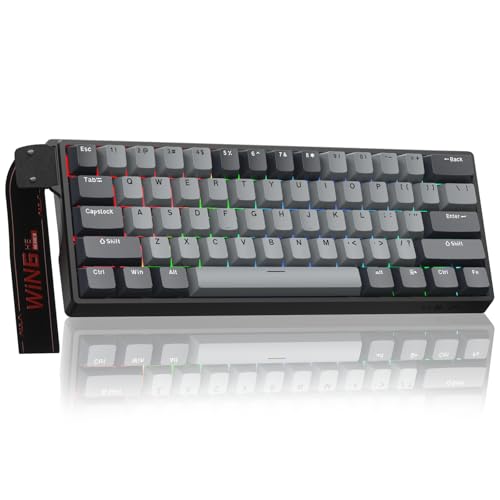
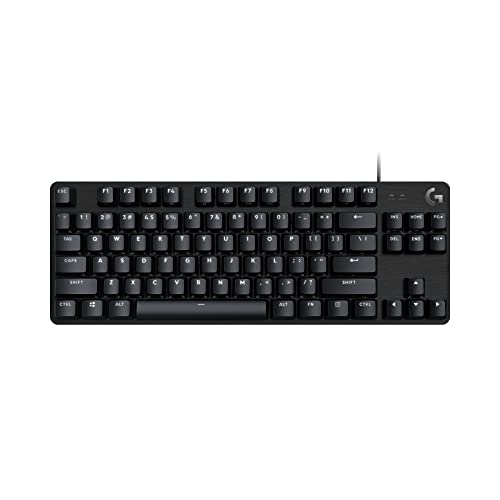
Redragon Mechanical Gaming Keyboard Wired: Budget-Oriented Hot-Swap Features
This wired Redragon model has linear Red switches, hot-swap support, full-key anti-ghosting, and macro editing. Its listing includes four spare switches, useful for replacing a failed switch or trying maintenance.
It also provides 11 backlight modes and multimedia shortcuts. The listing says lighting color cannot be changed, so do not expect per-key color selection or fully customizable RGB hues.
Pros: Hot-swappable switches, macro editing, and anti-ghosting across all keys. Cons: Wired connection and backlighting with non-changeable color.
Who should skip it: Skip it if wireless use, adjustable lighting color, or a specified compact layout is important to your setup.
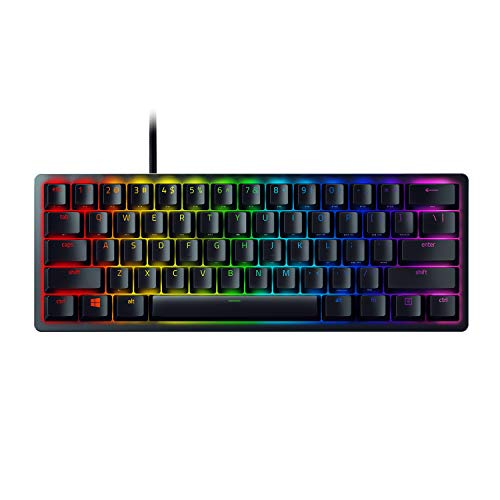
Razer Huntsman Mini: Compact Optical Linear Switches
The 60% Huntsman Mini uses Razer linear optical switches with a stated 1.0 mm actuation distance. Its compact layout suits limited desk space, but sacrifices dedicated keys available on larger boards.
It includes an aluminum top frame, doubleshot PBT keycaps, onboard memory, and programmable macros. Snap Tap is controlled through Razer Synapse 4 and is off by default; confirm software support fits your system.
Pros: Compact footprint, PBT keycaps, programmable functions, and a stated optical actuation distance. Cons: The 60% layout lacks a dedicated number pad and many separate keys.
Who should skip it: Skip it if you rely on a number pad or prefer dedicated navigation and function keys. See our 60% gaming keyboard guide for more compact-layout context.
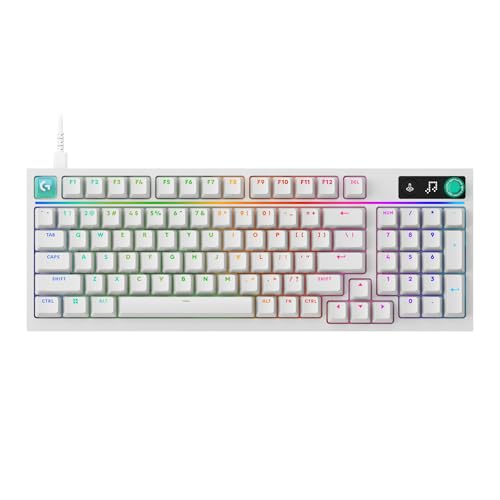
Logitech G316 X 98: Number Pad in a Compact Layout
The Logitech G316 X 98 combines a 98% layout with a number pad, hot-swappable linear switches, and double-shot PBT keycaps. Its stated 8 kHz report rate and G HUB controls are relevant to players seeking configurable performance features.
A gasket-mounted structure and sound-dampening layers are specified, alongside a dial and dot-matrix display. The supplied information does not identify switch force or actuation distance, so compare those details before choosing by switch feel.
Pros: Number pad in a space-saving layout, hot-swap support, PBT keycaps, and onboard controls. Cons: Advanced customization uses G HUB, and switch actuation specifications are not provided.
Who should skip it: Skip it if you want a clearly documented actuation point or a smaller 60% keyboard. The two listed color variants share the same stated feature set.
AULA F99 Wireless Mechanical Keyboard: Flexible Connections and a Number Pad
The F99 pairs pre-lubed linear switches with Bluetooth 5.0, 2.4GHz wireless, and USB wired modes. It supports up to five connected devices and has a 96% layout with a number area.
Hot-swap support covers three-pin and five-pin switches, and the listing specifies an 8000mAh battery without stating runtime. Compatibility is listed broadly, but check the device and connection mode you plan to use.
Pros: Three connection modes, multi-device switching, hot-swap support, and PBT keycaps. Cons: Battery life duration is not specified, and the larger layout is not as compact as a 60% board.
Who should skip it: Skip it if you need a stated actuation measurement or want a simple wired-only keyboard with no wireless features.
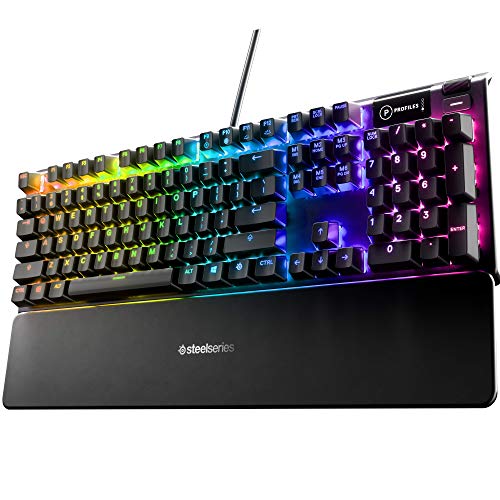
Razer BlackWidow V4: Macro Keys and a Wrist Rest
The BlackWidow V4 uses Razer Yellow linear switches specified at 1.2 mm actuation and 45 g force. Six macro keys, four media keys, a roller, and a magnetic wrist rest target feature-rich desktop setups.
Per-key lighting and two-side underglow add extensive illumination options. The model uses doubleshot ABS keycaps, and its supplied specifications do not mention hot-swap support or a wireless connection.
Pros: Defined linear-switch specifications, dedicated macros, media controls, and an included wrist rest. Cons: ABS keycaps and no stated wireless or switch hot-swap capability.
Who should skip it: Skip it if those extra controls and wrist support do not justify choosing a larger, feature-heavy wired board.
AULA F75 Pro: Wireless 75% Layout With a Control Knob
The F75 Pro uses pre-lubricated linear Reaper switches and supports Bluetooth 5.0, 2.4GHz wireless, and USB wired connections. Its 75% layout retains arrow keys while leaving out the number pad.
It supports three-pin and five-pin hot-swappable switches, has a 4000mAh battery, and includes a knob for lighting or media controls. Battery runtime and switch actuation measurements are not specified.
Pros: Tri-mode connections, a compact layout with arrow keys, hot-swap support, and a multifunction knob. Cons: No number pad, and battery duration is not stated.
Who should skip it: Skip it if a number pad is essential or you need documented actuation force and distance before purchasing.
Which Linear-Switch Keyboard Should You Choose?
Choose the Huntsman Mini for a compact wired board, the BlackWidow V4 X for dedicated macro keys, or the F99 for wireless flexibility and a number pad.
For switch replacement, consider the Redragon, Logitech, or AULA options, which specify hot-swap support. If you need verified actuation details, the Razer Yellow models provide stated force and distance.
Before ordering, confirm the exact layout, connection mode, and software needs for your computer. Browse the broader gaming keyboard category or compare 60% layouts if desk space is your priority.




Write Your Review
No reviews yet. Be the first to share your experience!