

Finding the best ergonomic gaming mouse for palm grip comes down to how your hand rests over long sessions. A palm grip requires a tall rear hump to fill your palm, wide side flares for your ring and pinky fingers, and a dedicated thumb ledge to minimize friction across the desk mat.
While traditional ergonomic gaming mice use an asymmetric slant to support competitive tracking, vertical designs rotate your forearm into a handshake position to ease wrist strain. Choosing between these formats depends on whether your priority is fast competitive aiming or maximum forearm comfort during mixed work and play.
Quick Comparison: Top Palm Grip Gaming Mice

Pros
- 57-degree vertical angle promotes natural wrist posture
- Dual connectivity via Bluetooth Low Energy or Logi Bolt
- SmartWheel provides smooth and precise scrolling
- Whisper-quiet clicks minimize workspace distractions
- Long battery life rated up to two years
Cons
- Designed exclusively for right-handed users
- Not optimized for larger hand sizes

Pros
- Built-in OLED display shows live operational status
- Tri-mode connectivity via Bluetooth, 2.4GHz, and USB-C
- Detachable magnetic wrist rest supports neutral posture
- Dual scroll wheels provide four-way navigation
- Rechargeable battery with pass-through USB-C charging
Cons
- Customization driver is only compatible with Windows
- Horizontal thumb wheel unsupported on macOS
- Ergonomic shape not intended for small hands

Pros
- Cable-free 2.4GHz wireless connectivity
- Eight remappable buttons including rapid-fire input
- Adjustable polling rate up to 1000Hz
- Five customizable onboard DPI presets
Cons
- Maximum 45-hour battery life requires eco mode
- Equipped with entry-level PAW3325 optical sensor

Pros
- Ergonomic vertical shape reduces wrist strain
- Versatile tri-mode wireless and wired connectivity
- Five-direction thumb rocker expands input options
- Onboard memory stores button assignments across PCs
- Twelve fully programmable macro buttons
Cons
- Right-handed design excludes left-handed users
- Software installation may trigger OS security warnings

Pros
- Dual HyperSpeed wireless and Bluetooth connectivity options
- Up to 535 hours of extended battery life
- Nine programmable buttons for custom macro setups
- Durable mechanical switches rated for 60M clicks
- High-precision 18,000 DPI optical sensor
Cons
- Configuration and optimization require Razer Synapse software
- Battery life varies depending on usage conditions

Pros
- Up to 532 hours of Bluetooth battery life
- High-precision 26,000 DPI Marksman sensor
- Ten programmable buttons for custom keybinds
- Comfortable asymmetric shape for larger hands
- Versatile 2.4GHz and Bluetooth dual-mode wireless
Cons
- Asymmetric shape restricted to right-handed users
- Bulky profile unsuitable for smaller hands or fingertip grips
Individual Mouse Reviews and Technical Specifications
Razer Basilisk V3 X HyperSpeed
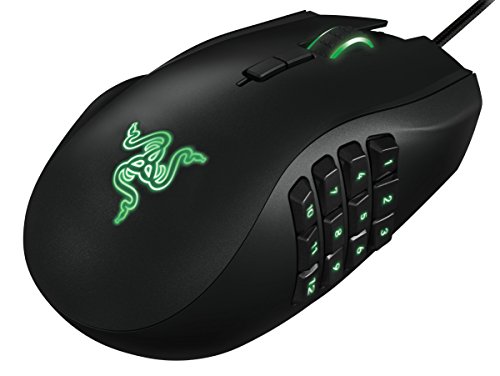
The Razer Basilisk V3 X HyperSpeed Customizable is built on one of the most recognizable asymmetric shapes in modern PC gaming. Its sculpted thumb shelf and contoured right-side flare allow a full palm grip without causing your fingers to drag. It houses Razer’s 5G Advanced 18,000 DPI optical sensor, ensuring consistent tracking during rapid micro-adjustments.
Connectivity options include low-latency 2.4 GHz HyperSpeed wireless and power-efficient Bluetooth. Battery performance is substantial, running up to 285 hours on HyperSpeed and up to 535 hours on Bluetooth using a replaceable AA battery. The primary trade-off is the use of mechanical Gen-2 switches instead of optical switches, alongside the weight added by the internal battery cell.
Corsair IRONCLAW Wireless SE
The Corsair IRONCLAW Wireless SE Gaming Mouse – Black is specifically crafted for large hands that swallow standard gaming mice. Its wide base, steep palm arch, and textured rubber side grips support relaxed palm placement without finger crowding. Internally, Corsair includes their Marksman 26,000 DPI optical sensor, complete with surface calibration through iCUE software.
With 10 programmable buttons, this model easily accommodates custom hotkeys for complex titles, making it a viable alternative to dedicated models in our MMO mouse roundups. It offers up to 285 hours of wireless play over 2.4 GHz and up to 532 hours on Bluetooth. However, its broad footprint and heavy chassis make it awkward for medium or small hands.
Redragon M810 PRO Wireless
The Redragon M810 PRO Wireless RGB Gaming Mouse 10000 delivers an ergonomic right-handed shell tailored for budget-conscious gamers. The body features an integrated thumb rest and textured flank grooves that keep your palm seated securely during movement. Tracking is handled by a PixArt PAW3325 optical sensor operating up to 10,000 DPI across five customizable levels.
Its eight programmable buttons include a rapid-fire key situated near the primary left click, useful for action titles and shooters. The internal rechargeable battery operates up to 45 hours in eco mode at a standard 1,000 Hz polling rate. While the sensor is dependable for casual play, competitive FPS players may notice higher lift-off distance compared to higher-tier optical sensors.
Attoe Vertical Gaming Mouse with 5D Rocker
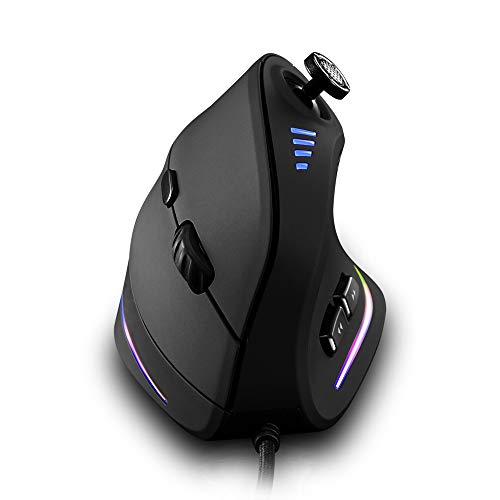
The Attoe Gaming Mouse with 5 D Rocker combines a steep vertical grip angle with specialized gaming inputs. By elevating your wrist into a handshake stance, it removes rotational pressure from your radius and ulna bones during long hours at your desk. It features a PixArt PMW3325 sensor capable of 24,000 DPI via software interpolation.
The standout feature is a 5-direction thumb rocker that maps four directional inputs plus a click, granting 12 total programmable functions without moving your fingers away from the chassis. It supports tri-mode connections across Bluetooth, 2.4 GHz, and USB-C wired modes. However, lifting and resetting the mouse requires extra finger pressure because of the vertical grip angle.
DELUX Seeker M618XSD Wireless
The DELUX Seeker Ergonomic Vertical Wireless Mouse focuses on maximum physical support through an upright posture and a magnetic detachable wrist pad. This wrist rest raises your joint to eliminate rubbing against your desk surface. An integrated OLED status display shows current DPI, battery percentage, and active connection mode at a glance.
Navigation benefits from a standard vertical scroll wheel alongside an auxiliary thumb wheel for horizontal panning. The sensor provides five hardware steps up to 4,000 DPI, upgradeable to 4,800 DPI using Windows software. While suitable for relaxed strategy, simulation, or productivity workloads, the sensor performance and heavy frame are not suited for flick-heavy competitive shooters.
Logitech Lift Vertical Wireless Mouse
The Logitech Lift Vertical Ergonomic Wireless Mouse is designed specifically for small to medium right hands seeking relief from forearm fatigue. Its 57-degree vertical tilt places the wrist in a neutral handshake posture approved by ergonomics specialists. Quiet switches and an adaptive SmartWheel reduce operating noise and finger exertion throughout long daily sessions.
Connectivity operates through Bluetooth Low Energy or a Logi Bolt USB receiver, running up to two years on a single AA battery. While it excels for hybrid desk setups and casual gameplay, it lacks a dedicated gaming sensor and onboard DPI cycling switches. Readers exploring broader desk upgrades can also review our curated general gaming mouse comparisons.
Key Factors When Choosing a Palm Grip Gaming Mouse
A true palm grip requires full hand contact with the shell, meaning the dimensions must closely match your hand size. If the mouse is too short, your fingers will hang over the front edge and force your knuckles into a claw grip. If the mouse lacks height, your palm will float without proper muscular support.
Asymmetric Contours vs Vertical Handshake Angles
Traditional ergonomic gaming mice feature an asymmetric downward slant toward the right side. This maintains natural wrist orientation while keeping sensor tracking intuitive for fast horizontal aiming. Models like the Razer Basilisk and Corsair Ironclaw use this approach to deliver competitive sensor performance without sacrificing palm contact.
Vertical mice rotate your hand roughly 57 degrees to eliminate forearm pronation. This posture significantly reduces strain on the carpal tunnel and wrist tendons during long sessions. However, aiming requires arm-driven movements rather than micro-adjustments from your fingers, which can feel unfamiliar during fast-paced multiplayer games.
Thumb Shelves and Pinky Support
In a relaxed palm grip, your thumb and outside fingers rest against the mouse flanks rather than pinching them tightly. An integrated thumb shelf keeps your thumb off the desk pad, reducing drag and accidental mouse movement. Wider right-side wings prevent your pinky finger from cramping during extended play.
Frequently Asked Questions
Is a vertical mouse practical for competitive gaming?
Vertical mice work well for role-playing games, strategy titles, and general productivity where steady comfort outweighs reflex tracking. In fast first-person shooters, the elevated angle makes sudden stops and vertical tracking harder to stabilize compared to a contoured gaming mouse.
How do I know if my hand is too large or small for a palm grip mouse?
Measure your hand from the tip of your middle finger down to the first wrist crease. Hands measuring over 19 centimeters generally require wide shells like the Corsair Ironclaw, while hands under 17.5 centimeters fit compact frames like the Logitech Lift.





Write Your Review
No reviews yet. Be the first to share your experience!