

For mechanical switches at a modest budget, consider Redragon Mechanical Gaming Keyboard Wired. Choose MageGee Portable 60% Mechanical Gaming Keyboard for a compact layout, or Redragon S101-3 PRO Gaming Keyboard and Mouse for a wired bundle.
For quieter membrane keys, Redragon K521 Upgrade Rainbow LED Gaming Keyboard and GEODMAER 65% Gaming Keyboard offer simpler alternatives. The products below are compared using supplied specifications, not claims of independent performance measurements.
Best Affordable Gaming Keyboards Compared

Pros
- 19-key anti-ghosting for gaming inputs
- Adjustable mouse DPI up to 4800
- Integrated multimedia shortcut combinations
- Bundled with a mousepad included
- Broad compatibility with PC and consoles
Cons
- Keyboard lighting restricted to rainbow mode only
- Simulated mechanical feel instead of true mechanical switches

Pros
- Hot-swappable linear red switches
- Full-key anti-ghosting support
- Software macro editing and remapping
- Includes four spare replacement switches
- Twelve quick-access multimedia shortcuts
Cons
- Backlight LED colors cannot be changed
- Wired-only design without wireless functionality

Pros
- Five dedicated macro keys for rapid command input
- Quiet membrane switches suitable for shared workspaces
- Adjustable mouse sensitivity from 800 to 7200 DPI
- Integrated wrist rest helps reduce typing fatigue
- Onboard memory retains lighting and DPI profiles
Cons
- Uses membrane keys rather than mechanical switches
- Wired design restricts flexible cable-free placement
- Full software customization limited to Windows systems

Pros
- Dedicated one-touch lighting toggle button
- 19-key anti-ghosting for essential gaming inputs
- Full 104-key layout with multimedia shortcuts
- Plug-and-play setup across PC and consoles
- Adjustable backlighting brightness and breathing modes
Cons
- Simulates mechanical feel rather than true mechanical switches
- Anti-ghosting is limited to 19 keys

Pros
- Compact layout retains dedicated arrow keys
- Smooth linear red mechanical switches
- Full anti-ghosting across all keys
- Detachable cable simplifies transport
- Dual adjustable kickstands for ergonomics
Cons
- Single-color blue lighting without RGB customization
- Lacks wireless connectivity options

Pros
- Gasket mount with EVA foam sound dampening
- Hot-swappable PCB accepts 3-pin and 5-pin switches
- Angled color screen displays GIFs and system status
- Pre-lubed linear switches with south-facing LEDs
- Compact 75% layout retains essential navigation keys
Cons
- Only documented for wired USB-C connectivity
- GIF uploads and macros require proprietary software

Pros
- Space-saving tenkeyless design
- IP32 spill and dust resistance
- Quiet keystrokes for shared spaces
- Dedicated media buttons and volume roller
- Wide PC and console compatibility
Cons
- Non-mechanical switches lack distinct mechanical tactile response
- RGB illumination is limited to 8 zones instead of per-key

Pros
- Quiet, responsive key design
- IP53 dust and water protection
- Included detachable palm rest
- Customizable 10-zone RGB lighting
- Convenient media dial
Cons
- Wired connection limits cable-free placement
- Full-size design requires more desk space
- US QWERTY layout may not suit other layouts

Pros
- Tri-mode connectivity via Bluetooth, 2.4GHz, and USB-C
- Single 2-in-1 USB receiver operates both peripherals
- Ten dedicated multimedia keys for direct playback control
- Mouse supports up to 1000Hz polling rate
- Keyboard battery rated up to 300 hours without RGB
Cons
- Configuration software is limited to Windows systems
- Mouse sensor tops out at 4800 DPI

Pros
- Space-saving 68-key layout with dedicated arrows
- Detachable Type-C cable for easy travel
- Quiet membrane operation suitable for shared rooms
- 26-key anti-ghosting for accurate key registration
Cons
- Uses membrane switches instead of authentic mechanical switches
- No integrated number pad for data entry
Recommended Keyboards
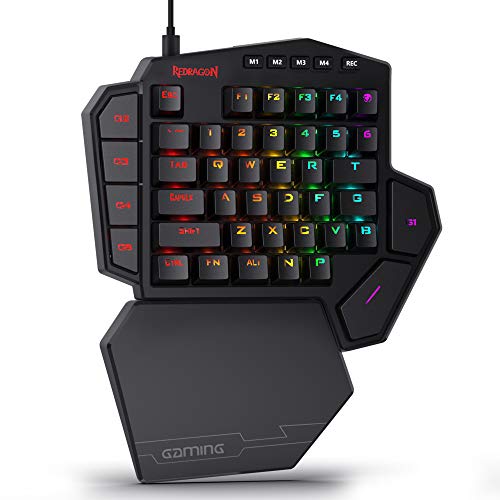
Redragon Mechanical Gaming Keyboard Wired: Mechanical Features for Gaming
This wired model pairs linear red switches with hot-swappable sockets, full-key anti-ghosting, macro editing, and 11 backlight modes. Its all-key anti-ghosting suits games that require simultaneous inputs, while switch replacement gives owners an option when a compatible switch fails.
Pros: Hot-swappable switches, macro support, PBT keycaps, and full-key anti-ghosting. Cons: Lighting color cannot be changed, and the supplied details do not specify keyboard layout dimensions or console compatibility. Who should skip it: Users who need a compact layout, wireless connection, or confirmed console support.
MageGee Portable 60% Mechanical Gaming Keyboard: Compact Wired Pick
This 68-key keyboard keeps separate arrow keys and F1-F12 access through function keys, while omitting a full-size layout. Linear red switches and all-key anti-ghosting fit compact gaming setups; USB 2.0 connectivity supports listed Windows, Linux, and Mac systems without driver installation.
Pros: Compact footprint, detachable USB cable, adjustable typing angle, and broad listed computer compatibility. Cons: Blue backlighting is not RGB, and the compact layout requires function-layer access for some controls. Who should skip it: Users who rely on a number pad or want dedicated full-size keys.
Redragon S101-3 PRO Gaming Keyboard and Mouse: Wired Starter Bundle
This set includes a full-size membrane keyboard, mouse, wrist rest, anti-ghosting, and five dedicated macro keys. It suits buyers who need both primary peripherals together and prefer quieter membrane-style typing to mechanical switches.
Pros: Keyboard and mouse arrive as a bundle, with macro keys, software customization, and a wrist rest. Cons: The keyboard uses membrane keys, and listed compatibility focuses on Windows 10 and 11. Who should skip it: Mechanical-switch buyers or users needing confirmed Mac or console support.
Redragon K521 Upgrade Rainbow LED Gaming Keyboard: Simple Full-Size Option
The K521 provides 104 keys, 19-key anti-ghosting, multimedia shortcuts, and rainbow backlighting with adjustable brightness and breathing modes. Its plug-and-play USB connection and listed Windows, Mac, PS4, PS5, and Xbox compatibility make it a flexible choice where mechanical-feeling membrane keys are acceptable.
Pros: Full-size layout, convenient media keys, and broad stated platform compatibility. Cons: It has 19-key rather than full-key anti-ghosting, and backlight color is rainbow rather than user-selectable. Who should skip it: Players needing every key to register simultaneously or wanting genuine mechanical switches.
GEODMAER 65% Gaming Keyboard: Compact Membrane Alternative
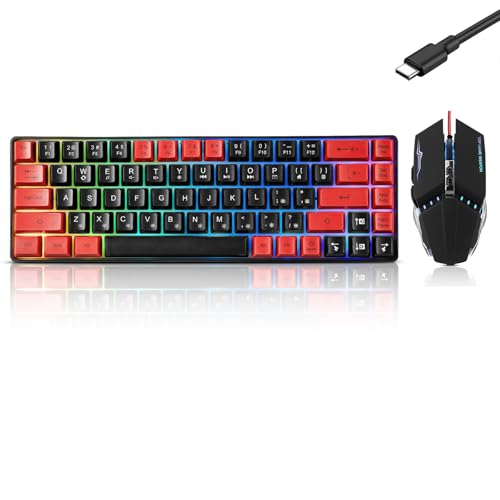
This 68-key wired membrane keyboard has separate arrow keys, a detachable Type-C cable, 26-key no-conflict input, and 11 media buttons. Its compact footprint suits smaller desks, while backlight modes and a Windows-key lock add practical controls.
Pros: Compact layout, detachable cable, and stated Windows compatibility. Cons: The switches are membrane, and the supplied compatibility details do not confirm Mac or console support. Who should skip it: Buyers who need mechanical switches, full-key anti-ghosting, or documented compatibility beyond Windows.
CHONCHOW Gaming Keyboard and Mouse Led Backlit USB: Low-Cost Wired Combo
This bundle includes a membrane keyboard with mechanical-feeling keys, a mouse, and a mousepad. The keyboard supports 19-key anti-ghosting and multimedia shortcuts; the mouse offers four selectable DPI levels, making the set suitable for a basic shared gaming setup.
Pros: Keyboard, mouse, and mousepad are included, with stated PC, Mac, PS4, and Xbox One support. Cons: The keyboard is not mechanical, lighting is rainbow-only, and the supplied details conflict on mouse DPI ranges. Who should skip it: Buyers seeking a standalone mechanical keyboard or precise, consistent mouse specifications.
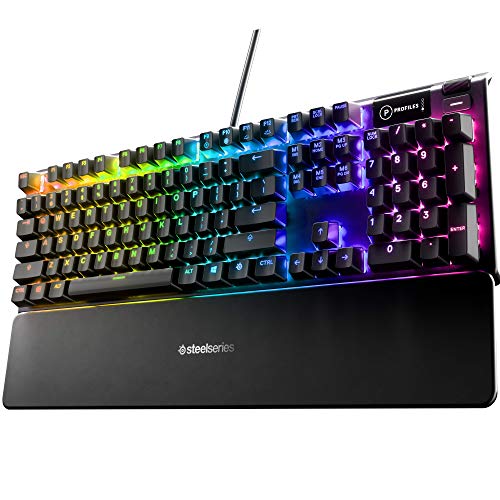
SteelSeries Apex 3 TKL RGB Gaming Keyboard: Quiet Tenkeyless Choice
The tenkeyless layout removes the number pad to leave more room for mouse movement. Quiet switches, dedicated media controls, IP32 water and dust resistance, and stated support for Windows, Mac, Xbox Series X|S, PS4, and PS5 suit shared rooms and console setups.
Pros: Quiet switches, multimedia roller, tenkeyless format, and documented console compatibility. Cons: It is not a mechanical-switch keyboard, and omitting the number pad may hinder data entry. Who should skip it: Users who want a full-size keyboard or hot-swappable mechanical switches.
Womier SK80 75% Keyboard with Color Multimedia: Customization-Focused Pick
This 75% mechanical keyboard combines hot-swappable 3-pin or 5-pin switch support, a gasket mount, RGB lighting, and a customizable display. Its Type-C connection is detachable, and stated compatibility covers Mac and Windows systems.
Pros: Hot-swappable switches, software customization, and a compact layout with a multimedia display. Cons: The supplied information does not confirm console support or provide details about wireless operation. Who should skip it: Buyers prioritizing the lowest-cost basic keyboard or requiring confirmed console compatibility.
Redragon S101M-KS Gaming Keyboard and Mouse: Wireless Combo
This set supports wired, Bluetooth, and 2.4 GHz connections, with one receiver controlling both devices in 2.4 GHz mode. The keyboard includes multimedia controls and rechargeable operation; the mouse offers five stated DPI levels and software adjustment.
Pros: Three connection modes, bundled mouse, programmable controls, and a detachable USB-C cable. Cons: Compatibility is stated for Windows, PCs, and laptops, not Mac or consoles; keyboard runtime is stated with RGB off. Who should skip it: Buyers seeking a wired-only keyboard or confirmed support for other platforms.
Corsair Skiff 100 Quiet RGB Wired Gaming Keyboard: Quiet Full-Size Option
This wired model lists quiet keys, a detachable palm rest, a media dial, 10-zone RGB lighting, and IP53 dust and water protection. Those features suit users who want a full-size-style work and gaming keyboard with quick volume control.
Pros: Palm rest, media dial, RGB zones, and stated IP53 protection. Cons: The supplied details do not specify switch type, layout dimensions, or platform compatibility. Who should skip it: Buyers who need documented compatibility, mechanical-switch details, or a compact layout before choosing.
How to Choose an Affordable Gaming Keyboard
Choose Switch Type and Noise Level
Mechanical switches offer distinct switch characteristics and, in some models here, hot-swappable replacement. Membrane models can suit shared rooms or buyers seeking a quieter typing style, but mechanical-feeling labeling does not mean a keyboard uses mechanical switches.
Match Layout to Desk Space and Games
Full-size keyboards preserve a number pad, while 60% and 65% models reduce desk footprint. Tenkeyless designs remove the number pad but retain a more conventional layout; check whether separate arrows and function-key access matter for your games or daily work.
Check Anti-Ghosting and Customization
Anti-ghosting specifications differ: some keyboards support all keys simultaneously, while others list only a limited number of conflict-free keys. Macro software, remapping, and adjustable lighting vary by model, so prioritize features you will use rather than lighting claims alone.
Confirm Device Compatibility
Compatibility is model-specific. Check the listed operating systems and consoles before buying, especially when a listing only names Windows or PC. A USB connection does not by itself establish support for every console or computer.
Frequently Asked Questions
Are membrane keyboards suitable for gaming?
Yes. Membrane models in this selection advertise anti-ghosting and wired connections, which support common gaming inputs. Choose one if its layout and listed compatibility fit your setup; select mechanical switches if switch feel and replacement options matter more.
Which affordable gaming keyboard takes up the least desk space?
The MageGee is a 68-key compact design, while GEODMAER also lists a 68-key 65% layout. Both omit a number pad, so compare their switch types and compatibility before choosing.





Write Your Review
No reviews yet. Be the first to share your experience!