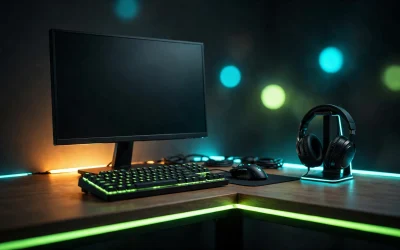
Every keypress on a mechanical keyboard is a tiny engineering event: a stem slides down, a spring compresses, and the keystroke registers. That mechanism — the switch — decides how your keyboard feels, how it sounds, and whether you’ll love typing on it for the next five years.
Switches are the single most important choice when buying a mechanical keyboard, and also the most confusing. Linear vs tactile vs clicky, Cherry vs Gateron, hot-swap, actuation force — this guide cuts through all of it, with real keyboard examples for each switch type, so you can pick with confidence.
How a Mechanical Switch Actually Works
Under each keycap sits a self-contained switch: a plastic stem riding in a housing, pushed back up by a spring. Press the key and the stem travels downward; at a certain point — the actuation point, usually around 2mm into a ~4mm travel — the switch registers the press.
Traditional switches use two metal contact leaves that touch to complete a circuit. Optical switches interrupt a beam of light instead, and Hall effect switches detect a magnet’s position — both eliminate metal-contact wear and enable features like adjustable actuation. The actuation force (measured in grams) tells you how hard you must press: lighter switches (45g) feel fast, heavier ones (60g+) resist accidental presses.
Linear Switches: Smooth and Fast
Linear switches travel straight down with no bump and no click — just smooth, consistent resistance. That uninterrupted motion makes rapid repeated presses easier, which is why linear switches are the default choice for competitive FPS players.
The classics are Cherry MX Red (45g) and Gateron Red (45g, generally smoother and cheaper). Gateron Yellow (~50g) is the enthusiast favorite: slightly heavier, very smooth. Linears are also the quietest mechanical option short of dedicated silent switches, so they won’t dominate voice chat.
Example board: Keychron K2 V2 (Gateron G Pro Red) — a 75% wireless board with genuine Gateron G Pro Red linear switches, Bluetooth and USB-C, and RGB. Note: this version is not hot-swappable, so the switches it ships with are permanent.
Tactile Switches: Feel the Bump
Tactile switches add a small bump partway through the press — feedback your fingers can feel without an audible click. That bump confirms each keystroke, which many typists find improves accuracy and comfort over long sessions.
Cherry MX Brown (55g) is the all-rounder: a gentle bump, moderate sound. Gateron Brown (55g) is the value equivalent found in most affordable tactile boards. Tactile is the safest blind pick if you both game and type on the same keyboard.
Example board: Keychron K8 Pro (Gateron G Pro Brown) — a wireless TKL with genuine Gateron G Pro Brown tactile switches, QMK/VIA programmability, PBT keycaps, and hot-swap sockets if you ever want to try other switches.
Clicky Switches: Loud and Proud
Clicky switches add a crisp, audible click at the actuation point — on top of the tactile bump. The sound is deeply satisfying to the typist and deeply annoying to everyone within earshot. This is a switch for people who type alone.
Cherry MX Blue (60g) is the loud classic. Kailh Box clicky variants are popular alternatives with slightly different click character and better dust resistance. Never buy clicky for a shared office, a bedroom with a sleeping partner, or streaming with an open mic.
Example board: Ducky One 3 Mini (Cherry MX Blue) — a 60% board with genuine Cherry MX Blue clickies, hot-swap sockets, PBT double-shot keycaps, and per-key RGB. The definitive clicky starter board.
The Switches You’ll Actually Meet in Stores
Walk into any keyboard listing and you’ll see the same names over and over. Here’s the shortlist that covers 90% of what’s sold:
- Cherry MX Red — linear, 45g. The gaming default. Smooth, light, quiet-ish.
- Cherry MX Brown — tactile, 55g. The all-rounder. Gentle bump, moderate sound.
- Cherry MX Blue — clicky, 60g. The loud classic. Fun alone, antisocial otherwise.
- Gateron Red — linear, 45g. Smoother and cheaper than Cherry Red; the budget-board staple.
- Gateron Yellow — linear, ~50g. The enthusiast favorite: a hair heavier, very smooth.
- Gateron Brown — tactile, 55g. The value tactile pick in most affordable keyboards.
- Optical switches (Razer, Gateron Optical, etc.) — use a light beam instead of metal contacts. Often marketed as faster; in practice the difference is tiny, and they usually lock you into one brand’s ecosystem.
Cherry invented the modern MX design and remains the reference standard, but Gateron (and brands like Kailh) now match or beat Cherry on smoothness at lower prices. Don’t pay a premium just for the Cherry name unless you specifically want it.
Optical and Hall-Effect Switches: The New Wave
Two technologies are reshaping the high end. Optical switches register via light beam — no metal contacts to wear or debounce — and typically offer very long rated lifespans. Hall effect (magnetic) switches detect a magnet’s position with a sensor, which enables adjustable actuation (set how far each key travels before registering) and rapid trigger (keys reset the instant you start releasing them).
Important: these are different technologies. An “optical” switch is not a “Hall effect” switch, even though both get marketed with similar gaming buzzwords. Rapid trigger and per-key adjustable actuation are Hall effect features; don’t assume an optical board has them.
Example board: Razer Huntsman V3 Pro TKL — uses Razer’s Analog Optical Gen-2 switches with adjustable actuation (0.1–4.0mm), rapid trigger, and Snap Tap, plus doubleshot PBT keycaps and a magnetic wrist rest. Note: these are analog optical switches, not Hall effect magnetic switches — the adjustable actuation works on the same principle but the sensing technology differs.
Hot-Swap: The Feature That Changes Everything
On a traditional board, switches are soldered in — what you buy is what you get forever. Hot-swap sockets let you pull switches out and push new ones in with a simple tool, no soldering required.
This matters more than it sounds. Switch preference is personal and hard to predict from articles; hot-swap means a $20 switch sampler pack can transform your board instead of forcing you to buy a whole new keyboard. If you’re unsure about switch type, prioritize hot-swap — it’s the cheapest insurance against buyer’s remorse in the hobby.
How to Choose: Match the Switch to Your Life
Forget “best switch” rankings — the right switch depends on what you actually do all day:
- Competitive FPS player: Linear. Cherry MX Red, Gateron Red, or Gateron Yellow. Smooth, fast, quiet on comms. If you’re serious, consider a Hall-effect board with rapid trigger.
- Writer, coder, student: Tactile. Cherry MX Brown or Gateron Brown. The bump keeps long sessions comfortable and accurate.
- Shared office or bedroom: Quiet linear (or “silent” switch variants, which have rubber dampeners). Skip clicky entirely — your coworkers and family will thank you.
- Solo gamer who loves the vibe: Clicky. Cherry MX Blue or a Kailh Box variant. Glorious alone, miserable for everyone else.
- Genuinely unsure: Tactile Brown on a hot-swappable board. It’s the middle of every road, and hot-swap means you’re never stuck.
One more tip: switch testers — little boards with 6 to 12 different switches — cost very little and answer the question faster than any article can. Ten minutes of pressing beats ten hours of reading.
Quick Answers
Are linear switches actually better for gaming? Slightly, for competitive FPS — the smooth travel makes rapid repeated presses easier. For casual gaming the difference is negligible; pick what feels good.
Do switches wear out? They’re typically rated for 50–100 million keystrokes. You’ll replace the keyboard for other reasons long before the switches die.
Can I mix switch types on one keyboard? On a hot-swap board, absolutely. Many people run linears on gaming keys (WASD) and tactiles everywhere else.
Are expensive switches worth it? Up to a point. The jump from scratchy budget switches to smooth Gaterons is real; beyond that you’re paying for subtle sound and feel differences only enthusiasts notice.
The Bottom Line
Most people should start with a tactile switch like the Cherry MX Brown or Gateron Brown on a hot-swappable board — it’s the versatile middle ground, and hot-swap keeps every future option open. FPS competitors should lean linear, and clicky switches are a treat reserved for people who type alone.
Once you know your switch type, picking the actual keyboard gets much easier — check our roundup of the best gaming keyboards of 2026 to find a board that comes with (or lets you install) exactly what you want.