

The best vesa adapter for gaming monitor setups is the one that matches the exact display model and provides the correct VESA hole pattern. Model-specific adapters are usually the safer choice for monitors from Sceptre, Alienware, Samsung, and HP, while universal brackets offer broader compatibility for supported screen sizes.
This comparison is based on documented compatibility and advertised mounting specifications. The products differ substantially, so confirm your monitor model, screen size, and required VESA pattern before ordering. An adapter does not automatically increase the weight capacity of the monitor arm or wall mount attached to it.
Best VESA Adapters for Gaming Monitors
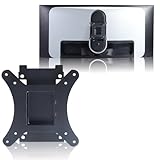


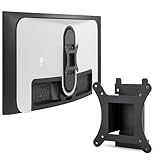
How to Choose the Best vesa adapter for gaming monitor Mounting
The most important decision is compatibility, not the adapter’s appearance or advertised versatility. Check the monitor’s exact model number, the adapter’s supported model list, and the VESA pattern required by your arm, stand, or wall mount.
Match the Exact Monitor Model
Several products in this guide are designed for specific monitors rather than general gaming displays. The Alienware options target the AW3423DW, the HP options target OMEN 25 models, and the Samsung option targets selected Odyssey G7 and G6 displays.
Model names can look similar while using different rear housings or mounting interfaces. If your monitor is not listed by the adapter manufacturer, treat compatibility as unconfirmed and check the product documentation before installation.
Verify the VESA Pattern
VESA measurements describe the spacing between mounting holes in millimeters. The products here include adapters for 75×75, 100×100, or conversion between those patterns, so the adapter must match the mount as well as the monitor.
A 75×75 to 100×100 adapter can be useful when a monitor has a smaller mounting interface but the arm or bracket uses a larger pattern. Do not assume that every adapter labeled 100×100 also supports a 75×75 installation.
Consider the Intended Mounting Setup
These products are intended to connect monitors without a standard VESA connection to compatible desk mounts, monitor arms, or wall mounts. Confirm that the receiving mount supports the adapter’s final VESA pattern and the monitor’s total weight.
Curved and ultrawide displays may place more leverage on a mount than smaller flat screens. The supplied product information does not specify weight limits for these adapters, so the mount manufacturer’s capacity remains an important separate requirement.
Product-by-Product Analysis
VIVO VESA Adapter Designed for Compatible Sceptre
VIVO VESA Adapter Designed for Compatible Sceptre is designed for compatible Sceptre C25, C30, and C34 monitors and supports VESA patterns up to 100x100mm. That makes it a focused option for owners of those listed Sceptre displays who want to use a conventional VESA mount.
- Pros: Model-specific support for Sceptre C25, C30, and C34 monitors, with compatibility up to 100x100mm.
- Cons: It is not presented as a universal adapter, and compatibility outside the listed Sceptre models is not established.
- Who should skip it: Skip it if your monitor is not one of the supported Sceptre models or if your mount requires a pattern larger than 100x100mm.
AW3423DW VESA Adapter Compatible with Alienware, 100×100
AW3423DW VESA Adapter Compatible with Alienware is specifically identified for the Alienware AW3423DW and uses a 100×100 wall-mount bracket format. It suits owners of that 34-inch curved gaming monitor whose mounting hardware is built around a 100×100 VESA connection.
- Pros: Clear AW3423DW compatibility and a straightforward 100×100 mounting target.
- Cons: The supplied information does not establish compatibility with other Alienware models or include a separate 75×75 conversion specification.
- Who should skip it: Skip it if your mount requires 75×75 holes or your display is not the AW3423DW.
VESA Bracket Adapter for DELL Alienware 34
VESA Bracket Adapter for DELL Alienware 34" is another AW3423DW-specific option, but its listed function is to convert 75×75 to 100×100 VESA mounting. That conversion makes it relevant when the monitor-side and mount-side patterns differ.
- Pros: Identifies the AW3423DW and documents a 75×75 to 100×100 conversion, which covers a useful mounting mismatch.
- Cons: Its compatibility is narrowly tied to the listed Alienware model, and the supplied data does not confirm support for other 34-inch displays.
- Who should skip it: Skip it if you need a universal adapter or already have matching 100×100 holes on both the monitor and mount.
AW3423DW VESA Adapter Compatible with Alienware, 75×75 to 100×100
AW3423DW VESA Adapter Compatible with Alienware also targets the AW3423DW and lists a 75×75 to 100×100 VESA adapter bracket. Its documented conversion makes it a direct alternative to the other AW3423DW adapter with the same stated pattern transition.
- Pros: Designed for the AW3423DW and specified for conversion between 75×75 and 100×100 mounting patterns.
- Cons: The product information does not distinguish its construction, load rating, or installation process from similar AW3423DW options.
- Who should skip it: Skip it if your monitor model differs from the AW3423DW or if your setup does not need a 75×75 to 100×100 conversion.
Monitor VESA Adapter Arm/Mount Compatible with Samsung Odyssey
Monitor VESA Adapter Arm/Mount Compatible is intended for selected Samsung 27-inch Odyssey G7 and G6 monitors, along with the Samsung 32-inch Odyssey G7 and G6 models listed in its description. It also references model identifiers including G75T, G75NB, G65B, and LC32G75TQSNXZA.
- Pros: Covers several named Samsung Odyssey gaming monitor families and includes a pen holder and cable ties according to the supplied product description.
- Cons: Compatibility is model-specific, and the supplied information does not state the final VESA hole pattern or a weight capacity.
- Who should skip it: Skip it if your Samsung monitor is not among the listed Odyssey models or if you require confirmed VESA dimensions before purchase.
OMEN 25 VESA Mount Adapter Compatible with HP 25
OMEN 25 VESA Mount Adapter Compatible with HP 25" is designed for the HP OMEN 25 and identifies the Z7Y57AA and Z7Y57A9 model codes. It supports a 75×75 to 100×100 wall-mount conversion, making it suitable for a compatible OMEN display and a mount using the larger pattern.
- Pros: Names the supported HP OMEN 25 model codes and documents the 75×75 to 100×100 conversion.
- Cons: It is limited to the listed HP monitor family, and no adapter load rating is supplied.
- Who should skip it: Skip it if you own a different OMEN size, need a universal bracket, or require a documented load limit.
3IDEE VESA Mount Adapter Compatible with HP Omen
3IDEE VESA Mount Adapter Compatible with HP Omen is intended for the HP Omen 25 and lists a 75×75 VESA connection. It is a reasonable fit when the monitor and the receiving mount both use, or can accept, the 75×75 pattern.
- Pros: Identifies HP Omen 25 compatibility and provides a clear 75×75 mounting specification.
- Cons: The supplied information does not document 100×100 conversion, so it may be less suitable for mounts limited to the larger pattern.
- Who should skip it: Skip it if your mount requires 100×100 holes or your monitor is not a compatible HP Omen 25 model.
Mount-It! Non-VESA Monitor Mount Adapter Kit
Mount-It! Non-VESA Monitor Mount Adapter Kit is the broadest option in this group, supporting 13 to 27-inch LCD and LED screens and converting non-VESA displays to 75×75 or 100×100 mounting. Its stated screen-size range makes it more flexible than the model-specific brackets.
- Pros: Supports a range of 13 to 27-inch LCD and LED screens and offers both 75×75 and 100×100 VESA formats.
- Cons: Universal compatibility does not guarantee fitment with every bezel, rear housing, or curved display, and it does not cover screens above 27 inches based on the supplied data.
- Who should skip it: Skip it if you own a larger or ultrawide monitor, or if your display requires a model-specific mounting bracket.
Quick Compatibility Comparison
| Adapter | Documented monitor compatibility | VESA information | Best fit |
|---|---|---|---|
| VIVO VESA Adapter Designed for Compatible Sceptre | Sceptre C25, C30, and C34 | Up to 100x100mm | Owners of listed Sceptre monitors |
| AW3423DW VESA Adapter Compatible with Alienware | Alienware AW3423DW | 100×100 | AW3423DW setups using a 100×100 mount |
| VESA Bracket Adapter for DELL Alienware 34 | Alienware AW3423DW | 75×75 to 100×100 | AW3423DW conversion setups |
| AW3423DW VESA Adapter Compatible with Alienware | Alienware AW3423DW | 75×75 to 100×100 | AW3423DW conversion setups |
| Monitor VESA Adapter Arm/Mount Compatible | Selected Samsung Odyssey G7 and G6 models | Not specified | Listed Samsung Odyssey displays |
| OMEN 25 VESA Mount Adapter Compatible with HP 25 | HP OMEN 25, Z7Y57AA, and Z7Y57A9 | 75×75 to 100×100 | Listed HP OMEN 25 models |
| 3IDEE VESA Mount Adapter Compatible with HP Omen | HP Omen 25 | 75×75 | HP Omen 25 with a 75×75 mount |
| Mount-It! Non-VESA Monitor Mount Adapter Kit | 13 to 27-inch LCD and LED screens | 75×75 and 100×100 | Compatible smaller non-VESA displays |
Which Best vesa adapter for gaming monitor Should You Choose?
Choose the VIVO adapter if you own a supported Sceptre C25, C30, or C34 and need compatibility up to 100x100mm. For an Alienware AW3423DW, select between the 100×100-only option and either 75×75 to 100×100 adapter according to your mount’s required pattern.
The Samsung adapter is the more relevant choice for the listed Odyssey G7 and G6 models, while the HP options are intended for OMEN 25 displays. Choose the 3IDEE model when a 75×75 connection is sufficient, or the Yunquehe option when a 75×75 to 100×100 conversion is needed.
Mount-It! is the most flexible choice on paper for compatible 13 to 27-inch non-VESA screens because it supports both 75×75 and 100×100 patterns. However, model-specific adapters remain preferable when your monitor is explicitly listed, especially for curved or unusual rear housings.
Frequently Asked Questions About the Best vesa adapter for gaming monitor
Can any VESA adapter fit a gaming monitor?
No. VESA adapters use different mounting patterns and physical attachment methods, and many are designed for specific monitor models. Confirm both the display model and the receiving mount’s VESA pattern before buying.
Is 75×75 compatible with 100×100?
Only when the adapter is specifically designed to convert between those patterns. A product listed as 75×75 to 100×100 can bridge that difference, but a 75×75-only adapter should not be treated as a 100×100 bracket.
Does a VESA adapter include a monitor arm?
These products are adapters or brackets, not automatically complete monitor arms or wall mounts. You must verify that your separate mount supports the adapter’s final VESA pattern and the monitor’s weight.
For more display buying guidance, see gaming monitor vs 4K TV and the Gaming Monitors category. Readers comparing larger curved displays can also browse the Ultrawide Monitors category.





Write Your Review
No reviews yet. Be the first to share your experience!