

The ASUS TUF Gaming VG27UQ1A is the strongest overall choice for the best gaming monitor for PS5 Pro with VRR because its documented features include 4K resolution, HDMI 2.1, support for up to 4K at 120Hz, and multiple adaptive-sync technologies.
The Amzfast 27" 4K Gaming Monitor is another useful option for buyers who want a dual-mode display for both console and high-refresh-rate PC gaming. The SANSUI 27 Inch Curved 240Hz Gaming Monitor FHD is more affordable in concept, but its 1080p resolution and unspecified HDMI version make it a weaker fit for PS5 Pro owners focused on 4K VRR.

Pros
- Fast 240Hz refresh rate for fluid gameplay
- High 4000:1 static contrast ratio
- Immersive 1500R curved display
- FreeSync adaptive sync support
- Wide 130% sRGB color gamut
Cons
- 1080p resolution yields lower pixel density at 27 inches
- Stand provides tilt adjustment only
- No built-in audio speakers

Pros
- One-click switching between 4K 160Hz and FHD 320Hz
- Dual HDMI 2.1 and dual DisplayPort 1.4 inputs
- Fully ergonomic stand with height and pivot support
- Wide color reproduction with 93% DCI-P3 coverage
Cons
- Entry-level HDR400 offers modest high dynamic range performance
- Motion clarity rating specified in MPRT rather than GtG

Pros
- Sharp 4K resolution paired with 160Hz refresh rate
- Fast IPS panel offers a 1ms response time
- HDMI 2.1 enables 4K 120Hz console gaming
- NVIDIA G-SYNC Compatible and AMD FreeSync Premium support
- Wide 95% DCI-P3 color gamut coverage
| Monitor | Resolution | Refresh rate | Console-relevant features | Best suited for |
|---|---|---|---|---|
| ASUS TUF Gaming VG27UQ1A 27 Inch 4K 160Hz G-SYNC | 3840 x 2160 | Up to 160Hz | HDMI 2.1, up to 4K 120Hz, G-SYNC Compatible, FreeSync Premium | PS5 Pro owners prioritizing 4K gaming |
| Amzfast 27" 4K Gaming Monitor | 4K mode and FHD mode | Up to 160Hz in 4K mode, up to 320Hz in FHD mode | Two HDMI 2.1 ports, Adaptive Sync, PS5 support stated by the manufacturer | Console and competitive PC gaming |
| SANSUI 27 Inch Curved 240Hz Gaming Monitor FHD | 1920 x 1080 | Up to 240Hz | FreeSync, HDMI, DisplayPort 1.4 | 1080p PC gaming and lower-resolution setups |
1. ASUS TUF Gaming VG27UQ1A 27 Inch 4K 160Hz G-SYNC
ASUS TUF Gaming VG27UQ1A 27 Inch 4K 160Hz G-SYNC is the most straightforward recommendation for the best gaming monitor for PS5 Pro with VRR. Its 3840 x 2160 resolution matches the console’s 4K output target, while HDMI 2.1 supports up to 4K at 120Hz without chroma subsampling.
The monitor also lists NVIDIA G-SYNC Compatible and AMD FreeSync Premium support, although console VRR behavior can depend on the console, game, cable, and display settings. Its Fast IPS panel, 1ms response-time specification, and ELMB Sync are more relevant to fast PC gaming than to the PS5 Pro alone.
- Pros: 4K resolution, HDMI 2.1, documented 4K 120Hz console support, G-SYNC Compatible, FreeSync Premium, 95% DCI-P3 coverage, and a Fast IPS panel.
- Cons: The supplied information does not specify local dimming or a brightness level, so the HDR label alone does not establish strong HDR performance.
- Who should skip it: Skip this model if you mainly play competitive PC games at extremely high frame rates and would rather prioritize a native 1080p or 1440p esports display.
Our gaming monitor versus 4K TV comparison may also help if you are deciding between a desk display and a larger living-room screen.
2. Amzfast 27" 4K Gaming Monitor
Amzfast 27" 4K Gaming Monitor stands out because it offers two operating modes. The 4K mode is specified at up to 160Hz, while the FHD mode reaches up to 320Hz, giving PC users a way to choose detailed visuals for slower-paced games or higher refresh rates for competitive titles.
For PS5 Pro use, the important specifications are the two HDMI 2.1 ports and the manufacturer’s stated PS5 support. Adaptive Sync is also listed, but the supplied information does not explicitly define the monitor’s complete PS5 Pro VRR range or behavior, so buyers should confirm the desired console settings before purchase.
- Pros: 4K 160Hz mode, FHD 320Hz mode, two HDMI 2.1 ports, Adaptive Sync, HDR400, 10-bit color, built-in speakers, and an adjustable stand with height, swivel, tilt, and rotation.
- Cons: Switching to FHD mode sacrifices the detail expected from a 4K PS5 Pro setup, and the supplied data does not document a specific PS5 Pro VRR range.
- Who should skip it: Skip this model if you want the clearest, most specifically documented 4K 120Hz console compatibility rather than a flexible dual-mode display.
3. SANSUI 27 Inch Curved 240Hz Gaming Monitor FHD
SANSUI 27 Inch Curved 240Hz Gaming Monitor FHD is designed around fast 1080p gaming. Its 240Hz refresh rate, FreeSync support, MPRT 1ms specification, and DisplayPort 1.4 connection make it better suited to a PC that can take advantage of high refresh rates at Full HD.
The 1500R curve, 130% sRGB coverage, 95% DCI-P3 coverage, 4000:1 contrast ratio, and 300-nit brightness specification add useful context for desktop gaming. However, the monitor is only 1920 x 1080, its HDMI version is not specified, and FreeSync alone does not confirm PS5 Pro VRR compatibility.
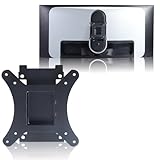
- Pros: High 240Hz refresh rate, curved panel, FreeSync, DisplayPort 1.4, broad stated color coverage, 4000:1 contrast ratio, VESA 100 x 100mm support, and a metal stand.
- Cons: Full HD resolution limits the image detail available from a PS5 Pro, and there is no documented HDMI 2.1 or explicit PS5 Pro VRR support in the supplied specifications.
- Who should skip it: Skip this monitor if 4K console output, HDMI 2.1, or clearly documented 120Hz PS5 Pro support is a priority.
What to Look For in a PS5 Pro VRR Monitor
Prioritize 4K resolution and HDMI 2.1
A suitable PS5 Pro display should start with 4K resolution if you want to preserve the console’s high-detail output. HDMI 2.1 is also important because the ASUS model specifically documents support for up to 4K at 120Hz, while the Amzfast model lists two HDMI 2.1 ports.
An HDMI 2.1 port does not guarantee that every gaming mode will operate at the same refresh rate. Check the monitor’s manual, use a suitable high-bandwidth cable, and confirm the console recognizes 4K resolution and 120Hz output.
Confirm VRR support instead of relying on the label
VRR can reduce tearing by allowing the display refresh rate to vary with the console’s rendered frame rate. The ASUS monitor lists G-SYNC Compatible and FreeSync Premium, while the Amzfast monitor lists Adaptive Sync and PS5 support.
The SANSUI model lists FreeSync, but the provided information does not confirm how its HDMI connection handles PS5 Pro VRR. That makes it a less certain choice for this specific use, even though its high refresh rate may be useful with a compatible PC.
Match the panel and refresh rate to your games
4K is generally the more relevant priority for story-driven console games, while high refresh rates matter more for fast competitive play. A monitor’s maximum refresh rate does not mean the PS5 Pro or a PC will produce that frame rate in every game.
The ASUS monitor offers a 4K 160Hz specification, the Amzfast model separates 4K and FHD modes, and the SANSUI model focuses on 1080p at 240Hz. Choose according to the resolution you want to use rather than selecting only by the largest refresh-rate number.
Check stand, mounting, and audio requirements
The ASUS package includes a DisplayPort cable and power cord, while the Amzfast model includes cables and built-in speakers. The SANSUI model has HDMI, DisplayPort 1.4, and an audio jack, but no built-in speakers, so console audio may require headphones, external speakers, or another compatible setup.
All three products list VESA support or mounting compatibility in the supplied data, although the SANSUI and Amzfast models specify a 100 x 100mm pattern. Review the included stand adjustments and your desk space before choosing a mounting arrangement.
Which PS5 Pro VRR Monitor Should You Choose?
Choose the ASUS TUF Gaming VG27UQ1A if you want the strongest documented match for 4K PS5 Pro gaming with HDMI 2.1, 4K 120Hz support, and adaptive-sync features. It is also the most balanced option for a setup shared between console gaming and a gaming PC.
Choose the Amzfast 27" 4K Gaming Monitor if you value a dual-mode design that can move from 4K gaming to FHD high-refresh PC play. Choose the SANSUI model only if Full HD resolution is acceptable and your main priority is high-refresh PC gaming rather than clearly documented PS5 Pro VRR support.
For more console-focused display options, see our guide to the best gaming monitors for console and PC or browse the Gaming Monitors category.
FAQs About the Best Gaming Monitor for PS5 Pro With VRR
Is 4K 120Hz more important than 240Hz for PS5 Pro?
For a PS5 Pro setup, 4K 120Hz is generally the more relevant target because it combines high resolution with the console’s documented high-refresh console output. A 240Hz monitor can still work for PC gaming, but the PS5 Pro may not use its full refresh-rate capability.
Does FreeSync guarantee PS5 Pro VRR?
No. FreeSync indicates an adaptive-sync feature, but console compatibility depends on the monitor’s HDMI implementation and supported VRR behavior. Look for explicit console support and confirm the manufacturer documentation before treating FreeSync as a guarantee.
Can a Full HD monitor be used with a PS5 Pro?
A Full HD display can be used with a console, but it will not provide the 4K detail associated with a PS5 Pro setup. The SANSUI monitor is therefore more appropriate for buyers who accept 1080p or plan to use it mainly with a PC.






Write Your Review
No reviews yet. Be the first to share your experience!