

The best HDMI 2.1 switch for gaming monitor PS5 PC setups is the OREI 8K 2-Port HDMI 2.1 Switch, 8K@60Hz, 4K@120Hz. It is the only dedicated switch in this comparison, while the Gawfolk monitor is an alternative for users who need more built-in display inputs.
Choose the OREI when one gaming monitor or TV needs to share two HDMI sources, such as a PS5 and gaming PC. Choose the Gawfolk when your priority is a dual-mode display with two HDMI 2.1 ports, two DisplayPort 1.4 ports, and support for high-refresh PC gaming.

Pros
- Full 48Gbps HDMI 2.1 bandwidth pass-through
- Supports VRR, ALLM, and 4K@120Hz gaming formats
- Compatible with Dolby Vision and Dolby Atmos
- Dual switching modes via manual button or auto-detect
- Compact and lightweight footprint
Cons
- Auto-switching requires the active source to power completely off
- Standard copper cable runs limited to 10 feet

Pros
- Dual-mode 4K 160Hz and 1080p 320Hz functionality
- Two HDMI 2.1 and two DisplayPort 1.4 inputs
- FreeSync and G-Sync compatibility over DisplayPort
- Picture-in-Picture and Picture-by-Picture multitasking support
- IPS panel with 1.07 billion colors
Cons
- Stand limited to basic tilt adjustment
- Modest 300 cd/m brightness rating
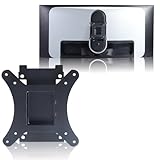
- Uses smaller 75x75mm rather than standard 100x100mm VESA pattern
Quick Comparison
| Product | Type | Relevant HDMI features | Best suited to |
|---|---|---|---|
| OREI 8K 2-Port HDMI 2.1 Switch, 8K@60Hz, 4K@120Hz | 2-input, 1-output HDMI switch | 8K at 60Hz, 4K at 120Hz, 1080p at 240Hz, 48Gbps, VRR, ALLM, QFT | Sharing one display between a PS5 and PC |
| Gawfolk 27 Inch 4K Gaming Monitor UHD 160Hz/ FHD | Gaming monitor | Two HDMI 2.1 ports, two DisplayPort 1.4 ports, 4K at 160Hz or 1080p at 320Hz | Users who need a high-refresh monitor with several direct inputs |
OREI 8K 2-Port HDMI 2.1 Switch, 8K@60Hz, 4K@120Hz
The OREI is the straightforward choice for a PS5 and PC sharing one HDMI display. Its two HDMI inputs feed a single output, with automatic or manual source selection depending on how you want to manage connected devices.
Why it suits PS5 and PC gaming
- Supports HDMI 2.1 bandwidth up to 48Gbps.
- Supports 4K at 120Hz, which matches the high-refresh output target commonly associated with current consoles and gaming PCs.
- Includes VRR, ALLM, and QFT support for compatible source devices and displays.
- Supports HDR10+, HDR10, Dolby Vision, CEC, and several multichannel audio formats.
- Works with PS5, Xbox Series X/S, gaming PCs, monitors, and 4K or 8K TVs according to the supplied specifications.
Automatic switching activates only when the active source is completely powered off, so manual selection may be preferable when both devices remain on. The stated cable guidance supports lengths up to 10 feet, while longer runs may require suitable active or fiber-optic HDMI cabling.
Pros: It provides the clearest fit for a two-device, one-display setup, with high-bandwidth video modes and gaming-focused HDMI features.
Cons: It has only two inputs, and automatic switching may not behave as expected when both connected devices stay powered on. It also requires a USB power connection.
Who should skip it: Skip the OREI if your monitor already has enough inputs, you need more than two HDMI sources, or your setup requires DisplayPort switching.
Our guide to gaming monitors for console and PC can help if you are still deciding whether the display itself meets your setup requirements.
Gawfolk 27 Inch 4K Gaming Monitor UHD 160Hz/ FHD
The Gawfolk is not an HDMI switch, but it may reduce the need for one because it includes two HDMI 2.1 ports and two DisplayPort 1.4 ports. It is better viewed as a monitor option for users connecting several devices directly to the display.
Why it suits mixed gaming workloads
- Offers 4K resolution at 160Hz for detailed single-player games and general PC use.
- Offers 1080p at 320Hz for competitive games where a very high refresh target is more important than resolution.
- Includes AMD FreeSync and G-Sync compatibility through DisplayPort, according to the supplied specifications.
- Provides two HDMI 2.1 ports for direct connections from compatible devices such as a PS5, Xbox Series X, or gaming PC.
- Includes PIP and PBP functions for viewing multiple connected sources.
The dual-mode design gives PC users a choice between sharp 4K output and faster 1080p operation. However, the supplied information does not confirm the exact refresh-rate limits for each HDMI port, so confirm the monitor’s detailed manual before planning a specific PS5 or PC signal path.
Pros: It combines 4K 160Hz and 1080p 320Hz modes, offers several video inputs, and supports direct connections from PCs and current consoles.
Cons: It is a monitor rather than a source switch, so it does not replace a dedicated HDMI switch when you need one output fed by multiple HDMI devices. Its 300 cd/m² brightness and 85% NTSC coverage are documented, but those figures alone do not establish premium HDR performance.
Who should skip it: Skip the Gawfolk if you already own a suitable monitor and only need to share one HDMI input between a PS5 and PC.
For broader display comparisons, see our analysis of gaming monitors versus 4K TVs, especially if your console setup may work better with a television.
How to Choose an HDMI 2.1 Switch for a Gaming Monitor
Match the switch inputs to your devices
A PS5 and gaming PC require two source inputs, while a third console, streaming device, or Blu-ray player requires a switch with additional capacity. The OREI provides two inputs, making it appropriate for a simple two-source arrangement.
Check the complete signal chain
HDMI 2.1 performance depends on the source, switch, cable, and display supporting the desired resolution and refresh rate. A switch cannot create 4K at 120Hz if the connected PC, monitor, cable, or console output is limited to a lower mode.
Confirm VRR and audio requirements
VRR, ALLM, HDR, and advanced audio formats should be supported across the entire connection path. The OREI lists these features, but compatible source and display settings still need to be enabled correctly.
Consider switching behavior and cable distance
Automatic switching is convenient when one source powers down, while manual control is more predictable when both devices remain active. Keep cable runs within the stated guidance where possible, because longer HDMI 2.1 connections can require more specialized cabling.
Is an HDMI 2.1 Switch Necessary for PS5 and PC?
An HDMI 2.1 switch is useful when your display has one suitable HDMI input but you regularly alternate between a PS5 and PC. If the monitor already has enough compatible inputs, connecting each device directly can be simpler.
The Gawfolk’s two HDMI 2.1 ports may accommodate a PS5 and another HDMI device without an external switch. Its DisplayPort inputs also give a desktop PC another connection option, although the exact output mode depends on the selected port and device.
Final Recommendation
For a dedicated best HDMI 2.1 switch for gaming monitor PS5 PC setup, choose the OREI when two HDMI sources must share one display while retaining support for 4K at 120Hz, VRR, and ALLM. Choose the Gawfolk instead when you need a new gaming monitor with multiple inputs and flexible 4K or 1080p refresh modes.
This comparison is based on the supplied specifications rather than independent performance measurements. Before buying, verify the monitor’s HDMI refresh limits, the PC’s graphics output, cable requirements, and the audio features required by your system.






Write Your Review
No reviews yet. Be the first to share your experience!