

For an Acer Switch 3 SW312-31, start with the keyboard listed specifically for that tablet. For other Acer tablets, a Bluetooth keyboard is often the more flexible option, but confirm the tablet supports Bluetooth input before buying.
The products here vary considerably: some advertise broad tablet compatibility, one names the Switch 3, and others require a wired or case-style connection. Product descriptions provide limited technical detail, so confirm your Acer model, operating system, port, and keyboard layout with the seller before ordering.







Product-by-Product Analysis
New Genuine Keyboard for Acer Switch 3 SW312-31
This listing identifies the Acer Switch 3 SW312-31, model N17H1, and gives a part number, NK.I1213.07Y. That specificity makes it the strongest candidate here for owners seeking a replacement keyboard for the named tablet.
Pros: The product title names a particular Acer tablet and replacement part, which helps narrow compatibility. Cons: The supplied information does not describe its layout, connection, included accessories, or support for other Acer models. Who should skip it: Owners of other tablet models should not assume this keyboard will fit or connect.
Compare keyboards for gaming and typing if you also need a separate desktop setup.
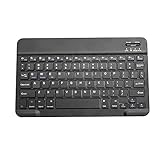
Ultra-Slim Bluetooth Keyboard Portable Mini
The listing describes this as a rechargeable mini Bluetooth keyboard for tablets and phones, with Android among its named platforms. Bluetooth offers a cable-free option, but the supplied details do not confirm Acer model compatibility, key layout, or dimensions.
Pros: Its Bluetooth connection and rechargeable design suit portable typing where the tablet supports Bluetooth keyboards. Cons: The title emphasizes Apple and Samsung devices, and no Acer-specific compatibility details are provided. Who should skip it: Skip it if you require a confirmed fit, a dedicated Acer connection, or documented key dimensions.
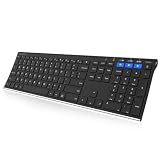
acer AKB910 Wired USB Keyboard, Compact Design
The Acer AKB910 listing specifies a wired USB connection, compact design, full-size keys, and Chrome OS compatibility. Those stated features may suit desk-based typing, provided the Acer tablet accepts the keyboard’s USB connection through its available port or a compatible adapter.
Pros: Full-size keys are stated, and the wired connection avoids relying on Bluetooth pairing. Cons: The listing names Chrome OS, not every Acer tablet operating system, and the supplied data does not specify the connector type or adapter requirements. Who should skip it: Skip it if you need wireless use or cannot verify USB compatibility.
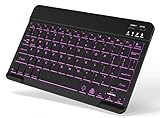
OMOTON Bluetooth Tablet Keyboard Rechargeable
This OMOTON model is described as a rechargeable Bluetooth keyboard with backlighting, oversized keycaps, and a foldable stand. Its listed support for Android and Windows makes it a possible fit for Acer tablets using those systems, subject to device-level Bluetooth and layout checks.
Pros: Bluetooth, backlighting, oversized keycaps, and a foldable stand are useful stated features for travel or dimmer work areas. Cons: The listing does not specify Acer models, key dimensions, or battery runtime. Who should skip it: Skip it if you need a keyboard case that physically attaches to your tablet or need confirmed model-specific support.
AKNICI Universal 10 to 10.5 Inch Type-C Keyboard Case
This case-style keyboard is advertised for 10 to 10.5-inch Android tablets and names Acer among a broad set of brands. Its stated Type-C connection and size range make physical dimensions and port placement essential checks before purchase.
Pros: The listing gives a tablet size range, names Android, and explicitly includes Acer among supported brands. Cons: It does not identify compatible Acer models or confirm that every Type-C tablet supports keyboard input through its port. Who should skip it: Skip it if your tablet falls outside the stated size range or its connector and port position are uncertain.
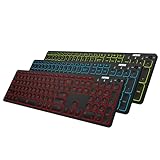
Arteck Universal Backlit Wireless Bluetooth
Arteck describes this as a universal backlit wireless Bluetooth keyboard for iPad, tablet, and PC. The broad device categories and backlighting make it a potential general-purpose option, but the supplied product details do not name Acer models or operating systems.
Pros: Bluetooth and backlighting are stated, and the listing is intended for tablets as well as computers. Cons: Acer compatibility, layout, dimensions, and battery details are not specified in the supplied information. Who should skip it: Skip it if you need confirmed Acer-specific support or detailed sizing before choosing a keyboard.
Universal Keyboard Wired and Dual Bluetooth
This listing describes wired and dual Bluetooth connections, a trackpad, a stand, and backlighting, with iOS, Android, macOS, and Windows named. The multiple connection options could suit a mixed-device workspace, but Acer tablet support still depends on the specific connection and operating system.
Pros: The listing states wired and dual Bluetooth connectivity, plus a trackpad and stand. Cons: It does not specify the wired connector, Acer models, or how its trackpad functions across operating systems. Who should skip it: Skip it if you want a simple, lightweight keyboard or cannot verify connection requirements for your tablet.
Backlit Wireless Bluetooth Keyboard for iPad
TOHAKATA’s listing describes a small, portable, rechargeable Bluetooth keyboard with backlighting for tablets and phones. It names Android devices among its intended platforms, so it may be worth considering for a compatible Acer tablet, although Acer models are not identified.
Pros: The stated Bluetooth connection, portable format, rechargeable design, and backlighting support mobile typing. Cons: The title centers on Apple and Samsung products, and the supplied details omit Acer compatibility, dimensions, and battery runtime. Who should skip it: Skip it if you need a model-specific Acer keyboard or verified physical measurements.
Rechargeable Bluetooth Keyboard and Mouse Combo
This GOGARA set pairs a rechargeable Bluetooth keyboard with a mouse and is listed for Android, Windows, iPad, and iPhone. The mouse may be useful at a desk if the Acer tablet supports the relevant Bluetooth peripherals, but the supplied details do not establish Acer-specific support.
Pros: The listing includes both keyboard and mouse, with Bluetooth and Android support stated. Cons: It does not provide Acer model compatibility, keyboard dimensions, or information about simultaneous device connections. Who should skip it: Skip it if you only need a keyboard, want a case-mounted setup, or cannot confirm mouse support on your tablet.
Acer Keyboard and Mouse Bundle
This Acer-branded bundle includes a keyboard, an RF optical mouse, and a USB receiver. It is aimed at a receiver-based desktop arrangement, not a confirmed direct tablet connection, so check whether your tablet supports the receiver and any required USB adapter.
Pros: The bundle includes both input devices and identifies the USB receiver as part of the package. Cons: The supplied data does not specify tablet compatibility, keyboard layout, or receiver connection details. Who should skip it: Skip it if you need Bluetooth, a compact travel keyboard, or confirmed Acer tablet support.
How to Choose a Keyboard for an Acer Tablet
Check the Exact Tablet Model First
Acer sells tablets and detachable devices with different designs and operating systems. Match the keyboard to the exact model name, not just the Acer brand; the Switch 3 replacement is the only listing here that names a specific Acer tablet.
Choose a Connection Your Tablet Supports
Bluetooth models avoid a cable but require compatible wireless input support and pairing. USB and Type-C products require a suitable port or adapter, and a connector’s shape alone does not confirm keyboard compatibility. Check the tablet manual and seller information before ordering.
Assess Fit, Layout, and Intended Use
A keyboard case needs suitable tablet dimensions and port placement, while a separate keyboard needs a stable surface or stand. If you type for long sessions, look for confirmed key layout and size details; they are not provided for most options in this roundup.
Consider Features Only After Compatibility
Backlighting, a trackpad, a stand, or an included mouse can make a setup more convenient, but none guarantees compatibility. Decide which features matter for your workload, then verify operating-system support and connection requirements before weighing extras.
For broader desktop comparisons, see our guides to keyboard and mouse setups for gaming PCs and keyboards for smaller hands. Those guides address different setups and do not replace checking tablet compatibility.
Frequently Asked Questions
Will any Bluetooth keyboard work with an Acer tablet?
Not necessarily. Confirm that the tablet supports Bluetooth keyboard input, check its operating system, and verify the keyboard’s stated compatibility. The product titles alone cannot establish support for every Acer tablet.
Is the Acer Switch 3 keyboard compatible with other Acer tablets?
The listing identifies the Switch 3 SW312-31 N17H1 and part number NK.I1213.07Y. It does not document compatibility with other models, so do not assume it fits another Acer tablet.
Can I use a USB-C keyboard with my Acer tablet?
Only if the tablet and keyboard support the required wired input connection. Check the tablet documentation for peripheral support and confirm the keyboard’s connector and any adapter requirements; USB-C alone does not establish compatibility.
Final Recommendation
Choose the New Genuine Keyboard for Acer Switch 3 SW312-31 if you own that exact model and confirm the part number. For other Acer tablets, a Bluetooth keyboard such as the OMOTON or Arteck is a reasonable direction only after verifying operating-system support. Consider the AKNICI case when your tablet matches its stated size range and its Type-C connection is confirmed; otherwise, favor a connection and fit the manufacturer documents.


Write Your Review
No reviews yet. Be the first to share your experience!