

For mixed work and gaming, start with connectivity and controls: INPHIC A9 V2 offers silent clicks and three connection modes, while Redragon M810 PRO adds eight programmable buttons and 2.4 GHz wireless. Choose Logitech G305 for a simple wireless setup, Razer Basilisk V3 X for extra controls, or Uineer for a wired, silent-click option.
This specification-based comparison focuses on advertised features and documented compatibility. Comfort depends on hand size, grip, and desk setup, so compare shape and weight details where supplied rather than assuming every ergonomic design fits everyone.

Pros
- Room for keyboard and mouse
- Non-slip rubber base
- Smooth fabric surface
- Stitched edges
- Japanese wave design
Cons
- Large footprint may not suit smaller desks
- No specific mouse sensor compatibility listed

Pros
- Versatile Bluetooth, 2.4GHz, and USB-C wired connections
- Quiet operation using silent click switches
- Six on-the-fly adjustable DPI presets up to 12800
- Charges via USB-C while remaining fully usable
- Cross-platform compatibility across Windows, macOS, Android, and iOS
Cons
- Configuration software is limited to Windows only

Pros
- Fast 1 ms Lightspeed wireless connectivity
- Efficient 12,000 DPI HERO optical sensor
- Up to 250 hours on one AA battery
- Built-in storage slot for the wireless USB receiver
- Lightweight build for rapid mouse movements
Cons
- Requires replaceable AA batteries instead of integrated recharging
- Compact dimensions may not suit users preferring large mice

Pros
- Cable-free 2.4GHz wireless connectivity
- Eight remappable buttons including rapid-fire input
- Adjustable polling rate up to 1000Hz
- Five customizable onboard DPI presets
Cons
- Maximum 45-hour battery life requires eco mode
- Equipped with entry-level PAW3325 optical sensor

Pros
- Dual HyperSpeed wireless and Bluetooth connectivity options
- Up to 535 hours of extended battery life
- Nine programmable buttons for custom macro setups
- Durable mechanical switches rated for 60M clicks
- High-precision 18,000 DPI optical sensor
Cons
- Configuration and optimization require Razer Synapse software
- Battery life varies depending on usage conditions

Pros
- Large keyboard and mouse coverage
- Non-slip rubber backing
- Reinforced stitched edges
- Easy spill cleanup
- Rollable for transport
Cons
- Requires a sufficiently wide desktop
- Water protection details focus on spill resistance

Pros
- Ergonomic thumb rest and anti-slip side grip
- Six programmable buttons
- Adjustable DPI up to 7200
- Quiet left and right buttons
- No batteries or charging required
Cons
- USB-A wired connection lacks wireless flexibility
- Higher sensitivity settings require software customization

Pros
- Durable aluminum alloy brushed top panel
- Integrated phone and pen holder
- Adjustable mouse sensitivity up to 7200 DPI
- 26-key anti-ghosting for reliable gaming input
- Detachable floating keycaps with included puller
Cons
- Membrane switches rather than mechanical hardware
- Fixed rainbow backlighting instead of per-key RGB

Pros
- Versatile 2.4GHz, Bluetooth, and USB-C connectivity
- Up to 250-hour battery life with RGB disabled
- Responsive 1000Hz polling rate
- Pre-configured hardware rapid fire button
- Ergonomic contour suited for medium to large hands
Cons
- Configuration software is not supported on macOS
- Dedicated rapid fire key cannot be reprogrammed

Pros
- Tri-mode connectivity via Bluetooth, 2.4GHz, and USB-C
- Single 2-in-1 USB receiver operates both peripherals
- Ten dedicated multimedia keys for direct playback control
- Mouse supports up to 1000Hz polling rate
- Keyboard battery rated up to 300 hours without RGB
Cons
- Configuration software is limited to Windows systems
- Mouse sensor tops out at 4800 DPI
How to Choose a Gaming Mouse for Work
For office use, prioritize click noise, connection type, programmable controls, and operating-system support. DPI describes pointer sensitivity, not a direct measure of sensor accuracy; choose settings that suit your display layout and preferred cursor speed.
- Quiet shared spaces: INPHIC A9 V2 and Uineer both advertise silent left and right buttons.
- Shortcut-heavy tasks: Redragon M810 PRO, Razer Basilisk V3 X, and Uineer list programmable controls.
- Multiple devices: INPHIC supports Bluetooth, 2.4 GHz wireless, and USB-C wired connectivity. Redragon M814 adds Bluetooth, 2.4 GHz, and wired USB-C modes.
- Minimal charging demands: Logitech G305 uses one AA battery and lists up to 250 hours of continuous gaming, while wired Uineer needs no battery or charging.
- Software limits: Check whether customization works on your operating system. INPHIC’s optional driver is Windows-only; Redragon M814 software customization does not support macOS.
Gaming Mouse Picks for Work and Play
INPHIC A9 V2 Explorer Wireless Gaming Mouse
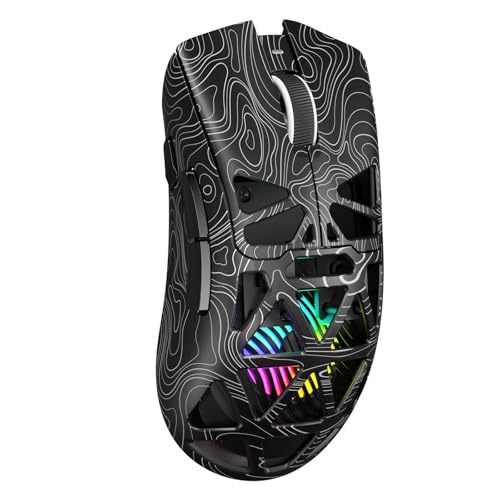
The INPHIC A9 V2 is the most flexible listed option for switching among a desktop, laptop, and mobile devices. It supports dual Bluetooth pairing, 2.4 GHz wireless, and USB-C wired use, with six DPI levels from 800 to 12,800.
Silent buttons suit shared offices, while the stated 102 g weight gives a useful portability reference. Its optional driver supports DPI, polling rate, and button mapping on Windows only. Who should skip it: Mac users who need driver-based customization, or buyers seeking a lighter mouse.
Redragon M810 PRO Wireless Gaming Mouse
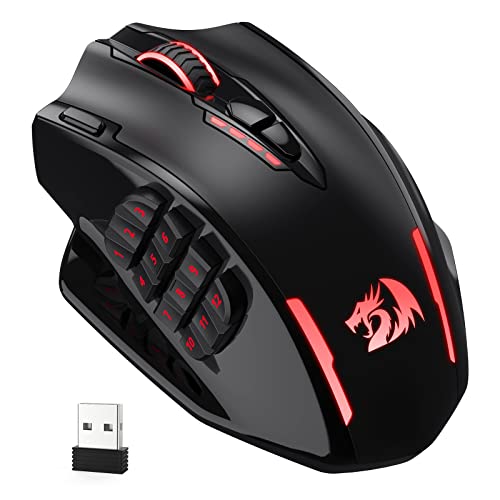
Redragon M810 PRO suits users who want programmable shortcuts alongside wireless operation. Its eight editable buttons, five onboard DPI levels up to 10,000, PAW3325 optical sensor, and stated 1,000 Hz polling rate support varied work and gaming controls.
The rechargeable battery is specified for up to 45 hours in eco mode, and configuration uses Redragon Pro driver software. The listed connection uses a 2.4 GHz receiver, with no Bluetooth mode specified. Who should skip it: People who require Bluetooth or silent clicks, which are not listed features.
Logitech G305 Lightspeed Wireless Gaming Mouse
The Logitech G305 is a straightforward choice for users who prefer a compact wireless mouse without a rechargeable battery. Logitech lists a HERO optical sensor with up to 12,000 DPI, 1 ms LIGHTSPEED response, and up to 250 hours of continuous gaming on one AA battery.
Its receiver stores inside the mouse, which supports carrying it between work locations. The supplied features do not specify programmable buttons, Bluetooth, or silent clicks. Who should skip it: Buyers needing multi-device Bluetooth, extensive shortcut controls, or a quiet-click model.
Razer Basilisk V3 X HyperSpeed Customizable
The Basilisk V3 X combines an ergonomic form with nine customizable controls, making it relevant for users who assign frequent commands or macros. It offers Razer HyperSpeed wireless and Bluetooth, plus an 18,000 DPI optical sensor.
Razer lists up to 285 hours on HyperSpeed and up to 535 hours on Bluetooth, with battery life varying by use. Synapse is needed for the stated accuracy optimization. Its contoured shape may not suit every hand or grip, and silent clicks are not specified. Who should skip it: Users who want quiet buttons or a simpler mouse with fewer controls.
Uineer Wired Gaming Mouse
Uineer fits a desk setup where a stable USB-A connection and quiet clicks matter more than wireless freedom. It has six programmable buttons, six DPI levels up to 7,200, a widened thumb rest, and a 1.5 m cable.
The wired connection avoids charging and battery management, while the advertised silent left and right buttons suit shared rooms. The supplied compatibility details do not name specific operating systems, and software supports higher sensitivity settings without a stated ceiling. Who should skip it: Anyone needing Bluetooth, wireless use, or clearly documented OS support before purchase.
Redragon M814 Wireless Gaming Mouse
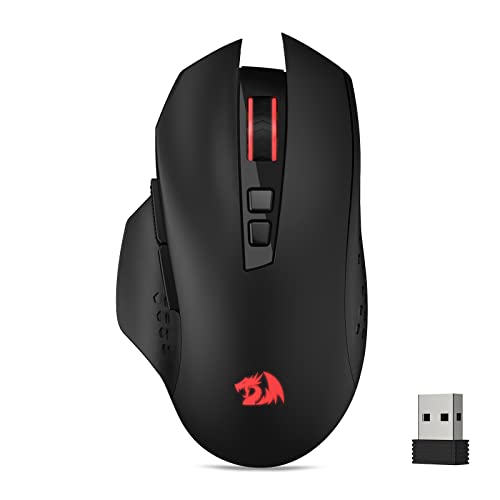
Redragon M814 offers tri-mode connectivity through 2.4 GHz, Bluetooth, and wired USB-C, plus seven programmable primary buttons and a separate rapid-fire key. Its sensitivity adjusts from 800 to 8,000 DPI, and the stated polling rate reaches 1,000 Hz.
The listed battery life reaches up to 250 hours in 2.4 GHz mode with RGB off. Software is required for RGB and remapping on Windows, and macOS is not supported for those customizations. The rapid-fire key is preset to register three clicks per press, a feature that may not suit all work tasks or game rules. Who should skip it: macOS users who need software customization, or buyers who do not want a dedicated rapid-fire control.
Other Desk and Bundle Options
Some catalog entries are not standalone mice, so consider them only when you also need a desk mat or keyboard bundle. The Yuhijoy mat measures 31.5 by 11.8 inches, while AREYLO’s mat measures 31.5 by 15.7 inches and advertises a waterproof coating. Neither product replaces a mouse.
AULA’s wired bundle includes a 104-key keyboard and mouse; its mouse has four DPI settings from 1,200 to 7,200. Redragon S101M-KS is a keyboard-and-mouse set with tri-mode connectivity and a mouse rated up to 4,800 DPI. For a mouse-only purchase, compare individual models above instead.
Final Recommendation
Choose INPHIC A9 V2 for silent clicks and broad device connectivity, Redragon M810 PRO for programmable controls over 2.4 GHz, or Logitech G305 for simple LIGHTSPEED wireless and AA power. Pick Razer Basilisk V3 X for Bluetooth and nine controls, Uineer for wired silent operation, or Redragon M814 for tri-mode use with Windows customization. Confirm hand fit, software support, and connection needs before choosing.
For game-specific control needs, see our guides to gaming mice for RPGs and gaming mice for competitive play.



Write Your Review
No reviews yet. Be the first to share your experience!