

For iMac gaming, prioritize reliable macOS pointer compatibility first, then choose wired or wireless connection and a shape that suits your grip. Razer Basilisk V3 X HyperSpeed Customizable offers Bluetooth and HyperSpeed wireless, while the wired Razer DeathAdder Essential Ergonomic Wired keeps setup simple.
This roundup uses supplied specifications to compare connection options, sensors, controls, and stated software limits. A mouse may move and click on macOS while its Windows-only configuration software remains unavailable.

Pros
- Dual HyperSpeed wireless and Bluetooth connectivity options
- Up to 535 hours of extended battery life
- Nine programmable buttons for custom macro setups
- Durable mechanical switches rated for 60M clicks
- High-precision 18,000 DPI optical sensor
Cons
- Configuration and optimization require Razer Synapse software
- Battery life varies depending on usage conditions

Pros
- Up to 7200 adjustable DPI
- Nine programmable buttons with macro editing
- Ergonomic contouring with finger rest design
- Customizable seven-mode RGB backlighting
Cons
- Full macro customization requires separate software download
- Tethered wired connection limits freedom of movement

Pros
- Ergonomic right-handed shape for comfortable handling
- On-the-fly DPI sensitivity adjustment buttons
- Five fully programmable buttons via Razer Synapse
- Ridged rubber scroll wheel provides tactile grip
- Reliable high-precision 6,400 DPI optical tracking
Cons
- Tethered wired cable limits placement flexibility
- Mechanical switch lifespan limited to 10 million clicks
- Button remapping depends on Razer Synapse software

Pros
- Versatile 2.4GHz, Bluetooth, and USB-C wired connections
- Adjustable tracking up to 24,000 DPI with 1000Hz polling
- Up to 250 hours of wireless battery life
- Convenient dedicated rapid fire hardware key
- Ergonomic contoured profile for medium and large hands
Cons
- Configuration software is not supported on macOS
- Dedicated rapid fire key cannot be remapped in software
Pros
- Wireless 2.4GHz connection
- Seven programmable buttons
- Five adjustable DPI levels
- Polling rates up to 500Hz
Cons
- Battery not included
- Scroll wheel lighting is not always on

Pros
- Cable-free 2.4GHz wireless connectivity
- Eight remappable buttons including rapid-fire input
- Adjustable polling rate up to 1000Hz
- Five customizable onboard DPI presets
Cons
- Maximum 45-hour battery life requires eco mode
- Equipped with entry-level PAW3325 optical sensor

Pros
- Native 8,000Hz hyper-polling rate
- High-resolution 26,000 DPI optical sensor
- Durable anodized aluminum frame
- Fast and responsive optical switches
- Six-axis gyro for precise lift-off tracking

Pros
- Adjustable DPI for gaming and everyday work
- Six-button layout with forward and back controls
- Seven-color RGB lighting
- Plug-and-play USB setup
- Broad platform compatibility
Cons
- Wired connection only
- Maximum DPI is limited to 3200
- Advanced software customization is not documented

Pros
- Versatile Bluetooth, 2.4GHz, and USB-C wired connectivity
- Ergonomic contoured shape with dual finger rests
- Rechargeable 1000mAh battery with charge-and-play capability
- Adjustable polling rate up to 1000Hz
- Stores USB receiver inside the mouse body
Cons
- Software configuration requires Windows and wired or 2.4GHz mode
- Bulky ergonomic dimensions are unsuitable for small hands

Pros
- Four on-the-fly DPI speed settings up to 3600
- Driver-free plug-and-play operation
- Six-button design with side navigation controls
- Ergonomic contoured shape suited for palm grip
- Integrated multi-color lighting
Cons
- Sensitivity restricted to four predetermined DPI steps
- Lowest available DPI setting starts at 1200 DPI
Best Gaming Mouse Picks for iMac
Razer Basilisk V3 X HyperSpeed Customizable: Best Wireless Feature Set
Bluetooth provides a receiver-free connection option for an iMac, while Razer HyperSpeed wireless offers a separate low-latency mode. The 18,000 DPI optical sensor and nine customizable controls suit players who want adjustable sensitivity and extra commands.
Pros: Bluetooth and 2.4 GHz wireless; nine controls; advertised battery life up to 535 hours on Bluetooth or 285 hours on HyperSpeed. Cons: Razer Synapse customization is described for PC, so confirm macOS support for configuration needs. Who should skip it: Users who want a wired mouse or depend on full macOS button and lighting customization.
Choose Bluetooth for a direct wireless connection when your iMac supports it. The product data does not specify included receiver details, so check the package requirements before relying on HyperSpeed mode.
Redragon M602 Gaming Mouse: Wired Option with Extra Controls
The M602 connects by cable and is listed as supporting Mac, alongside PC and Windows. Its adjustable 7,200 DPI sensor and nine programmable buttons fit gaming and general work, but button remapping and macros rely on downloadable software.
Pros: Wired connection; nine programmable buttons; adjustable sensitivity and switchable RGB lighting. Cons: Software support details for macOS are not specified, and the cable limits desk movement. Who should skip it: Wireless users or anyone who needs confirmed Mac software for custom controls.
Razer DeathAdder Essential Ergonomic Wired: Simple Wired Choice
This wired model has a 6,400 DPI optical sensor, five programmable buttons, and a contoured ergonomic design. Its stated Mac compatibility is not specified, so basic pointer operation may work while Razer Synapse features require checking against your macOS version.
Pros: Direct wired connection; dedicated DPI adjustment; five remappable buttons and tactile scroll wheel. Cons: Mac compatibility and Synapse support are not confirmed in the supplied details. Who should skip it: Buyers needing documented macOS support or wireless connectivity.
Redragon Wireless Gaming Mouse: Tri-Mode Connectivity
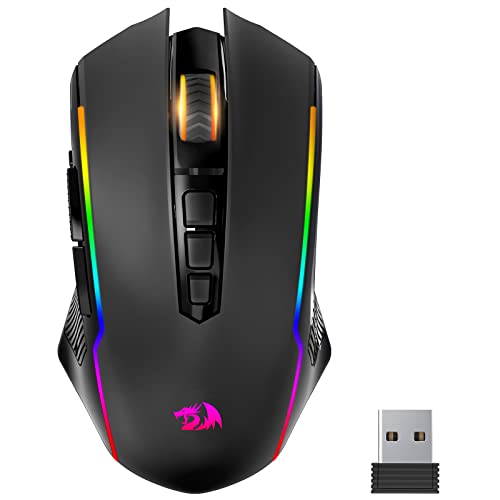
This model supports 2.4 GHz, Bluetooth, and wired USB-C modes, giving iMac users multiple connection choices. Its advertised 24,000 DPI sensor, 1,000 Hz polling rate, and seven programmable buttons suit users who value adjustable control, but software customization requires Windows.
Pros: Three connection modes; rechargeable use while connected by cable; stated battery life up to 250 hours with RGB off in 2.4 GHz mode. Cons: Mac OS is not supported for software customization, and the listed battery capacity is unusually stated as 10,000 mAh, so verify product details before purchase. Who should skip it: Mac users who need driver-based button remapping or lighting control.
Redragon M810 PRO Wireless RGB Gaming Mouse 10000: Wireless with Macro Buttons
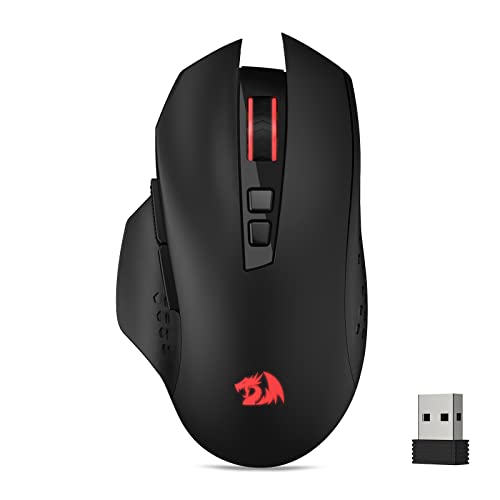
The M810 PRO uses a 2.4 GHz receiver and offers five onboard DPI levels up to 10,000, plus eight programmable buttons. Its stated maximum battery life is 45 hours in eco mode; configuration uses Redragon Pro driver, with macOS support not specified.
Pros: Wireless operation; eight editable buttons; adjustable DPI and rechargeable battery. Cons: Receiver-based connection requires a compatible port or adapter, and software support for macOS is unclear. Who should skip it: Users who need Bluetooth or confirmed Mac macro configuration.
Redragon M656 Wireless Optical Gaming Mouse 4000: Basic Wireless Controls
This 2.4 GHz mouse has five DPI settings up to 4,000 and seven programmable buttons. It uses a replaceable battery, which is not included, and its Redragon Pro driver supports customization without stated macOS compatibility.
Pros: Wireless receiver; seven buttons; five selectable DPI levels. Cons: Requires a separately supplied battery, and software support for Mac is not confirmed. Who should skip it: Buyers seeking Bluetooth, rechargeable operation, or documented macOS macros.
Corsair M65 RGB Ultra Wired Adjustable Weight FPS: High-Polling Wired Pick
The M65 RGB Ultra combines a wired connection, aluminum frame, adjustable weight system, and 26,000 DPI optical sensor. Its advertised 8,000 Hz polling rate targets players seeking high-frequency input reporting, though the supplied information does not confirm Corsair software support for macOS.
Pros: Wired connection; adjustable weight; optical switches and high stated polling rate. Cons: Mac software compatibility is not specified, and the FPS-focused design may be excessive for casual use. Who should skip it: Wireless users or buyers who cannot verify Mac configuration support.
Redragon Large Wireless Gaming Mouse for Big: Roomy Shape and Multiple Connections
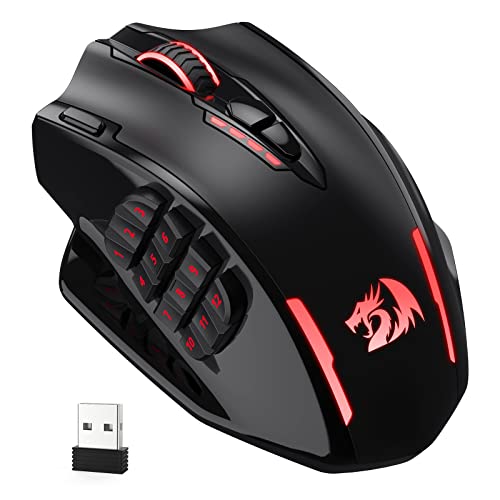
Its full-size contoured shell targets medium to larger hands, with Bluetooth, USB receiver, and wired USB-C connection options. The product lists MacBook compatibility, but its driver supports Windows only, limiting software-based customization on an iMac.
Pros: Three connection types; rechargeable battery; shape designed for larger hands. Cons: Driver customization is Windows-only, and the listed DPI levels differ from the driver maximum. Who should skip it: Users with smaller hands or those requiring Mac-based macro setup.
RGB Light up Wired Gaming Mouse for Computer: Plug-and-Play Simplicity
This wired USB mouse is listed as compatible with Mac and MacBook and requires no driver for basic operation. Four DPI settings up to 3,200 and six buttons cover straightforward gaming, though advanced remapping is not documented.
Pros: Stated Mac compatibility; plug-and-play operation; adjustable DPI and backlighting. Cons: Wired only, with no documented programmable macro support. Who should skip it: Players wanting wireless connection, extensive controls, or higher specified sensitivity.
BENGOO Gaming Mouse Wired with RGB Backlit: Basic Budget Wired Pick
This wired USB mouse offers four DPI settings up to 3,600 and six buttons, including forward and back controls. MacBook compatibility is listed, and the product claims plug-and-play use without a driver, making it a straightforward choice for basic pointer and gaming functions.
Pros: Listed MacBook compatibility; no-driver setup; adjustable DPI and six buttons. Cons: Wireless operation and advanced Mac customization are not specified. Who should skip it: Users who need Bluetooth, a receiver-free setup, or extensive remapping.
How to Choose a Gaming Mouse for iMac
Check macOS Compatibility Beyond Basic Pointer Use
Compatibility claims can refer to basic cursor movement, not every advanced feature. Confirm whether the specific model’s configuration software supports your macOS version before relying on macros, button remapping, DPI profiles, or lighting controls.
Choose a Connection That Fits Your iMac
Bluetooth avoids a USB receiver, while 2.4 GHz models typically need their included receiver connected to the iMac. Wired mice avoid battery management, but check whether your iMac has a suitable port or whether an adapter is needed.
Match Controls and Shape to Your Games
Extra side buttons can help with shortcuts and game commands, but their usefulness depends on whether macOS permits the required mapping. For longer sessions, consider the listed ergonomic shape and hand-size guidance; the large Redragon model specifically targets medium to larger hands.
Use DPI as an Adjustment Range, Not a Quality Score
Higher maximum DPI offers more sensitivity settings, not proof of better tracking or a better gaming experience. Choose a mouse with convenient adjustment controls and a range that suits your screen, games, and personal preference.
Frequently Asked Questions
Will a gaming mouse work with an iMac?
Many USB and Bluetooth mice can provide basic pointer input, but the supplied specifications do not confirm full macOS support for every model. Check connection compatibility and software support separately.
Can I customize gaming mouse buttons on macOS?
Only when the manufacturer software or macOS settings support the required function. The Redragon M814W and large Redragon model explicitly limit driver customization to Windows; other products do not provide enough supplied detail to confirm Mac software support.



Write Your Review
No reviews yet. Be the first to share your experience!