

Finding a gaming laptop under $500 means understanding exactly what that budget buys. This guide breaks down the current options, explains which specs matter most at this price, and helps you set realistic expectations before you buy.
It is written for casual gamers, students, and anyone who wants to play popular esports and older titles without spending four figures. Below you will find our product picks followed by a practical buying guide covering the trade-offs that matter most in this price range.
Top Products
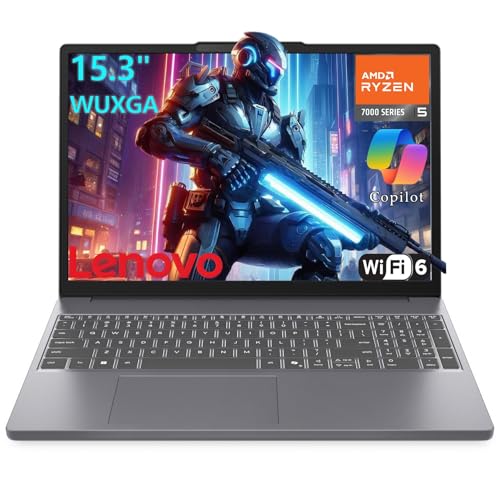
Pros
- AMD Ryzen 5 7535HS 6-core processor
- 16:10 WUXGA anti-glare IPS display
- USB-C with Power Delivery and DisplayPort support
- Physical webcam privacy shutter
- Modern Wi-Fi 6 and Bluetooth 5.3 connectivity
Cons
- Modest 256GB internal storage capacity
- Limited to 8GB of system memory
- Display restricted to 60Hz and 45% NTSC


Pros
- 16GB RAM supports smooth everyday multitasking
- Fast 512GB SSD storage capacity
- Sharp 15.6-inch 1080p display
- Portable 3.5-pound lightweight chassis
- Includes Windows 11 Pro and Office software
Cons
- Lacks a dedicated graphics card for demanding games
- Exact Intel Core i7 model is unspecified
- Modest 38.5Wh battery capacity


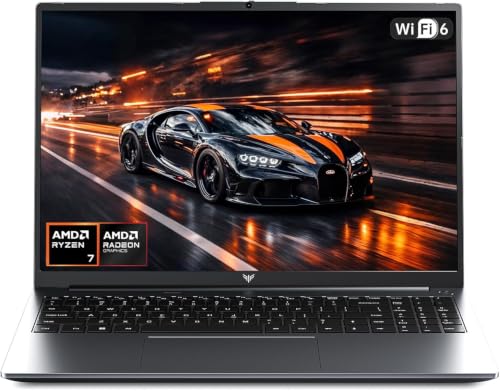
Pros
- User-upgradeable DDR5 RAM and SSD slots
- Dual full-function USB-C ports with display support
- Fast 100W USB-C charging adapter included
- Hardware webcam privacy cover and fingerprint reader
- Six-core AMD Ryzen 5 6600H mobile processor
Cons
- Integrated Radeon 660M limits demanding 3D gaming
- Modest 53.58Wh battery capacity for an H-series CPU
Buying Guide
At this price every dollar counts, so focus on the parts that decide how games actually run. These are the factors worth weighing before you buy, with realistic expectations for what sub-$500 hardware can and cannot do.
Graphics performance
Under $500 you will mostly find integrated graphics or entry-level dedicated GPUs, and this single component decides which games are playable. Integrated graphics from recent AMD Ryzen and Intel Core chips handle esports titles like League of Legends, Valorant, and CS2 at modest settings and reduced resolution, often reaching smooth frame rates if you are willing to turn details down. Demanding AAA games will struggle on these chips, so be honest about what you actually play before buying. If you mainly play competitive multiplayer titles, integrated graphics are a reasonable compromise, and our roundup of laptops that handle Fortnite well shows what to expect from this class of hardware. Whatever you choose, look up benchmarks for your specific games rather than trusting marketing labels like “gaming” on the box.
Processor
The CPU matters less than the GPU for gaming at this budget, but it still sets the floor for everyday responsiveness. Modern budget chips with four to six cores handle gaming plus Discord, a browser, and background apps without stuttering, which is all most casual gamers need. Do not pay extra for a high core count at this price, because money spent on the CPU is money not spent on graphics, and graphics decide frame rates. Watch out for older-generation processors in clearance listings: a two-year-old chip can look like a bargain until you realize it bottlenecks even modest GPUs. For general use and light gaming, a current-generation Ryzen 5 or Core i5 (or their budget equivalents) is the sweet spot.
Memory
Memory is one of the few specs where skimping has immediate, visible consequences. Eight gigabytes is the practical minimum for gaming in 2026: Windows plus a game plus a voice chat app will use most of it, and anything less causes stuttering when the system starts paging to disk. Sixteen gigabytes is noticeably smoother and worth stretching for if the price gap is small. Just as important is whether the RAM is upgradeable: many budget laptops solder the memory directly to the board, locking you into whatever it ships with. Check the specs for “SODIMM” slots or user-upgradeable memory before you buy, because a laptop with one empty slot gives you a cheap upgrade path later.
Storage
A 256GB SSD fills up fast once Windows, a couple of games, and basic apps are installed, so 512GB is the more comfortable starting point if you can find it in budget. Speed matters less than capacity here: even a basic SATA SSD feels enormously faster than a hard drive, and budget NVMe drives are now common enough that you should not accept a spinning disk in 2026. Check whether the laptop has an empty M.2 slot for a second drive, because adding storage yourself later is one of the cheapest and easiest upgrades. If you can find it, confirm the laptop ships with the SSD as the boot drive rather than a small SSD paired with a slow hard drive, a cost-cutting trick that still appears in this segment.
Display
Most budget gaming laptops use 1080p 60Hz panels, which are perfectly fine for casual play and esports at modest settings. The bigger risk at this price is panel quality rather than resolution: dim screens with washed-out color are common, and a gloomy 220-nit panel makes every game look worse regardless of the GPU. Since you cannot easily replace a laptop screen, read buyer feedback specifically about brightness and viewing angles before committing. A 120Hz or 144Hz panel is a nice bonus if one appears in budget, but do not sacrifice GPU power to get it, because a fast screen showing low frame rates helps no one.
Thermals and build
Thin budget laptops can run hot and loud under sustained load, and poor cooling leads to thermal throttling that quietly erases the performance you paid for. A slightly thicker chassis usually cools better and lasts longer, so do not assume thinner means better at this price. Also confirm the keyboard, ports, and Wi-Fi meet your daily needs, since these are hard or impossible to upgrade later: a missing Ethernet port or a single USB-C can become a daily annoyance. Hinges and chassis rigidity matter too, because budget machines get carried around and a flimsy lid is a common failure point. If you plan to carry it daily, also look at our picks for thin and light options to see what portability costs.
New versus refurbished
At the sub-$500 ceiling, manufacturer-refurbished laptops can stretch your money noticeably further than buying new. A refurbished unit with a proper warranty often packs a tier better GPU or twice the RAM of a new machine at the same price, and business-grade refurbished models tend to have sturdier build quality than new consumer laptops. The key is the warranty: buy only refurbished units with at least a one-year warranty from the manufacturer or a reputable seller, and avoid marketplace listings with vague return policies. Check current gaming laptop deals too, because clearance pricing on last-generation models can beat refurbished value without any of the risk. Either way, verify the battery health policy, since a worn battery is the most common disappointment with refurbished units.
Battery life and portability
Gaming laptops are not known for battery life, and budget models are the worst offenders: expect two to four hours of light use and under an hour while gaming. If this laptop needs to survive a school day, prioritize efficiency over raw power and look for models reviewers praise for unplugged longevity. Students should also weigh weight and charger size, because a six-pound laptop plus a brick-like power adapter gets old fast in a backpack. Our guide to laptops for college students covers this balance in more depth. And if your budget has any flex at all, stepping up to the under-$800 range buys meaningful improvements in efficiency, screens, and build quality.
Frequently Asked Questions
Can you really play games on a laptop under $500?
Yes, with the right expectations. Esports and competitive titles like Valorant, League of Legends, CS2, and Fortnite run acceptably on modern integrated graphics at lowered settings, and older AAA games are often playable too. What you cannot expect is high settings in recent demanding releases. If your library is mostly competitive multiplayer and indie games, a sub-$500 laptop is a legitimate way in.
Is 8GB of RAM enough for gaming on a budget laptop?
It is the minimum that works without constant stuttering in 2026. Windows plus a game plus Discord will use nearly all of it, so background apps need to stay lean. Sixteen gigabytes is the comfortable target if you multitask heavily or keep many browser tabs open. When comparing two otherwise equal laptops, pick the one with more RAM or an empty upgrade slot.
Should I buy a refurbished gaming laptop to save money?
It can be a smart move if the warranty is solid. Manufacturer-refurbished units typically include at least a one-year warranty and are tested before resale, often giving you better specs per dollar than new. Avoid third-party sellers with short or unclear return windows, and always check the battery health terms. If the discount over new is small, buying new with a full warranty is the safer choice.
What games will NOT run well on a sub-$500 laptop?
Recent AAA releases with high system requirements, such as demanding open-world and ray-traced titles, will struggle on integrated or entry-level graphics regardless of settings. You will see low frame rates, stuttering, or both. Before buying, search for benchmarks of your specific games on the laptop’s exact GPU model. If a must-play title needs more power, that is a sign to raise the budget rather than hope for the best.
Can I upgrade a budget gaming laptop later?
Sometimes, but less often than buyers assume. RAM and storage are the only realistic upgrades, and only if the laptop has accessible SODIMM slots or an empty M.2 bay; many budget models solder everything down. The CPU and GPU are never upgradeable in practice. Treat the specs you buy as the specs you keep, and view any upgrade path as a bonus rather than a plan.
How long will a $500 gaming laptop stay usable?
For esports and light gaming, three to four years is realistic with modest settings adjustments over time. The machine will feel slow for new AAA releases much sooner, often within a year or two. Longevity depends heavily on thermals and build quality, which is why cooling and chassis rigidity deserve attention even at this price. Keeping the vents clean and the drivers updated stretches useful life noticeably.





Write Your Review
No reviews yet. Be the first to share your experience!