

The best mechanical keyboard switch tester kit depends mainly on the switch format you plan to use. Standard MX-style samples suit many hot-swappable mechanical keyboards, while magnetic Hall effect switches and low-profile Kailh Choc switches require more specific compatibility checks.
For the widest documented selection, the Keychron Switch Tester 100 Max Edition stands out with 100 labeled keycaps, 88 mechanical switches, and 12 magnetic HE switches. More focused options include Cherry’s 10-switch sample box, Kailh samplers, a four-switch Outemu set, and dedicated low-profile kits.






How These Mechanical Keyboard Switch Tester Kits Differ
| Product | Documented selection | Best fit | Important limitation |
|---|---|---|---|
| Keychron Switch Tester 100 Max Edition | 88 mechanical and 12 magnetic HE switches, plus 100 labeled keycaps | Readers comparing broad standard and magnetic switch options | The magnetic samples may not suit conventional mechanical keyboard sockets |
| Keychron Switch Tester Kit | 35 Kailh switches with linear, tactile, and clicky options | General Kailh feel comparison | It is narrower in brand and switch coverage than the 100-switch kit |
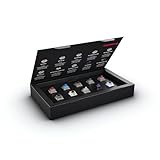
| Cherry MX2A Experience Box | 10 Cherry MX2A switches covering linear, tactile, and clicky types | Readers focused on Cherry MX2A designs | Ten samples provide less variety than larger sampler kits |
| Outemu Switches Tester (4 Keys) | Red, blue, brown, and black switches in an acrylic four-key format | Basic comparison of familiar switch categories | Only four switches are included |
| Kailh PG1350 Choc V1 Mechanical Keyboard | Low-profile Kailh Choc V1, RGB, SMD, five-pin format | Low-profile keyboards designed for PG1350 Choc V1 switches | It is not a general-purpose MX-style sampler |
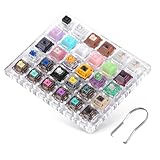
| DUROCK Keyboard Switch Tester | 28 mechanical switches and two magnetic switches, with a puller | Readers comparing DUROCK mechanical and magnetic options | The magnetic samples still require compatible keyboard hardware |
| Low Profile Mechanical Keyboard Switches Tester | 12 low-profile switches with linear, tactile, and clicky types | Low-profile keyboard owners seeking category variety | The listing does not specify a brand or exact low-profile socket standard |
| Deftomo 50 Pcs Blue Keyboard Switches | 50 three-pin clicky blue switches, plus a puller and brush | Replacement or uniform clicky-switch projects | It does not provide a broad feel comparison because all switches are blue |
Keychron Switch Tester 100 Max Edition
The Keychron Switch Tester 100 Max Edition is the broadest option in this mechanical keyboard switch tester kit roundup. Its documented configuration includes 88 mechanical switches, 12 magnetic HE switches, and 100 labeled keycaps, with samples from Keychron, Gateron, Kailh, and Huano.
- Pros: Broadest documented selection, multiple brands, labeled keycaps, and both mechanical and magnetic switch categories.
- Cons: Magnetic HE switches are not interchangeable with ordinary mechanical switches, and the large selection may be unnecessary for a simple linear, tactile, or clicky comparison.
- Who should skip it: Skip it if you only need a few conventional MX-style samples or already know which switch family your keyboard supports.
Keychron Switch Tester Kit
The Keychron Switch Tester Kit provides 35 Kailh switches across linear, tactile, and clicky categories. The listed families include Box, Super Speed, and Deep Sea Silent options, making it a focused choice for comparing Kailh designs rather than surveying many brands.
- Pros: Useful variety within the Kailh range, coverage of the three main switch feel categories, and a smaller scope than the 100-switch option.
- Cons: The selection is limited to Kailh products, and the listing does not document socket compatibility for every included sample.
- Who should skip it: Skip it if your keyboard uses magnetic Hall effect switches, a low-profile format, or if you want samples from several manufacturers.
Cherry MX2A Experience Box
The Cherry MX2A Experience Box contains 10 Cherry MX2A switches covering linear, tactile, and clicky types. Cherry also lists 50 million actuations and gold crosspoint contacts for this switch family, giving buyers documented construction details to consider alongside feel.
- Pros: Direct focus on Cherry MX2A switches, all three major feel categories, and documented gold crosspoint contacts with a stated 50 million actuation rating.
- Cons: Ten samples offer less breadth than larger kits, and the product is less useful if you are comparing brands or magnetic alternatives.
- Who should skip it: Skip it if you need low-profile, Hall effect, or broad multi-brand switch coverage.
Outemu Switches Tester (4 Keys)
The Outemu Switches Tester (4 Keys) is a compact acrylic sampler with red, blue, brown, and black switches. Its MX-compatible description makes it relevant to keyboards designed for that general switch format, but buyers should still confirm the socket and pin arrangement on their keyboard.
- Pros: Simple way to compare four familiar switch categories, acrylic construction, and a compact format for basic selection decisions.
- Cons: It offers the least variety among the dedicated samplers here, and it does not cover silent, magnetic, or low-profile categories.
- Who should skip it: Skip it if you want detailed brand comparisons or need to evaluate more than four switch types.
Kailh PG1350 Choc V1 Mechanical Keyboard
The Kailh PG1350 Choc V1 Mechanical Keyboard option is intended for low-profile builds using Kailh Choc V1 switches. The listing identifies RGB, SMD, and five-pin characteristics, so it should be considered only after confirming that the keyboard, PCB, keycaps, and plate support the PG1350 format.
- Pros: Addresses the separate compatibility needs of low-profile Kailh Choc V1 keyboards and identifies RGB, SMD, and five-pin characteristics.
- Cons: It is not a general MX-style switch sampler, and the supplied information does not specify the exact linear, tactile, or clicky mix.
- Who should skip it: Skip it if your keyboard uses standard-height MX switches or magnetic Hall effect switches.
DUROCK Keyboard Switch Tester
The DUROCK Keyboard Switch Tester includes 30 samples, consisting of 28 mechanical switches and two magnetic switches. The listing also identifies a puller, an acrylic base, and examples such as smooth linear, T1 tactile, Silent Shrimps, and Ice Kings.
- Pros: Combines mechanical and magnetic categories, includes a puller, and names several distinct DUROCK switch families for more targeted comparison.
- Cons: Magnetic and mechanical switches have different compatibility requirements, while the listed 30-switch selection is narrower than Keychron’s 100-sample kit.
- Who should skip it: Skip it if you need only low-profile switches or want a sampler that covers many brands rather than a DUROCK-focused range.
Low Profile Mechanical Keyboard Switches Tester
This Low Profile Mechanical Keyboard Switches Tester includes 12 low-profile samples across linear, tactile, and clicky types. It is relevant for thin mechanical keyboards, but the supplied listing does not identify a specific manufacturer or socket standard.
- Pros: Covers the three main switch feel categories in a low-profile format and can help narrow a choice before buying a complete set.
- Cons: Brand, exact switch family, pin layout, and socket compatibility are not specified in the supplied data.
- Who should skip it: Skip it if you need guaranteed compatibility with Kailh Choc, Cherry low-profile, or another named low-profile standard.
Deftomo 50 Pcs Blue Keyboard Switches
The Deftomo 50 Pcs Blue Keyboard Switches package is better understood as a uniform replacement or project kit than a broad mechanical keyboard switch tester kit. It includes 50 three-pin clicky switches, along with a switch puller and brush.
- Pros: Provides a large quantity of the same clicky blue switch, identifies a three-pin layout, and includes basic maintenance and removal tools.
- Cons: It does not compare different switch feels, and three-pin compatibility may not match every hot-swappable PCB or plate design.
- Who should skip it: Skip it if you are still choosing between linear, tactile, and clicky switches rather than replacing switches with one consistent type.
How to Choose a Mechanical Keyboard Switch Tester Kit
Start With Keyboard Compatibility
First identify whether your keyboard uses standard mechanical switches, low-profile switches, or magnetic Hall effect switches. A mechanical sample should not be assumed compatible with a magnetic socket, and a PG1350 Choc V1 sample should not be treated as a standard-height MX replacement.
For hot-swappable keyboards, also check the PCB and plate requirements. The Deftomo package specifies three-pin switches, while the Kailh Choc option specifies five-pin switches, so pin count can affect installation even when the general switch category sounds similar.
Choose Variety Based on Your Decision
Choose a broad kit when you are comparing brands, switch mechanisms, or several feel categories at once. The Keychron 100 Max Edition offers the widest documented range, while the 35-piece Keychron kit focuses more closely on Kailh options.
A smaller kit makes more sense when you already have a narrow shortlist. The Cherry MX2A box focuses on one switch family, and the Outemu four-key sampler is suited to a basic red, blue, brown, and black comparison.
Separate Switch Feel From Switch Mechanism
Linear switches generally provide a smooth keypress without a tactile bump, tactile switches add a noticeable bump, and clicky switches pair that bump with a click mechanism. These categories help organize a comparison, but the exact spring, housing, stem, and lubrication details still vary by model.
Magnetic HE switches are a separate category because they rely on magnetic sensing rather than the conventional contact behavior associated with standard mechanical switches. Select them only when the keyboard or PCB is designed for that system.
Consider Whether You Need Samples or Replacements
A sampler should contain meaningful differences between switches. The Deftomo set includes 50 blue clicky switches, so it is more appropriate for a uniform replacement project than for deciding which switch feel suits typing or gaming.
Pullers and brushes can be useful additions, but they do not resolve compatibility questions. Confirm the switch format, pin layout, socket design, keycap fit, and plate requirements before purchasing a larger quantity.
Related Mechanical Keyboard Guides
If your choice involves magnetic switches rather than conventional mechanical designs, compare the trade-offs in mechanical keyboards versus Hall effect keyboards. For low-profile options, see the guide to mechanical keyboards versus low-profile keyboards.
You can also browse the wider Mechanical Keyboards category or compare compatible form factors through the guide to hot-swappable mechanical keyboards for gaming.
Frequently Asked Questions
What is the best mechanical keyboard switch tester kit for broad comparisons?
The Keychron Switch Tester 100 Max Edition has the broadest documented selection in this roundup, with 88 mechanical and 12 magnetic HE switches. It is the strongest fit for readers comparing several brands and mechanisms, provided their intended keyboard supports the relevant switch type.
Can magnetic switches go in a regular mechanical keyboard?
Do not assume they can. Magnetic HE switches require compatible sensing hardware, so a regular mechanical hot-swap socket may not support their operation.
Are low-profile switches compatible with standard mechanical keyboards?
Compatibility is not guaranteed because low-profile switches can use different dimensions, pins, plates, and keycaps. Confirm the exact switch family and keyboard specifications before installation.
Final Recommendation
Choose the Keychron Switch Tester 100 Max Edition if you want the widest documented mechanical and magnetic comparison. Choose the 35-piece Keychron kit for a more focused Kailh selection, or the Cherry MX2A Experience Box when your shortlist centers on Cherry MX2A switches.
The Outemu four-key sampler suits a basic category comparison, while the DUROCK kit adds a brand-focused mix of mechanical and magnetic samples. For low-profile keyboards, choose a format-specific option only after verifying the socket standard. The Deftomo package is better for a consistent three-pin blue-switch project than for choosing between switch types.



Write Your Review
No reviews yet. Be the first to share your experience!