

For competitive play, choose a layout and switch feel that match your games and desk. Logitech G PRO Mechanical TKL Tenkeyless offers a compact mechanical layout, while Corsair K55 CORE TKL uses quieter membrane keys and 12-key rollover. For full-size layouts, consider RisoPhy, Redragon, or a budget membrane model.
This comparison uses supplied specifications, not firsthand performance claims. Check switch type, rollover, layout, connection, software needs, and platform compatibility before choosing. For more compact options, see our guide to gaming keyboards for Warzone.
Best Gaming Keyboards at a Glance

Pros
- Tactile blue switches provide clear actuation feedback
- Full anti-ghosting supports rapid simultaneous keypresses
- Spill-resistant design with integrated liquid drainage holes
- Convenient 12 multimedia shortcuts and Windows lock
- Double-shot ABS keycaps resist legend wear
Cons
- Audible clicky switches may disturb quiet shared spaces
- Preset rainbow backlighting lacks individual per-key RGB customization
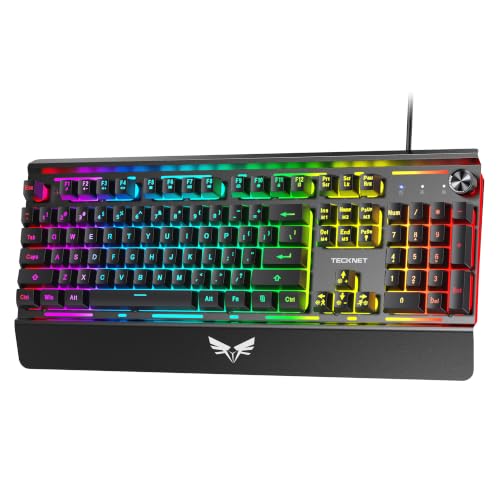
Pros
- Dedicated rotary volume knob with instant mute
- Sturdy metal panel construction with double-shot keycaps
- Built-in wrist rest and adjustable dual-angle feet
- 25-key anti-ghosting support for gaming
Cons
- Multimedia shortcut keys do not work on Mac
- Zone-based rainbow lighting rather than per-key RGB customization
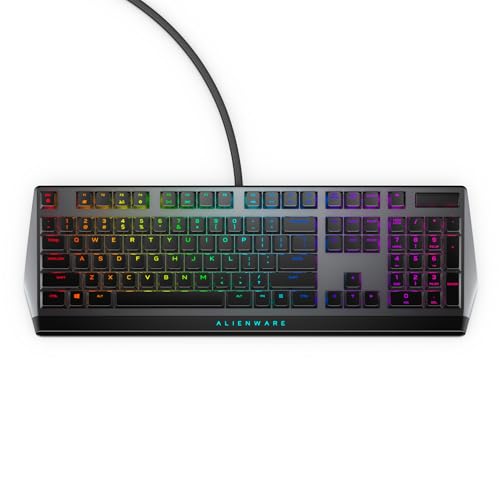
Pros
- Cherry MX Low Profile Red linear switches
- Built-in USB passthrough and media controls
- Rigid metal top plate construction
- Per-key AlienFX RGB illumination
- Onboard memory for macro profile storage
Cons
- Full-size 18.4-inch footprint demands substantial desk space
- RGB and macro setup requires Alienware Command Center

Pros
- Hot-swappable linear red switches
- Full-key anti-ghosting support
- Software macro editing and remapping
- Includes four spare replacement switches
- Twelve quick-access multimedia shortcuts
Cons
- Backlight LED colors cannot be changed
- Wired-only design without wireless functionality

Pros
- Compact tenkeyless form factor
- 300ml spill-resistant protection
- Dedicated media and brightness controls
- Quiet membrane key operation
- Responsive 1,000Hz polling rate
Cons
- Membrane switches instead of mechanical switches
- Limited to 12-key rollover rather than full rollover
- Zone-based lighting instead of per-key RGB
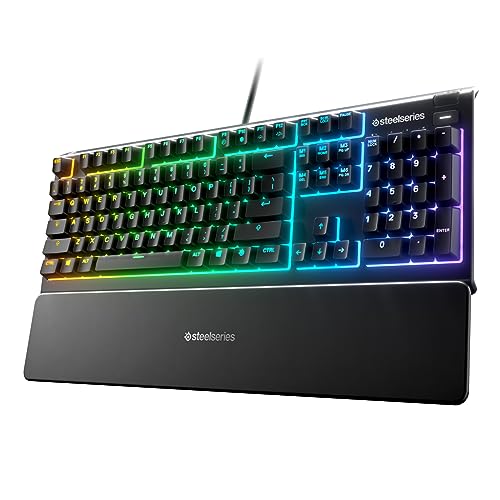
Pros
- IP32 water resistance guards against liquid spills
- Whisper-quiet switches rated for 20 million presses
- Included magnetic wrist rest for palm support
- Dedicated on-the-fly multimedia controls
- Broad compatibility with PC and major consoles

Pros
- Quiet, responsive key design
- IP53 dust and water protection
- Included detachable palm rest
- Customizable 10-zone RGB lighting
- Convenient media dial
Cons
- Wired connection limits cable-free placement
- Full-size design requires more desk space
- US QWERTY layout may not suit other layouts

Pros
- Space-saving tenkeyless design frees mouse room
- Tactile, audible GX Blue clicky mechanical switches
- Detachable 1.8-meter cable ensures easy transport
- Onboard memory stores static LIGHTSYNC profiles
- Three-step tilt adjustment provides stable ergonomics
Cons
- Key and lighting programming requires Logitech G HUB
- Macro assignments are restricted to F1 through F12
- Equipped with an older Micro USB connection

Pros
- Full-size layout with 12 multimedia shortcut keys
- Quiet membrane switches suited for shared spaces
- Integrated LED backlighting with brightness adjustment
- Dedicated Windows key lock feature
- Plug-and-play operation with no drivers required
Cons
- Uses membrane switches instead of mechanical switches
- Anti-ghosting is limited to nineteen keys
- Fixed 1.5-meter cable cannot be detached

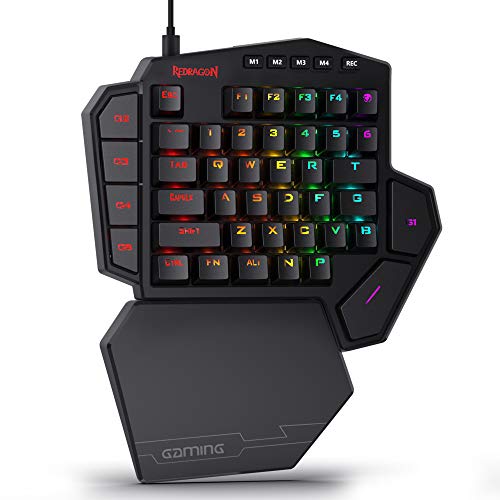
Pros
- Five dedicated macro keys for rapid command input
- Quiet membrane switches suitable for shared workspaces
- Adjustable mouse sensitivity from 800 to 7200 DPI
- Integrated wrist rest helps reduce typing fatigue
- Onboard memory retains lighting and DPI profiles
Cons
- Uses membrane keys rather than mechanical switches
- Wired design restricts flexible cable-free placement
- Full software customization limited to Windows systems
What Matters Most When Choosing a Gaming Keyboard
Start with layout and switch feel. Tenkeyless models free desk space by removing the number pad, while full-size boards retain it for data entry and shortcuts. Mechanical switches vary in sound and feel: the supplied options include clicky blue switches, linear red switches, and low-profile linear switches. Membrane keyboards suit buyers who prefer quieter keys.
Rollover describes how many simultaneous key presses the keyboard supports. The Corsair K55 CORE TKL specifies 12-key rollover; RisoPhy and both Redragon models advertise all-key anti-ghosting. These specifications differ, so match them to your key combinations rather than assuming every board handles simultaneous input identically.
Also check extras against your setup. A wrist rest, media controls, spill protection, macro support, and onboard memory can help particular users, but they do not replace checking operating-system and console compatibility. Some listed features require software, and the TECKNET multimedia keys are not compatible with Mac.
Recommended Keyboards by Use Case
Alienware Low-Profile RGB Gaming Keyboard AW510K: Low-Profile Mechanical Keys
Cherry MX Low Profile Red switches combine linear action with shorter travel, according to the product specifications. Per-key AlienFX RGB, programmable keys, onboard memory, full N-key rollover, and USB passthrough make this a feature-rich choice for players who want low-profile mechanical keys and stored settings.
Pros: Low-profile linear switches, N-key rollover, onboard memory, programmable keys, and per-key lighting. Cons: AlienFX customization uses Alienware Command Center, and the listing does not specify operating-system compatibility. Who should skip it: Buyers who want a quiet membrane board or need confirmed compatibility with an unlisted platform.
Compare keyboards for streaming setups if media workflow and lighting control matter as much as gaming input.
TECKNET Wired Gaming Keyboard: Media Knob and Wrist Rest
TECKNET pairs a volume knob with one-press mute, a wrist rest, two-stage angle adjustment, 25-key anti-ghosting, and 12 multimedia keys. Its metal panel and double-shot keycaps suit users seeking a wired keyboard for gaming and everyday computer use.
Pros: Convenient audio controls, wrist rest, adjustable angle, and multiple lighting modes. Cons: Multimedia keys are not compatible with Mac, and the listing does not identify switch type or supported operating systems. Who should skip it: Mac users who rely on its multimedia keys or buyers specifically seeking mechanical switches.
RisoPhy Mechanical Gaming Keyboard: Full-Size Clicky Switches
RisoPhy uses blue mechanical switches in a 104-key layout, with advertised all-key anti-ghosting, a number pad, and 12 multimedia combinations. Its rainbow lighting, kickstands, and spill-drain holes add practical features. The listed compatibility includes Windows, Mac OS, and Xbox, though specific console functions are not detailed.
Pros: Clicky mechanical feel, full-size layout, all-key anti-ghosting, and broad stated compatibility. Cons: Clicky switches produce audible feedback, and the lighting is described as rainbow rather than fully customizable per-key RGB. Who should skip it: People sharing quiet rooms or users who want a compact layout.
Corsair K55 CORE TKL RGB Gaming Keyboard: Quiet, Compact Membrane Design
This tenkeyless membrane keyboard frees space for mouse movement and includes eight-zone RGB, dedicated media buttons, Win lock, and 300 mL spill resistance. Its 1,000 Hz polling rate and 12-key rollover are specified, making it a practical fit for users who prefer quiet membrane keys.
Pros: Space-saving layout, quiet membrane keys, media controls, and stated spill resistance. Cons: It is not mechanical and supports 12-key rather than full-key rollover. Who should skip it: Buyers who need a number pad, mechanical switches, or simultaneous input beyond its specified rollover.
Redragon Mechanical Gaming Keyboard Wired: Hot-Swappable Linear Switches
The K671 uses linear red switches and supports hot-swapping, macro editing, remapping, and all-key anti-ghosting. It includes four spare switches and two replacement keycaps. Software adjusts lighting effects, but the supplied details say the color itself cannot be changed.
Pros: Hot-swappable switches, linear feel, macro editing, and full-key anti-ghosting. Cons: Lighting color is fixed, and software is needed for macro and lighting adjustments. Who should skip it: Buyers who require wireless operation, per-key color selection, or a clearly specified operating-system compatibility list.
SteelSeries Apex 3 Gaming Keyboard: Quiet Keys and Console Compatibility
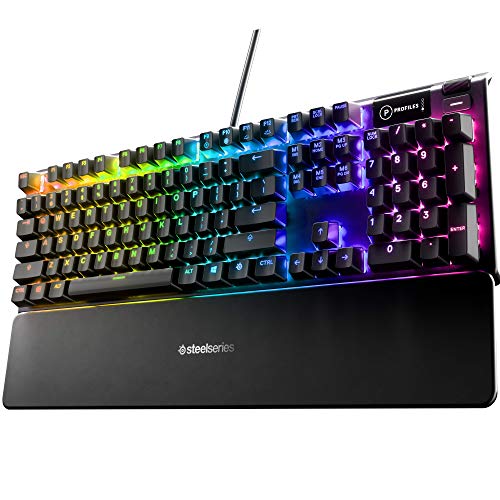
The Apex 3 uses whisper-quiet gaming switches, ten-zone RGB, a magnetic wrist rest, and dedicated multimedia controls. Its stated compatibility includes Windows, Mac OS X, Xbox Series S and X, PS4, and PS5. IP32 water resistance is intended to guard against accidental liquid exposure, not immersion.
Pros: Quiet switches, included wrist rest, media controls, and listed console compatibility. Cons: It is not mechanical, and the supplied details do not state layout size or rollover. Who should skip it: Buyers who need a confirmed compact layout, mechanical switches, or a specified simultaneous-key capacity.
Logitech G PRO Mechanical TKL Tenkeyless: Portable Clicky Mechanical Board
This compact tenkeyless keyboard uses GX Blue click switches and a detachable 1.8 m Micro USB cable. LIGHTSYNC patterns can be stored onboard for systems without G HUB. F-key programming requires G HUB, and the product information notes that tournament rules generally prohibit macros.
Pros: Compact layout, tactile clicky switches, detachable cable, and onboard lighting storage. Cons: Clicks are audible, and key programming requires Logitech G HUB. Who should skip it: Buyers who need a number pad, quieter switches, or a different connector than Micro USB.
Corsair Skiff 100 Quiet RGB Wired Gaming Keyboard: Full-Size Comfort Features
The Skiff 100 combines quiet keys, ten-zone RGB, a media dial, and a detachable palm rest. Its IP53 rating indicates specified dust and water protection. It may suit users who want a quieter full-size-style board with a dedicated volume control, though the listing does not state switch technology or rollover.
Pros: Quiet keys, palm rest, media dial, and IP53 protection. Cons: Switch type, layout dimensions, and rollover are not specified in the supplied details. Who should skip it: Buyers who need confirmed mechanical switches, a particular layout size, or known rollover capacity.
Redragon S101-3 PRO Gaming Keyboard and Mouse: One Wired Starter Set
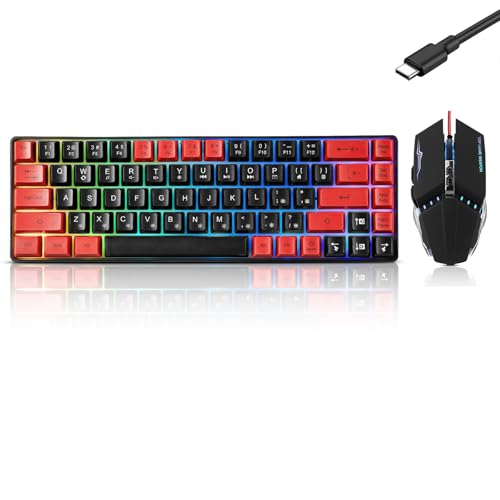
This bundle includes a full-size membrane keyboard and gaming mouse, with five dedicated macro keys and customizable lighting through software. The keyboard advertises anti-ghosting and a wrist rest. The listed system support is Windows 10 and 11, so confirm compatibility before choosing it for another operating system or console.
Pros: Keyboard and mouse arrive together, with macro keys, wrist rest, and software customization. Cons: It uses membrane keys, and the stated compatibility is limited to Windows 10 and 11. Who should skip it: Buyers who already have a mouse, want mechanical switches, or need confirmed support for Mac or consoles.
GEODMAER 104 Keys Gaming Keyboard: Basic Full-Size Membrane Option
GEODMAER offers a wired 104-key membrane layout, 12 multimedia keys, and advertised 19-key anti-ghosting. It is described as plug-and-play with no driver requirement, and its listing names PC and laptop use. The two-color backlighting is less customizable than per-key RGB systems.
Pros: Full-size layout, multimedia shortcuts, stated plug-and-play setup, and 19-key anti-ghosting. Cons: Membrane keys, limited lighting customization, and no specifically named operating systems. Who should skip it: Buyers who require mechanical switches, all-key rollover, or confirmed compatibility with a specific console.





Write Your Review
No reviews yet. Be the first to share your experience!