

Best smart TVs for gaming start with refresh support, display contrast, HDR compatibility, and connection requirements. TCL suits PC gamers seeking a documented 144Hz native refresh rate, while Samsung targets users who prefer 120Hz motion handling and Mini LED contrast.
Pros
- Native 144Hz refresh rate for smooth action
- Mini LED backlighting with advanced local dimming
- Extensive HDR format support including Dolby Vision
- Built-in Google TV smart streaming platform
- Integrated Onkyo audio with Dolby Atmos

Pros
- Mini LED local dimming for improved contrast
- Integrated Gaming Hub for cloud gaming access
- Free streaming channels via Samsung TV Plus
- Wide color reproduction with Pure Color Spectrum
- Large 65-inch 4K screen for shared viewing
Cons
- 120Hz support relies on DLG rather than native refresh
- Specific HDMI port standards are not documented

Pros
- Detachable 2-in-1 design supports horizontal or vertical setup
- Broad input selection including HDMI ARC, optical, and Bluetooth
- Four drivers provide 80W output for compact spaces
- Three integrated hardware equalizer modes
Cons
- No external subwoofer included for deep bass response
- Bluetooth connectivity is limited to version 5.0
This comparison uses supplied specifications rather than independent measurements. Product features describe advertised capabilities, not guaranteed gaming results, image quality, input lag, or achievable frame rates.
1. TCL 55 Inch Class QM6K Series
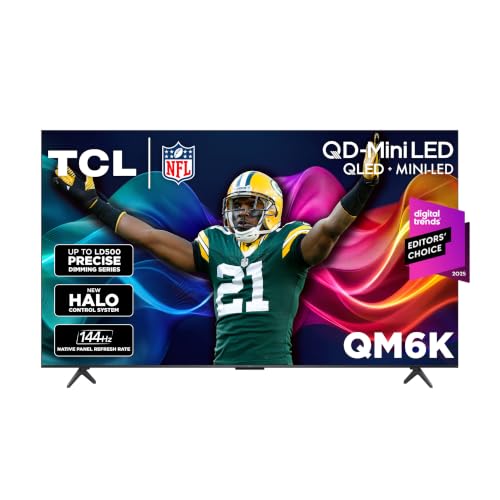
TCL 55 Inch Class QM6K Series combines QD-Mini LED backlighting, QLED color technology, 4K resolution, and a 144Hz native refresh rate. That refresh specification makes it the strongest documented fit here for compatible high-refresh PC gaming.
Dolby Vision, HDR10+, HDR10, and HLG support cover several common HDR formats. TCL also lists a Halo Control System intended to improve local dimming and reduce visible blooming, but supplied data does not provide independent contrast or blooming measurements.
Google TV software, Dolby Atmos support, Onkyo audio, voice remote functionality, and Alexa support suit a mixed gaming and streaming setup. Verify available HDMI features before purchase, because supplied information does not specify ports, bandwidth, variable refresh rate support, or input lag.
TCL QM6K Pros and Cons
- Pros: 144Hz native refresh rate, QD-Mini LED and QLED technologies, broad HDR format support, Google TV platform.
- Cons: Supplied data does not confirm HDMI bandwidth, VRR, input lag, PC resolution support at 144Hz, or independent picture measurements.
- Who should skip it: Skip this model if required PC output, VRR, or port specifications remain unconfirmed for your graphics card and setup.
2. Samsung 65-Inch Class M70H Series, Mini LED, 4K
Samsung 65-Inch Class M70H Series, Mini LED, 4K provides a larger 65-inch display, Mini LED HDR, Supreme Mini LED Dimming, and a processor designed to improve brightness and black levels. Its DLG 120Hz and Motion Xcelerator features target smoother fast-action content.
Samsung lists a Pure Color Spectrum system with one billion colors, plus Color Booster processing. Soccer Mode focuses on sports motion and color, but these advertised modes do not establish gaming input lag, HDR accuracy, or measured motion performance.
Samsung TV Plus adds free streaming content, making this option suitable for gaming rooms that also serve as general entertainment spaces. Supplied specifications do not confirm PC refresh combinations, HDMI capabilities, VRR support, or compatibility with a particular console.
Samsung M70H Pros and Cons
- Pros: 65-inch screen, Mini LED HDR, Mini LED dimming, DLG 120Hz support, broad smart-TV entertainment features.
- Cons: DLG 120Hz is not the same specification as TCL’s stated 144Hz native refresh rate, and key gaming ports are not specified.
- Who should skip it: Skip this model if your priority is the highest documented refresh rate or confirmed high-refresh PC connectivity.
3. Assistrust Sound Bar for Smart TV
Assistrust Sound Bar for Smart TV is an audio accessory, not a smart TV. Its four drivers, advertised 80W output, three equalizer modes, and automatic volume boost can complement a TV gaming setup when built-in audio lacks presence.
ARC, optical, AUX, and Bluetooth 5.0 provide several connection paths. ARC can allow TV-remote control when the television and setup support compatible ARC behavior, while optical and AUX provide wired alternatives.
Assistrust Sound Bar Pros and Cons
- Pros: Multiple audio inputs, Bluetooth 5.0, three sound modes, detachable design, stated 18-month warranty and 60-day replacement policy.
- Cons: It does not provide a display, refresh rate, HDR support, or gaming connectivity, and supplied data does not establish surround-sound performance.
- Who should skip it: Skip it if your TV already connects to a receiver, headset, or speaker system that meets your audio needs.
How to Choose Among These Smart TVs for Gaming
Match Refresh Rate to Your Source
TCL lists a 144Hz native refresh rate, while Samsung lists DLG 120Hz and Motion Xcelerator support. Neither specification guarantees a matching frame rate, so confirm graphics-card output, game settings, resolution support, and connection bandwidth.
Check Ports Before Buying
Supplied data does not list HDMI port counts, HDMI versions, VRR, ALLM, eARC, or supported PC timings for either TV. Check manufacturer documentation for your exact model before assuming a PC or console can use its advertised refresh mode.
Consider HDR and Backlight Design
Both televisions use Mini LED-related technologies and advertise HDR support, which can benefit bright highlights and darker scenes. HDR labels alone do not prove brightness, black-level consistency, color accuracy, or low blooming in real use.
Plan Audio Connections
The Assistrust soundbar supports ARC, optical, AUX, and Bluetooth 5.0, but compatibility depends on available TV outputs and preferred control method. Confirm the television’s audio settings and connector support before selecting a cable or wireless connection.
Best Smart TVs for Gaming FAQs
Is TCL or Samsung better for PC gaming?
TCL has the stronger documented refresh-rate specification at 144Hz, while Samsung offers a larger 65-inch screen and DLG 120Hz support. Choose TCL for confirmed specification priority, or Samsung for size and smart-TV features, then verify PC port compatibility.
Does a 144Hz TV guarantee 144 frames per second?
No. A 144Hz refresh rate describes display refresh capability, not game performance. GPU power, game settings, resolution, connection bandwidth, and software support determine achievable frame rates.
Can the Assistrust soundbar replace a gaming headset?
No direct replacement claim is supported. The soundbar adds room audio through wired or Bluetooth connections, while a headset may better suit private listening and voice communication.
Final Recommendation
Choose TCL 55 Inch Class QM6K Series for the highest documented refresh rate and broad HDR format support. Choose Samsung 65-Inch Class M70H Series for a larger Mini LED smart-TV setup with DLG 120Hz motion support.
Add Assistrust Sound Bar for Smart TV only when built-in television audio needs reinforcement and ARC, optical, AUX, or Bluetooth 5.0 fits your connection plan. For more display comparisons, browse the Gaming Monitors category.




Write Your Review
No reviews yet. Be the first to share your experience!