

A dedicated 2.1 speaker system remains one of the most effective audio upgrades for a gaming desk or workstation. By offloading sub-bass frequencies to an independent floor-standing subwoofer, satellite speakers can focus entirely on delivering detailed mid-range vocals and crisp high frequencies without cabinet distortion.
Top Recommended 2.1 PC Speaker System
When selecting the best 2.1 pc speakers, connectivity and cabinet acoustic design matter just as much as raw power. The following setup stands out for modern desktop setups requiring low latency, compact footprints, and clean low-frequency response.

Klipsch ProMedia Lumina 2.1 Computer Speakers


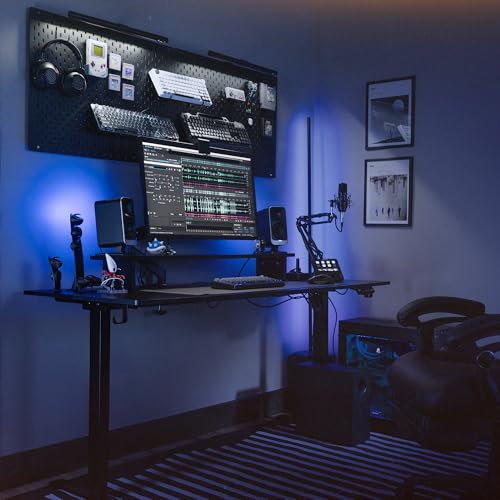


As an Amazon Associate we earn from qualifying purchases. Product prices and availability are accurate as of the date/time indicated.
Klipsch ProMedia Lumina 2.1 Computer Gaming System
The Klipsch ProMedia Lumina 2.1 Computer Gaming System updates a long-standing desktop classic with contemporary connectivity and updated physical styling. It pairs two tiltable satellite speakers with a compact, low-profile subwoofer engineered to slide under shallow desks without crowding legroom.
For input versatility, the Lumina supports direct USB-C audio alongside standard 3.5mm AUX and wireless Bluetooth 5.3 streaming. The direct digital USB connection bypasses noisy motherboard DACs, which prevents electrical humming when pairing the speakers with high-power graphics cards or modern display setups like 1440p gaming monitors.
A dedicated Klipsch Control desktop app allows users to adjust parametric EQ profiles, engage a night mode to limit late-night bass bleed, and manage integrated RGB lighting effects. The subwoofer includes a physical gain dial on the cabinet, making manual low-end balancing straightforward without software menu diving.
Key Factors When Choosing 2.1 Desktop Speakers
Selecting the right 2.1 system depends heavily on your room layout and available floor clearance. Subwoofers produce non-directional bass, but positioning them against drywall corners can create boomy acoustic reflections that muddy footsteps and speech.
Input flexibility is equally critical if you switch between work laptops and personal gaming rigs. Look for systems offering digital USB-C or optical inputs in addition to analog aux ports to ensure clean signal conversion and minimal background static.
Physical desk space dictates whether angled satellite stands are necessary for proper audio imaging. Angled speaker stands point tweeters directly toward ear level, which noticeably sharpens directional audio cues in competitive multiplayer games without requiring aftermarket riser blocks.
Frequently Asked Questions
Are 2.1 speakers better than a desktop soundbar for PC gaming?
Yes, dedicated 2.1 systems generally provide superior stereo separation because you can place satellite speakers at the outer edges of wide monitor screens. Soundbars feature drivers restricted to a narrow enclosure, which limits positional accuracy in tactical games.
Where should a 2.1 PC subwoofer be positioned?
Subwoofers perform best when placed flat on the floor beneath your desk rather than elevated on desktop surfaces. Keeping the subwoofer slightly away from enclosed corners prevents boomy bass resonance while preserving floor space around your footrest and cables.
Final Recommendation
If you need powerful low-end impact paired with modern USB-C audio decoding and clean desk aesthetics, the Klipsch ProMedia Lumina 2.1 Computer Gaming System is an exceptional choice. Its tiltable desktop satellites and dedicated bass gain control deliver clear, adaptable audio performance for both workstation tasks and intense gaming sessions.





Write Your Review
No reviews yet. Be the first to share your experience!