

The best mouse under $30 depends on your main task: competitive gaming, everyday work, or an ergonomic alternative to a conventional shape. For wireless gaming, compare the Razer Orochi V2, Logitech G305, and RK ROYAL KLUDGE M3; for quiet office use, consider the Logitech Signature M550.
This roundup is based on the supplied specifications, not independent performance measurements. Check the connection type, hand fit, battery arrangement, and software requirements before choosing, since those practical details matter more than a headline DPI figure.
- For a compact wireless gaming setup: Razer Orochi V2, with Bluetooth and HyperSpeed wireless options.
- For configurable tri-mode use: RK ROYAL KLUDGE M3, which supports wired, 2.4 GHz, and Bluetooth connections.
- For a straightforward gaming mouse: Logitech G305, with a 1 ms LIGHTSPEED report rate and a replaceable AA battery.
- For quiet everyday work: Logitech Signature M550, with SilentTouch clicks and a SmartWheel.
- For a vertical shape: Anker 2.4G or ProtoArc EM11 NL, with different connection and fit considerations.
Compare the Options
| Mouse | Connection | Notable specification | Best suited to |
|---|---|---|---|
| RK ROYAL KLUDGE M3 | Wired, 2.4 GHz, Bluetooth | 47 g; advertised dual 8K polling | Lightweight gaming and multi-device use |
| Razer Orochi V2 | Bluetooth, HyperSpeed wireless | Up to 950 hours on Bluetooth | Portable gaming and long battery intervals |
| ATK VXE Dragonfly R1 SE+ | Wired, 2.4 GHz, Bluetooth | 55 g; 1K polling | Small-to-medium hands and tri-mode use |
| Logitech Signature M550 | Bluetooth Low Energy, Logi Bolt receiver | SmartWheel and SilentTouch | Quiet productivity |
| Logitech G305 | LIGHTSPEED wireless | 1 ms report rate; AA battery | Gaming with a USB receiver |
| Anker vertical mouse | 2.4 GHz USB receiver | 800, 1200, or 1600 DPI | Users who prefer a vertical shape |
| ProtoArc EM11 NL | Bluetooth, 2.4 GHz USB-A receiver | Rechargeable; supports up to three devices | Small-to-medium hands and office use |
| Logitech M510 | 2.4 GHz Unifying receiver | Back/Forward buttons and side-to-side scrolling | Full-size everyday navigation |
Recommended Mice

Pros
- Ultra-light 47-gram chassis minimizes wrist fatigue
- Flagship PAW3950 sensor tracks on glass
- Native 8000Hz polling rate delivers 0.125ms response
- Versatile 2.4G, Bluetooth, and wired tri-mode connections
- Driverless web-based configuration with onboard memory
Pros
- Dual HyperSpeed wireless and Bluetooth connectivity options
- Extensive battery life of up to 950 hours
- Lightweight sub-60g base frame for fast handling
- Hybrid slot accommodates AA or AAA batteries
- Durable mechanical switches rated for 60 million clicks
Cons
- Advertised sub-60g weight excludes the required battery
- Requires replaceable batteries instead of integrated USB recharging

Pros
- Dual Bluetooth and Logi Bolt wireless connectivity
- SilentTouch technology dampens click noise
- SmartWheel enables precise and fast scrolling
- Up to 24-month battery life on one AA battery
- Ergonomic contoured profile with rubber side grips
Cons
- Not suited for larger hand sizes
- Relies on disposable AA batteries rather than internal recharging
Pros
- Ultra-lightweight 55-gram symmetrical shell
- Versatile tri-mode wireless and wired connectivity
- Up to 70 hours battery life at 1000Hz
- Crisp and durable Huano Blue Glow V2 switches
- Smooth Swift PTFE feet out of the box
Cons
- Sized primarily for small to medium hands
- Maximum polling rate limited to 1000Hz

Pros
- Fast 1 ms LIGHTSPEED wireless response time
- Accurate 12,000 DPI optical HERO sensor
- Up to 250 hours continuous runtime per AA battery
- Lightweight 3.4 oz chassis for quick handling
- Built-in internal storage for the USB receiver
Cons
- Requires AA batteries instead of USB recharging
- Extending battery life requires Logitech G HUB configuration

Pros
- Fast 1 ms wireless report rate
- Long-lasting battery life from single AA cell
- Precise 12,000 DPI HERO optical sensor
- Integrated internal storage for USB nano receiver
Cons
- Requires replaceable AA batteries instead of internal recharging
- Accessing extended Endurance mode requires Logitech G HUB software

Pros
- Connects up to three devices via Bluetooth and 2.4GHz
- Tailored ergonomic fit for small and medium hands
- Rechargeable battery via included USB-C cable
- Silent primary click buttons reduce office noise
- Three adjustable on-the-fly DPI sensitivity levels
Cons
- Forward and back buttons are incompatible with macOS
- No programmable button customization available
- Included USB-C cable is for charging only
Pros
- Up to two-year battery life
- Ergonomic contoured shape with rubber side grips
- Logitech Unifying receiver pairs multiple compatible devices
- Built-in battery status indicator light and power switch
Cons
- Side-to-side scrolling requires dedicated Logitech software
- Side buttons primarily favor right-handed users

Pros
- Ergonomic vertical design reduces wrist strain
- Three adjustable DPI sensitivity settings
- Built-in next and previous navigation buttons
- Automatic sleep mode preserves battery life
- Internal storage slot for USB receiver
Cons
- No Bluetooth connectivity supported
- Requires two AAA batteries not included
- Audible click sounds cannot be silenced
RK ROYAL KLUDGE M3 Wireless Gaming Mouse with 47g
The M3 combines wired, 2.4 GHz, and Bluetooth connections with a 47 g body and a PAW3950 sensor. Its listed features include five programmable buttons, onboard DPI presets, and advertised dual 8K polling, making it a flexible option for lightweight gaming across compatible Windows and Mac setups.
Pros: Three connection modes, low stated weight, customizable buttons, and onboard presets. Cons: The 8K polling claim is an advertised specification, not an independently established result; confirm receiver and software requirements for your setup. Who should skip it: Anyone wanting a simple office mouse or a model with a clearly specified hand-size fit.
Our guide to gaming mouse grips can help you consider how shape and grip preference affect your choice.
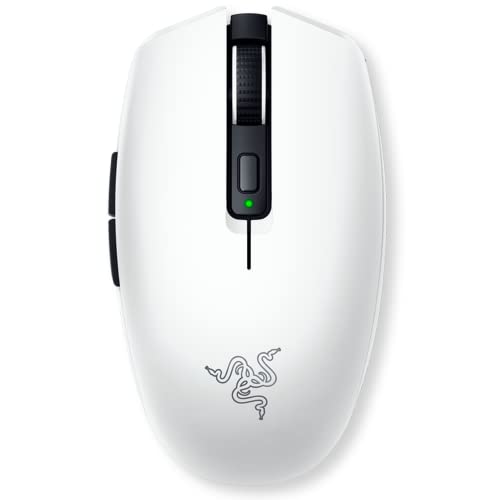
Razer Orochi V2 Wireless Gaming Mouse
The Orochi V2 offers Bluetooth for general use and Razer HyperSpeed wireless for gaming. Razer lists up to 950 hours on Bluetooth and up to 425 hours on HyperSpeed, while its hybrid battery slot accepts one AA or AAA battery for different weight and endurance preferences.
Pros: Two wireless modes, a stated 18K DPI sensor, and long advertised battery life. Cons: It relies on a replaceable battery rather than a built-in rechargeable cell, and its compact body may not suit every hand. Who should skip it: Buyers who require wired connectivity or prefer charging a built-in battery.
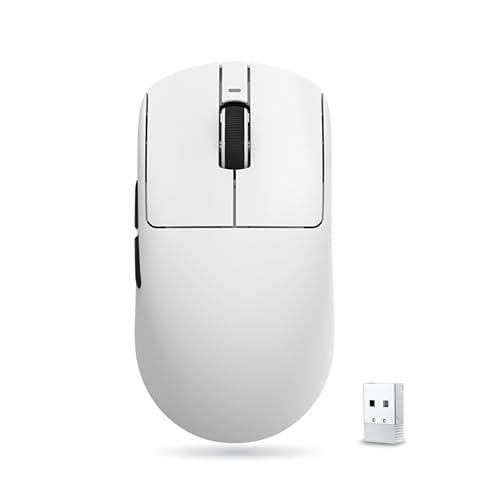
ATK VXE Dragonfly R1 SE+ Wireless Gaming Mouse
This 55 g mouse supports wired, 2.4 GHz, and Bluetooth connections, with a PAW3395 SE sensor and a listed 1K polling rate. Its dimensions are 120.6 × 64.1 × 37.6 mm, and the supplied information describes it as suitable for small-to-medium hands.
Pros: Three connection options, programmable buttons, and a rechargeable 520 mAh battery rated for up to 70 hours at 1000 Hz. Cons: The included receiver is specified at 1K polling, and the stated battery runtime depends on the listed polling condition. Who should skip it: Users seeking a larger fit or a higher polling rate from the included receiver.
Logitech Signature M550 Wireless Mouse Small
The M550 is designed for small-to-medium hands and emphasizes everyday navigation rather than gaming controls. Its SmartWheel switches between line-by-line precision and faster scrolling, while Bluetooth Low Energy and the Logi Bolt USB receiver provide two connection choices.
Pros: Quiet left and right clicks, a useful scrolling mode switch, and broad listed compatibility across Windows, macOS, Linux, Chrome OS, iPadOS, and Android. Cons: It is not presented as a gaming-focused model, and Logi Bolt requires an available compatible USB connection when used. Who should skip it: Players who need gaming-specific controls or a stated high polling rate.
Logitech G305 Lightspeed Wireless Gaming Mouse
The G305 pairs Logitech’s HERO sensor, rated up to 12,000 DPI, with LIGHTSPEED wireless and a stated 1 ms report rate. It runs on one AA battery, with up to 250 hours of continuous gameplay listed, and includes storage for its nano receiver.
Pros: A dedicated gaming wireless connection, replaceable battery, receiver storage, and a documented 400 IPS tracking specification. Cons: It does not list Bluetooth or wired operation, and the AA battery adds a replacement consideration. Who should skip it: Anyone who needs Bluetooth, rechargeable operation, or multiple connection modes.
The lilac and black listings share the same supplied core specifications. Choose between them by color and listing details, rather than assuming a performance difference from the supplied information.
ProtoArc EM11 NL Wireless Ergonomic Vertical
The EM11 NL has a vertical shape intended to keep the wrist and forearm in a more relaxed position. It supports Bluetooth and a USB-A receiver, can connect with up to three devices, and uses a built-in rechargeable battery charged through the included Type-C cable.
Pros: Rechargeable power, multi-device switching, quiet left and right clicks, and a stated fit for hands under 7.5 inches long. Cons: The shape has a learning curve, DPI tops out at 2400, and the back/forward buttons are not compatible with Mac according to the supplied details. Who should skip it: Users with larger hands, gaming-focused needs, or a preference for a conventional mouse shape.
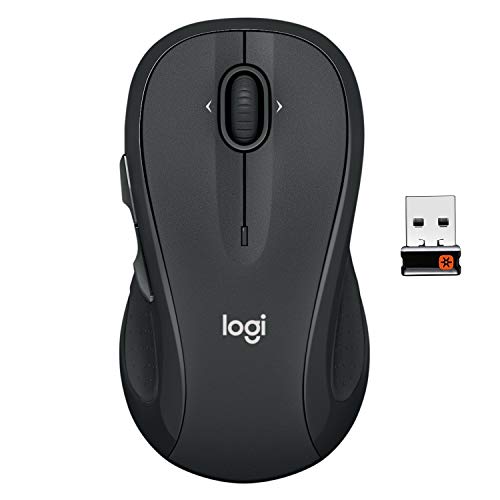
Logitech M510 Full Size Ambidextrous 2.4 GHz
The M510 is an everyday wireless model with a contoured shape, rubber grips, Back and Forward buttons, and side-to-side scrolling. It uses a Logitech Unifying receiver and is described as full size, so check receiver compatibility and desk-space needs before choosing it.
Pros: Extra navigation controls, horizontal scrolling, and a listed battery life of up to two years. Cons: Some button customization requires Logitech software, and the supplied description’s ambidextrous label sits alongside features described as especially useful for right-handers. Who should skip it: Competitive players who want a gaming-focused sensor or a Bluetooth connection.
Anker 2.4G Wireless Ergonomic Mouse
Anker’s vertical mouse uses a 2.4 GHz USB receiver, not Bluetooth, and offers 800, 1200, and 1600 DPI settings. Its listed dimensions are 120 × 62.8 × 74.8 mm, with next and previous buttons for browsing and a shape intended to encourage a handshake-style grip.
Pros: Vertical ergonomics, adjustable DPI, and dedicated browser navigation buttons. Cons: Two AAA batteries are not included, clicks are not silent, and the USB receiver occupies a port. Who should skip it: Buyers who need Bluetooth, rechargeable power, quiet clicks, or gaming-specific performance features.
How to Choose a Mouse Under $30
Start with the connection you need
Bluetooth can be useful for laptops and multi-device setups, while a dedicated 2.4 GHz receiver is common among gaming-focused wireless models. Check whether your computer has the required port: the ProtoArc uses a USB-A receiver, while the M550 offers Bluetooth Low Energy or Logi Bolt.
Match the mouse to the workload
For gaming, compare polling-rate and report-rate specifications, sensor details, and connection mode rather than relying on maximum DPI alone. For office work, scrolling controls, click noise, battery format, and multi-device support may matter more than gaming-oriented specifications.
Check fit, shape, and power
Hand fit is especially important for compact and vertical mice. The ATK model lists dimensions and a small-to-medium fit, while ProtoArc gives a hand-length guideline; the other supplied descriptions do not provide comparable fit measurements.
Battery arrangements differ: the G305 and Anker use replaceable batteries, the Orochi V2 accepts AA or AAA, and the ATK and ProtoArc models have rechargeable batteries. Confirm which approach suits your routine, and treat advertised runtime as dependent on usage and connection settings.
Frequently Asked Questions
Is a high DPI rating enough to identify a good gaming mouse?
No. DPI describes sensitivity settings, but it does not by itself establish tracking quality or responsiveness. Consider the sensor, polling or report rate, connection type, shape, and the settings you actually use.
Which options work without a USB receiver?
The Orochi V2 and several tri-mode models list Bluetooth connectivity. The Signature M550 also supports Bluetooth Low Energy; check the exact mode and operating-system requirements for your computer before buying.
Is a vertical mouse automatically more comfortable?
No single shape fits everyone. Vertical models may suit people who prefer a handshake-style grip, but the ProtoArc listing notes an adjustment period, so consider hand size and familiarity with the shape.


Write Your Review
No reviews yet. Be the first to share your experience!