

The Acer Nitro V stands out here for its GeForce RTX 4050 Laptop GPU, while the other listed models use RTX 3050 graphics or integrated Radeon graphics. Choose the Acer for the strongest documented graphics hardware in this group, but plan for a memory upgrade if your games or multitasking need more than 8GB.
Several Victus listings pair an RTX 3050 with a 144Hz display, but that refresh rate does not guarantee games will reach 144 frames per second. This comparison is based on supplied specifications, with particular attention to graphics, memory, screen, and listing inconsistencies.

Pros
- Smooth 144Hz Full HD IPS panel
- Dedicated RTX 3050 graphics with 6GB VRAM
- Fast Wi-Fi 6 and Gigabit Ethernet connectivity
- Versatile 10Gbps USB ports with power-off charging
- Full-size backlit keyboard with integrated numeric keypad
Cons
- Only 8 GB of installed system memory
- Limited 250-nit brightness and 45% NTSC color coverage

Pros
- Smooth 165Hz Full HD IPS display
- NVIDIA GeForce RTX 4050 with DLSS 3.5
- Thunderbolt 4 port with charging and display support
- Dual DDR5 slots upgradeable to 32GB
- Fast Wi-Fi 6 and Killer Ethernet networking
Cons
- Base memory limited to 8GB DDR5
- Modest 512GB internal storage capacity

Pros
- Smooth 144Hz Full HD IPS display
- Dedicated NVIDIA RTX 3050 6GB graphics
- Responsive 13th Gen Intel Core i5 processor
- Fast 512GB solid state storage
Cons
- Limited 8GB base memory capacity
- Relatively heavy at over five pounds
- Modest 512GB storage for large game libraries

Pros
- Strong eight-core Ryzen processor
- Fast NVMe solid-state storage
- Upgradeable storage capacity
- Backlit keyboard
- WiFi 6 connectivity
Cons
- Memory capacity is inconsistently listed
- No dedicated graphics processor listed
- Display refresh rate is unspecified

Pros
- Intel Core i5-12500H processor handles multitasking efficiently
- Dedicated NVIDIA GeForce RTX 3050 graphics
- Full HD IPS panel with wide viewing angles
- Responsive 512 GB solid-state storage
- Built-in backlit keyboard for dim environments
Cons
- Only 8 GB of system memory included
- Carrying weight exceeds 5 pounds

Pros
- Fluid 144Hz Full HD IPS anti-glare display
- Dedicated RTX 3050 GPU with 6GB VRAM
- Comes equipped with 16GB of system RAM
- Includes Wi-Fi 6 and a backlit keyboard
Cons
- Modest 512GB internal storage capacity
- Uses DDR4 RAM rather than DDR5
- Relatively heavy listed weight of 7 pounds
Pros
- Smooth 144Hz Full HD IPS display
- Dedicated NVIDIA RTX 3050 GPU with 6GB VRAM
- Responsive 13th Gen Intel Core i5 processor
- High-speed PCIe Gen4 NVMe solid-state storage
Cons
- Modest battery life rated at 4.5 hours
- Relatively heavy carry weight at over 6.3 pounds
- Limited 512GB storage capacity for large game libraries
Best Gaming Laptops Under $1000 Compared
Acer Nitro V Gaming Laptop: Best Documented Graphics Option
The Acer combines an Intel Core i5-13420H with an RTX 4050 Laptop GPU, 8GB of DDR5 memory, and a 512GB Gen 4 SSD. Its 15.6-inch 165Hz Full HD IPS display is a useful match for games that benefit from a higher-refresh screen, though the display specification alone says nothing about achievable frame rates.
Two DDR5 slots and a stated maximum of 32GB provide an upgrade path if 8GB proves restrictive. It also lists Wi-Fi 6, Killer Gigabit Ethernet, and Thunderbolt 4, giving it documented wired networking and connectivity options.
Pros: RTX 4050 graphics, 165Hz display, two memory slots, and named Thunderbolt 4 support. Cons: 8GB is a modest starting capacity, and the supplied specifications do not state GPU power limits or measured gaming performance. Who should skip it: Buyers who want more memory out of the box or need verified performance figures before choosing.
Compare gaming laptop options by GPU and workload for more context on matching graphics hardware to intended use.
HP Victus Gaming 15 Laptop: RTX 3050 With a Clear Port List
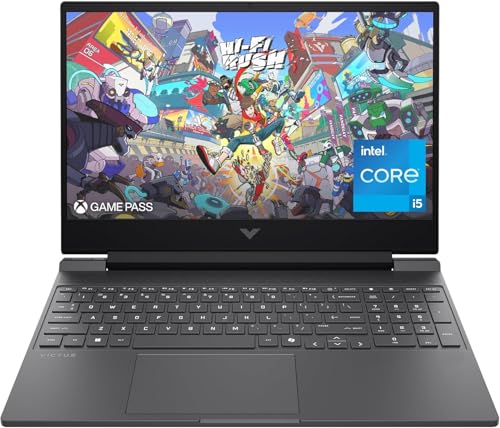
This Victus pairs the Core i5-13420H with an RTX 3050 carrying 6GB of GDDR6 memory, 8GB of DDR4-3200 RAM, and a 512GB NVMe SSD. The 15.6-inch Full HD IPS panel runs at 144Hz, while its listed 250-nit brightness and 45% NTSC coverage suggest prioritizing gaming and general use over color-critical creative work.
The specification lists Wi-Fi 6, Bluetooth 5.3, HDMI 2.1, Ethernet, and three USB-A or USB-C ports. Its USB-C port is described as supporting data transfer and power-off charging, not video output or laptop charging, so do not assume those functions.
Pros: Dedicated RTX graphics, a 144Hz screen, and a relatively detailed connectivity listing. Cons: 8GB RAM may constrain heavier games and multitasking, and the screen brightness is listed at 250 nits. Who should skip it: Users seeking higher starting memory or a display specified for broader color coverage.
See what lower-budget listings offer with Nvidia graphics if you are comparing options below this article’s budget range.
HP Victus 15-fa2013dx: RTX 3050 and 144Hz Full HD
This configuration lists a Core i5-13420H, RTX 3050 with 6GB of GDDR6, 8GB of memory, and a 512GB PCIe Gen 4 NVMe SSD. Its 15.6-inch 144Hz IPS display makes it a straightforward choice for someone who wants a high-refresh Full HD panel alongside dedicated graphics.
The listing says mixed-use battery life can reach 4 hours and 30 minutes, but actual runtime depends on workload and settings. Memory type, upgrade details, port configuration, and GPU power limits are not specified in the supplied information.
Pros: A current-generation Core i5, dedicated RTX 3050 graphics, and a 144Hz display. Cons: It starts with 8GB RAM, and several details needed for a fuller hardware comparison are not provided. Who should skip it: Buyers who require a documented memory-upgrade path, port list, or more detailed display specifications.
HP Victus 15.6-Inch Full HD 144Hz Gaming Laptop: 16GB RAM
This Victus combines a 12th-generation Core i5-12450H with an RTX 3050, 16GB of DDR4-3200 memory, and a 512GB PCIe SSD. Among the listed RTX 3050 laptops, its 16GB starting memory is a practical advantage for multitasking and games that use more memory.
The 15.6-inch Full HD IPS screen has a 144Hz refresh rate, and Windows 11 Pro is listed. The processor is an older generation than the Core i5-13420H in several alternatives, while the supplied details do not specify the laptop GPU’s power limit or memory upgrade configuration.
Pros: 16GB RAM from the listed configuration, dedicated RTX 3050 graphics, and a 144Hz screen. Cons: Its Core i5 is a 12th-generation model, and key upgrade and GPU-power details are absent. Who should skip it: Shoppers who prefer the newer listed processor generation or need confirmed component-upgrade information.
HP Victus 15 Gaming Laptop: Older Core i5 Configuration
This 2022 Victus configuration lists a 12th-generation Core i5-12500H, RTX 3050 graphics, 8GB RAM, and a 512GB SSD. Its Full HD IPS panel is specified, but a refresh rate is not provided, so it cannot be directly matched to the 144Hz Victus listings on that detail.
The supplied information describes Windows 11 Home and highlights wide viewing angles for the display. With 8GB of memory and an older product generation, it is less compelling for buyers prioritizing a larger starting RAM capacity or the newest listed processor.
Pros: Dedicated RTX 3050 graphics, a 12th-generation Core i5-12500H, and an IPS Full HD screen. Cons: Only 8GB RAM is listed, and the display refresh rate and several connectivity details are unspecified. Who should skip it: Buyers who require a confirmed 144Hz panel or more complete configuration information.
HP Victus 15.6-Inch Full HD 144Hz Gaming Laptop: Check the Configuration
This listing describes a Core i5-13420H, RTX 3050 with 6GB GDDR6, a 144Hz Full HD display, and a 512GB SSD. Its memory information is inconsistent: the product title states 16GB, while the feature details say 8GB DDR4-3200.
Because that difference affects gaming and multitasking, confirm the actual memory configuration with the seller before ordering. Until verified, it is difficult to compare this model fairly with the other Victus options.
Pros: The listed Core i5-13420H, RTX 3050, and 144Hz display form a relevant gaming configuration. Cons: The RAM capacity conflicts between the title and supplied feature details, and upgrade information is not stated. Who should skip it: Anyone who cannot confirm the installed memory before purchase.
KAIGERR Gaming Laptop: More Listed Memory, Integrated Graphics
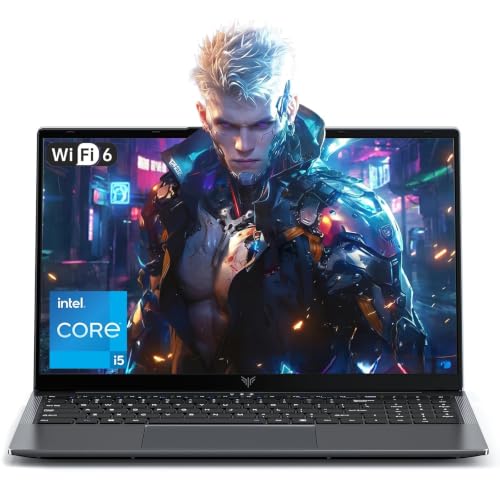
The KAIGERR lists an AMD Ryzen 7 H255 processor and Radeon RX Vega 8 integrated graphics, rather than a dedicated RTX GPU. Its description conflicts on memory: the title says 24GB DDR5, while the feature text says 16GB DDR5, so verify the configuration before relying on either figure.
The 16-inch display’s resolution and refresh rate are not supplied, and the graphics details do not establish performance in demanding games. It may suit general computing and lighter gaming, but readers seeking dedicated gaming graphics should favor an RTX configuration in this roundup.
Pros: The listing identifies an eight-core, 16-thread Ryzen processor, DDR5 memory, and an NVMe SSD. Cons: Integrated graphics are a different class of gaming setup from the dedicated RTX models, and the RAM capacity is inconsistent across listing details. Who should skip it: Players who prioritize a dedicated GPU or need a clearly confirmed memory configuration.
How to Choose a Gaming Laptop Under $1000
Prioritize the Graphics Configuration
The Acer is the only option here with a listed RTX 4050 Laptop GPU; the Victus models specify RTX 3050 graphics, while the KAIGERR uses integrated Radeon RX Vega 8 graphics. These labels identify different hardware choices, but supplied specifications do not include independent performance results, so avoid treating them as guaranteed frame-rate comparisons.
Check RAM Capacity and Upgrade Information
Most listed configurations start with 8GB, while one Victus specifies 16GB and the KAIGERR listing contradicts itself about 16GB versus 24GB. The Acer explicitly has two DDR5 slots and a stated 32GB maximum; for the other models, confirm upgrade support and the installed configuration before assuming more memory can be added.
Match the Display to Your Use
The Acer specifies a 165Hz Full HD IPS panel, and several Victus models specify 144Hz Full HD displays. A higher refresh rate can display more frames when the system produces them, but does not mean a game will run at that rate.
For the HP Victus Gaming 15 Laptop, listed brightness is 250 nits and color coverage is 45% NTSC, details worth weighing for bright rooms or color-sensitive creative tasks. Other listings do not provide comparable brightness or color-coverage figures.
Consider Storage, Ports, and Connectivity
Every listed model has a 512GB SSD, though the interface is specified more precisely for some than others. Check whether that capacity suits your game library, and confirm additional storage options for the exact model rather than assuming an open slot.
The Acer lists Thunderbolt 4, Wi-Fi 6, and Killer Gigabit Ethernet. The HP Victus Gaming 15 Laptop lists HDMI 2.1, Ethernet, Wi-Fi 6, and USB-C data transfer, but its supplied details do not identify USB-C video output or laptop charging support.
Frequently Asked Questions
Is an RTX 3050 Laptop GPU suitable for gaming?
The supplied listings pair RTX 3050 graphics with Full HD displays, making these dedicated-GPU configurations relevant to gaming. Actual performance varies by game and laptop implementation, and no frame-rate measurements are provided here.
Does a 144Hz or 165Hz screen mean games run at that frame rate?
No. The refresh-rate figure describes how often the display can refresh, not the frame rate a laptop can produce in a particular game. Graphics settings, the game, and system performance all affect frame rates.
Which listing needs the closest specification check?
Two listings have conflicting memory information: the HP Victus 15.6-Inch Full HD 144Hz Gaming Laptop differs between its title and feature details, and the KAIGERR listing states both 24GB and 16GB. Verify the exact configuration before making a decision.




Write Your Review
No reviews yet. Be the first to share your experience!