

The best gaming budget headset depends first on whether you prefer a simple wired connection or wireless freedom. For a versatile wired choice, consider the Logitech G432; for wireless play, compare the HyperX Cloud Jet and NUBWO model.
This roundup compares listed specifications and compatibility, not independently measured sound or microphone performance. Check your platform and connection needs carefully, especially if you use Xbox, where several wireless models have specific limitations.
Quick Picks for Different Setups
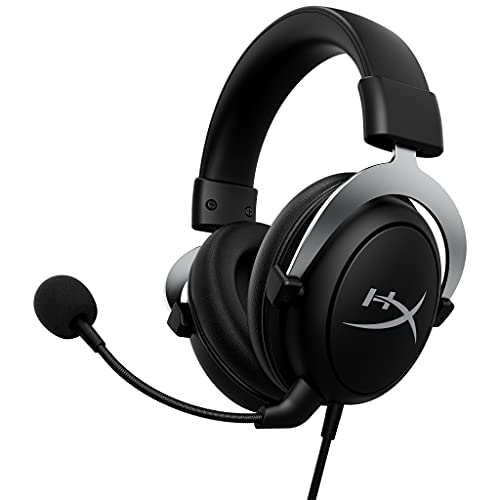
- Wired PC and console use: Logitech G432 offers a USB DAC or 3.5 mm connection, with DTS Headphone:X 2.0 requiring Logitech G HUB.
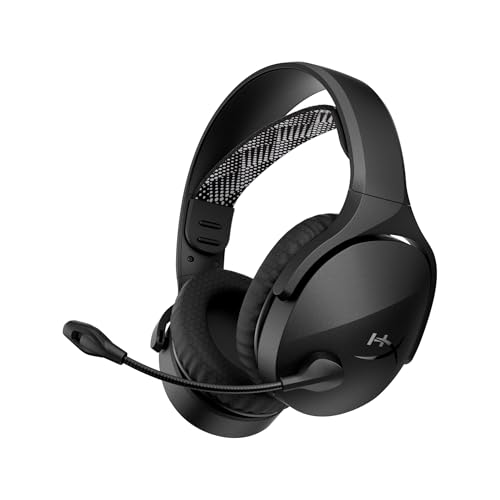
- Wireless PC, PlayStation, and mobile: HyperX Cloud Jet switches between a 2.4 GHz USB-A dongle and Bluetooth 5.3, but does not support Xbox.
- Long advertised battery life: NUBWO lists up to 100 hours, plus 2.4 GHz, Bluetooth, and wired modes. Xbox Series use is wired only.
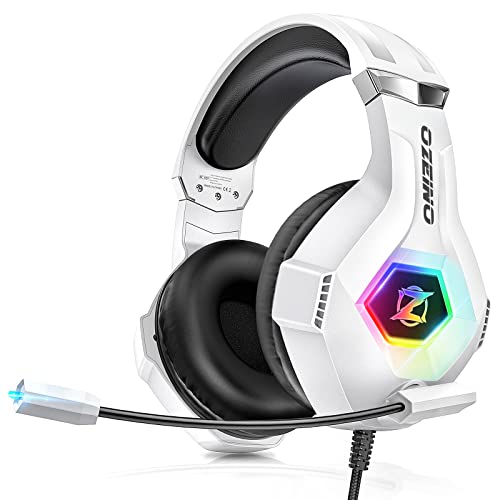
- Low-cost wired option: Ozeino includes a 3.5 mm connection and a separate USB plug for lighting, with a splitter requirement for many PC setups.

Pros
- Large 50mm audio drivers
- Convenient flip-to-mute 6mm boom microphone
- DTS Headphone:X 2.0 surround sound support
- Versatile 3.5mm and USB DAC connectivity
- Comfortable lightweight frame with rotating ear cups
Cons
- DTS Headphone:X 2.0 requires Logitech G HUB software
- Advanced surround sound unavailable on standard console connections
Pros
- Dual 2.4GHz and Bluetooth 5.3 wireless connectivity
- Swivel-to-mute boom mic with always-on sidetone
- Up to 25 hours of wireless battery life
- Breathable mesh earpads and elastic suspension headband
- Integrated on-ear controls for audio and wireless pairing
Cons
- Incompatible with Xbox consoles
- Requires a USB-A port for 2.4GHz wireless

Pros
- Lightweight 240g frame for extended comfort
- Broad compatibility via standard 3.5mm audio jack
- TriForce 50mm drivers for distinct frequency tuning
- Cardioid microphone with targeted voice pickup
Cons
- Surround sound requires Windows 10 64-bit
- Xbox One may require a separate stereo adapter
Pros
- Wide compatibility across consoles, PC, and mobile
- Adjustable 360-degree noise-cancelling microphone
- Comfortable padded protein ear cushions
- Includes 3.5mm PC splitter cable
Cons
- USB connection required solely for LED lighting
- Older Xbox One controllers require an unincluded adapter

Pros
- Lightweight 240-gram frame with memory foam padding
- Versatile 3.5 mm cross-platform compatibility
- On-earcup volume wheel for quick adjustments
- Passive noise isolation via closed earcups
- Tuned 50 mm drivers for clear sound separation
Cons
- Wired 3.5 mm cable restricts player movement
- Lacks wireless audio capability

Pros
- Lightweight 240-gram design minimizes fatigue during long sessions
- TriForce 50 mm drivers deliver clear acoustic separation
- Universal 3.5 mm jack supports multiple gaming platforms
- Memory foam ear cushions provide effective passive sound isolation
- Flexible cardioid microphone captures focused vocal audio
Cons
- Relies entirely on a wired 3.5 mm connection
- Lacks active noise cancellation technology

Pros
- Versatile 2.4GHz, Bluetooth, and 3.5mm connections
- Up to 100-hour rated battery life
- Simultaneous Bluetooth pairing for incoming mobile calls
- Large 50mm composite diaphragm drivers
Cons
- Xbox consoles require a wired 3.5mm connection
- Wireless functionality on consoles requires USB dongle

Pros
- Low-latency 2.4GHz wireless audio
- Up to 45 hours of battery life
- Versatile 2.4GHz, Bluetooth, and 3.5mm connectivity
- Detachable noise-canceling microphone
- Comfortable memory-protein ear cushions
Cons
- Xbox consoles require 3.5mm wired connection
- PlayStation does not support Bluetooth audio mode
- RGB lighting reduces battery life to 20 hours

Pros
- Ultralight 212-gram design for extended comfort
- Dual LIGHTSPEED wireless and Bluetooth support
- AI-assisted noise reduction on beamforming microphone
- Rated for over 24 hours of battery life
- Broad compatibility with PC, PlayStation, and Switch
How These Budget Gaming Headsets Differ
Connection type is the main dividing line. Wired headsets avoid battery charging, while wireless models offer more freedom but depend on supported dongles, Bluetooth, or battery capacity.
| Headset | Connection and stated support | Useful specification | Important limitation |
|---|---|---|---|
| Logitech G432 | USB DAC or 3.5 mm; PC, Mac, mobile, and selected consoles | 50 mm drivers; flip-up mute mic | DTS Headphone:X 2.0 requires G HUB software |
| HyperX Cloud Jet | 2.4 GHz USB-A and Bluetooth 5.3; PC, Mac, PS5, PS4, mobile | Up to 25 hours Bluetooth or 20 hours 2.4 GHz | Not compatible with Xbox |
| Razer BlackShark V2 X | 3.5 mm; PC, Mac, PS4, PS5, Switch, and Xbox One | 240 g; software-enabled surround sound on Windows 10 64-bit | Surround feature has a stated Windows requirement |
| NUBWO G06 | 2.4 GHz, Bluetooth 5.3, and 3.5 mm | Advertised battery life up to 100 hours | Xbox Series supports wired mode only |
| Logitech G335 | 3.5 mm; PC, laptop, consoles, and select mobile devices | 240 g; flip-up mute mic | Wired stereo headset, with no wireless connection listed |
Recommended Headsets, Strengths, and Trade-Offs
Logitech G432: Flexible Wired Connections
The Logitech G432 uses 50 mm drivers and connects to a PC or Mac through its USB DAC or 3.5 mm cable. Its 6 mm boom microphone mutes when flipped up, and the listed compatibility includes PlayStation 5, PlayStation 4, and Nintendo Switch, with some console connection modes described as stereo.
DTS Headphone:X 2.0 is a software-dependent feature, not an automatic result of connecting the headset. Install Logitech G HUB for that feature, and choose this model if you value wired flexibility over wireless convenience.
Pros: USB DAC and 3.5 mm connection options, flip-up mute microphone, and broad stated device support.
Cons: The positional audio feature requires software, and the headset has no wireless mode listed. Who should skip it: Players who need a wireless headset or want to avoid companion software for surround processing.
Compare more wired and wireless headsets for casual gaming if you are weighing general-use comfort and connection options.
HyperX Cloud Jet: Dual Wireless for Supported Devices
The Cloud Jet provides 2.4 GHz wireless through a USB-A dongle and Bluetooth 5.3 for compatible devices. HyperX lists up to 20 hours over 2.4 GHz or 25 hours over Bluetooth, along with a swivel-to-mute microphone and always-on sidetone.
Its listed support covers PC, Mac, PS5, PS4, and mobile, but explicitly excludes Xbox. Choose it when switching between supported devices matters more than Xbox compatibility or a wired connection option.
Pros: Two wireless connection methods, stated battery-life figures, sidetone, and onboard controls.
Cons: Xbox is unsupported, and the listed wireless dongle uses USB-A. Who should skip it: Xbox players or anyone whose device cannot use the required USB-A dongle.
Razer BlackShark V2 X: Lightweight Wired Gaming
The BlackShark V2 X weighs 240 g and connects through a 3.5 mm audio jack. Razer lists 50 mm drivers, a cardioid microphone, closed earcups, and compatibility with PC, Mac, PlayStation, Xbox One, and Nintendo Switch.
The advertised 7.1 surround feature is software-enabled and specified for 64-bit Windows 10. Its 3.5 mm connection makes it a practical choice for systems with a compatible headset jack, while the surround feature has a narrower requirement than basic wired audio.
Pros: Stated 240 g weight, 3.5 mm connectivity, and broad platform support.
Cons: Surround sound requires compatible Windows software, and there is no wireless option. Who should skip it: Buyers seeking wireless audio or a headset whose surround feature does not depend on Windows software.
Razer BlackShark V2 X Wired PlayStation: A PlayStation-Focused Variant
This PlayStation-oriented version uses a 3.5 mm jack, 50 mm drivers, and a bendable cardioid microphone. Razer lists a 240 g weight, memory foam ear cushions, passive noise isolation from closed earcups, and an on-headset volume wheel.
The product is positioned primarily for PlayStation 5, with the 3.5 mm jack also supporting other popular platforms. Confirm that your device has a compatible 3.5 mm headset connection, since no USB or wireless mode is specified.
Pros: Lightweight listed design, memory foam cushions, adjustable microphone, and physical volume control.
Cons: It is wired, and the product data does not specify a software surround feature for this variant. Who should skip it: Players who need wireless connectivity or depend on a USB connection.
Ozeino Gaming Headset: Basic Wired Features at a Low-Cost Tier
The Ozeino headset connects through 3.5 mm and lists support for PC, PlayStation, Xbox, Switch, laptops, and mobile devices with compatible jacks. Its microphone rotates, while the USB connector powers the headset lighting rather than carrying the audio connection.
For PC, the supplied information calls for a one-to-two 3.5 mm splitter, with separate microphone and audio plugs. The advertised 7.1 wording should not be treated as proof of independently measured positional performance.
Pros: Broad stated 3.5 mm compatibility, rotatable microphone, and separate lighting connector.
Cons: PC users may need the included splitter, and the USB connector is only for lighting. An older Xbox One controller may need a separate adapter. Who should skip it: Buyers seeking wireless audio or a straightforward single-plug PC setup without checking their ports.
Razer BlackShark V2 X Xbox: Wired Xbox Compatibility
This Xbox-branded BlackShark V2 X connects over 3.5 mm and lists support for Xbox Series X|S, plus other popular platforms. It has 50 mm drivers, a bendable cardioid microphone, closed earcups, and a stated weight of 240 g.
Windows Sonic is listed as a compatible surround-sound feature. The headset remains wired, so it suits players who prioritize a direct controller connection over wireless freedom.
Pros: Stated Xbox Series X|S support, 3.5 mm connection, lightweight design, and Windows Sonic compatibility.
Cons: No wireless mode is listed, and the Windows Sonic feature is tied to compatible Windows use. Who should skip it: Players who want wireless console audio or do not have a compatible 3.5 mm connection.
NUBWO Wireless Gaming Headset: Long Advertised Battery Life
NUBWO lists 2.4 GHz wireless, Bluetooth 5.3, and a 3.5 mm wired mode. Its advertised battery life is up to 100 hours, and the product data describes simultaneous wireless connections to a gaming device and smartphone.
For PC, PS5, and PS4, the 2.4 GHz dongle is the listed gaming connection. Xbox Series use is limited to wired 3.5 mm mode, so verify the desired connection before choosing it for a mixed-console setup.
Pros: Three connection modes, a high advertised battery-life figure, and a stated option to connect a phone alongside gaming audio.
Cons: Xbox Series is wired-only, and the 100-hour figure is a manufacturer claim rather than an independently verified result. Who should skip it: Xbox players who require wireless audio or buyers who prefer a published measured battery result.
AOC 2.4GHz Wireless Gaming Headset: Multiple Connection Options
AOC lists a USB dongle, Bluetooth 6.0, and a 3.5 mm cable, with dongle support for PS5, PS4, PC, Mac, and Switch. The stated battery life is up to 45 hours, or 20 hours with dynamic RGB lighting enabled.
The product data specifically says PS5 and PS4 do not support this headset’s Bluetooth audio, so use the dongle for those consoles. Xbox Series support is wired only, and the microphone is detachable.
Pros: Several connection modes, a detachable microphone, and separately stated battery figures with lighting on and off.
Cons: Console Bluetooth limitations require attention, and the listed battery figures are advertised specifications. Who should skip it: Buyers who expect PS5 or PS4 Bluetooth audio, or want wireless Xbox Series support.
Logitech G335: Lightweight Plug-and-Play Stereo
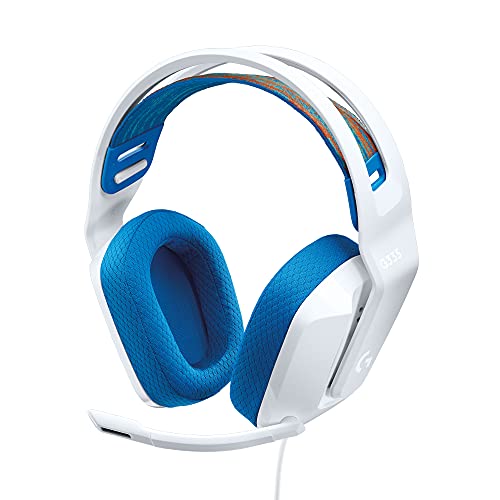
The G335 weighs 240 g and uses a 3.5 mm connection with 40 mm drivers. Logitech lists PC, laptop, PlayStation, Xbox, Nintendo Switch, and select mobile support, plus a flip-up mute microphone and an earcup volume roller.
This wired stereo model is a fit for players who want simple setup and physical controls. Confirm that your device has a compatible 3.5 mm connection; the supplied specifications do not list wireless audio or software surround processing.
Pros: Lightweight listed design, direct 3.5 mm connection, flip-up mute, and a physical volume roller.
Cons: It is wired, and the product data describes stereo sound rather than a software surround feature. Who should skip it: Players who need wireless connectivity or specifically want virtual surround processing.
Logitech G325 Lightspeed: Wireless, but Above a Strict Budget
The G325 is a wireless option with LIGHTSPEED and Bluetooth, a built-in beamforming microphone with noise reduction, and a stated battery life of 24 hours or more. Logitech lists compatibility with PC, PS4, PS5, Switch, and mobile devices.
At the upper end of this selection, it may suit buyers willing to prioritize wireless features over minimizing spend. The listed compatibility does not include Xbox, and the supplied details do not specify a wired audio mode.
Pros: LIGHTSPEED and Bluetooth connectivity, a built-in noise-reduction microphone, and a stated 24-hour-plus battery life.
Cons: Xbox compatibility and wired audio are not specified, and this model may not suit a strict budget ceiling. Who should skip it: Xbox users, buyers requiring a wired fallback, or shoppers focused on the lowest-cost wired option.
How to Choose a Budget Gaming Headset
Match the Connection to Your Device
A 3.5 mm headset is convenient when your PC, controller, or handheld has a compatible headset jack. Some desktop PCs separate microphone and headphone inputs, so check whether a splitter is included or required before buying.
For wireless models, confirm the exact connection supported by your platform. USB dongle support and Bluetooth support are not interchangeable, and the listed products include specific Xbox and PlayStation restrictions.
Decide Whether You Need Wireless
Wired models such as the G432, G335, and BlackShark V2 X do not require battery charging. Wireless models offer more movement, but advertised battery life varies and depends on the connection mode or lighting settings specified by each maker.
Check Microphone Controls and Software Requirements
Flip-up or swivel-to-mute microphones provide a direct physical mute action. Software features need separate attention: Logitech lists G HUB for DTS Headphone:X 2.0, while Razer specifies a Windows 10 64-bit requirement for the BlackShark V2 X surround feature.
Read Comfort Specifications as Clues, Not Guarantees
Weight, earcup materials, and headband design can help narrow choices, but comfort depends on fit and personal preference. Models with listed lightweight designs include the 240 g Logitech G335 and Razer BlackShark V2 X variants.
Frequently Asked Questions
Which type is simplest for a PC gaming setup?
A 3.5 mm model can be straightforward if your PC has a compatible headset jack. The Ozeino data specifies a splitter for PC use, while USB-connected wireless models require a compatible port for their dongle.
Can I use these headsets with Xbox?
Several wired models list Xbox support through 3.5 mm, including the Logitech G335 and Razer Xbox variant. HyperX Cloud Jet is explicitly incompatible with Xbox, while NUBWO and AOC specify wired-only Xbox Series use.
Does advertised surround sound guarantee better positional audio?
No. Surround features and driver specifications describe product capabilities, not independently measured competitive performance. Check software and operating-system requirements, then consider whether your games and setup support the feature.


Write Your Review
No reviews yet. Be the first to share your experience!