
For Roblox on PC, start with connection type: choose USB-A for a compatible desktop, or 3.5 mm when you need broader device support. Logitech G432 balances USB DAC and analog connections, while Razer BlackShark V2 X offers a 3.5 mm plug and cross-platform flexibility.
This roundup uses supplied specifications to compare fit, microphones, connectivity, and useful features. Roblox does not require virtual surround sound, so prioritize reliable voice chat and comfortable wear over extra audio processing.
Pros
- Large 50mm audio drivers
- Convenient flip-to-mute 6mm boom microphone
- DTS Headphone:X 2.0 surround sound support
- Versatile 3.5mm and USB DAC connectivity
- Comfortable lightweight frame with rotating ear cups
Cons
- DTS Headphone:X 2.0 requires Logitech G HUB software
- Advanced surround sound unavailable on standard console connections

Pros
- Lightweight 285g frame for prolonged comfort
- TriForce 40mm drivers for balanced audio tuning
- Breathable hybrid fabric and memory foam cushions
- Bendable HyperClear cardioid microphone
- Customizable Razer Chroma RGB earcup lighting
Cons
- Incompatible with consoles, Mac, and mobile devices
- Limited to wired USB-A with no 3.5mm option
- 7.1 surround sound requires 64-bit Windows 10

Pros
- Lightweight 240g frame for extended comfort
- Broad compatibility via standard 3.5mm audio jack
- TriForce 50mm drivers for distinct frequency tuning
- Cardioid microphone with targeted voice pickup
Cons
- Surround sound requires Windows 10 64-bit
- Xbox One may require a separate stereo adapter
Pros
- Lightweight 250g design with memory foam padding
- Unidirectional microphone with 120-degree pickup angle
- Foldable and rotating earcups for easy storage
- Broad 3.5mm plug-and-play console compatibility
- Tangle-resistant braided 1.5-meter audio cable
Cons
- Dual 3.5mm PC splitter cable not included
- Requires manual PC audio setup with Xbox controllers

Pros
- Broad multi-platform console and PC compatibility
- Convenient inline volume and mute controls
- Flexible omnidirectional microphone
- Lightweight build with cushioned ear pads
Cons
- Requires separate adapter for older Xbox One controllers
- Short 49-inch integrated cable length
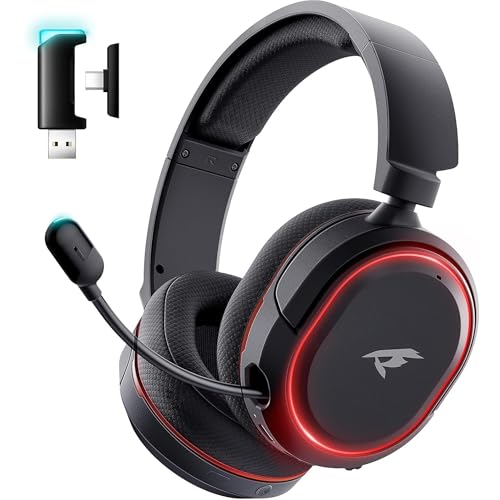
Pros
- Versatile 2.4GHz, Bluetooth 5.4, and 3.5mm connection options
- Long battery runtime reaching up to 100 hours
- Includes both USB-A and USB-C transmitter dongles
- Retractable microphone with one-touch mute control
- Supports playback while charging via USB-C
Cons
- Wireless functionality does not support Xbox consoles
- Microphone input is unsupported on Nintendo Switch
- PS5 wireless connectivity is limited strictly to 2.4GHz
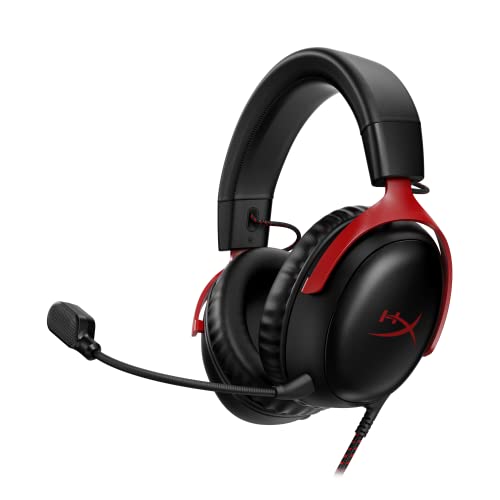
Pros
- Angled 53mm drivers tuned for gaming audio
- Noise-cancelling microphone with LED mute indicator
- Durable, flexible aluminum frame construction
- Versatile USB-C, USB-A, and 3.5mm connectivity
- Comfortable memory foam ear cushioning
Cons
- Lacks wireless connectivity options

Pros
- Dongle-free direct pairing with Xbox consoles
- Simultaneous Xbox Wireless and Bluetooth 5.3 connections
- Dolby Atmos spatial audio license included
- Intuitive rotating earcup dials for volume and chat
- Dual microphones with voice isolation and auto-mute
Cons
- Bluetooth LE Audio requires specific Windows 11 hardware
- Direct console wireless protocol unsupported on PC without Bluetooth
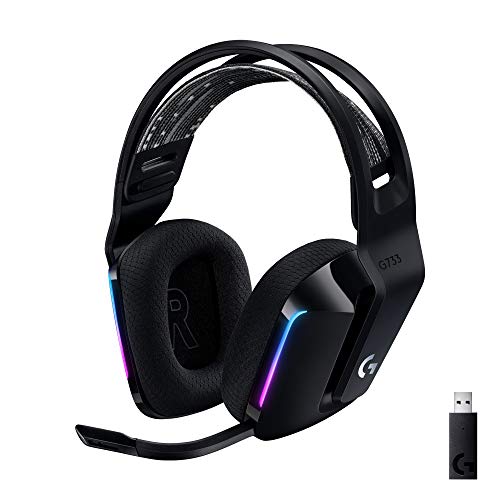
Pros
- Up to 29 hours of battery life
- 20-meter Lightspeed wireless operating range
- Blue VO!CE microphone tuning via G HUB
- Lightweight build with comfortable suspension headband
- Compatible across PC, PlayStation, and Nintendo Switch
Cons
- Audio is restricted to stereo on PS4
- Full mic and RGB customization requires G HUB software
- Best wired all-rounder: Logitech G432, with USB DAC and 3.5 mm options, plus a flip-to-mute boom mic.
- Best lightweight USB choice for Windows: Razer Kraken V3 X, a 285 g PC-only headset.
- Best analog cross-platform option: Razer BlackShark V2 X, using a 3.5 mm jack.
- Best wireless pick for PC and consoles: Logitech G733, with Lightspeed wireless and up to 29 hours of stated battery life.
Recommended Headsets
Logitech G432 Wired Gaming Headset: Flexible PC Connections
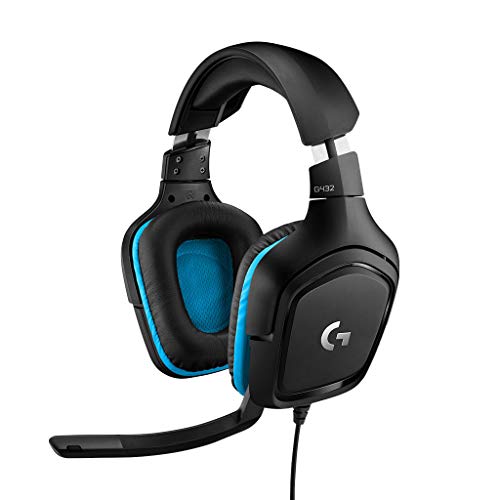
The G432 connects to PC or Mac through its USB DAC or a 3.5 mm cable. Its 6 mm boom microphone flips up to mute, making it a practical choice for Roblox sessions with voice chat. DTS Headphone:X 2.0 requires Logitech G HUB software.
Pros: Two connection options; flip-to-mute mic; rotating ear cups and leatherette padding. Cons: DTS processing depends on G HUB, and the supplied specifications do not state wireless support. Who should skip it: Skip it if you want wireless play or do not want a cable.
Logitech G432 Wired Gaming Headset – Black
Razer Kraken V3 X: Lightweight USB for Windows
At 285 g, the Kraken V3 X offers a lightweight wired option for Windows PCs and laptops with USB-A. Its bendable cardioid microphone suits team chat, while its 7.1 surround feature is specified only for Windows 10 64-bit.
Pros: Low listed weight; USB-A connection; bendable cardioid mic. Cons: Product data says it does not work with Mac, consoles, mobile devices, or devices requiring 3.5 mm or USB-C. Who should skip it: Skip it if you need a headset for anything beyond supported Windows PCs and laptops.
Razer Kraken V3 X Wired USB Gaming Headset
Razer BlackShark V2 X: 3.5 mm Cross-Platform Choice
The BlackShark V2 X uses a 3.5 mm audio jack and is listed for PC, Mac, PS4, PS5, Xbox One, and Nintendo Switch. Its 240 g listed weight, breathable foam cushions, and cardioid mic suit players seeking a wired headset for several devices.
Pros: Broad stated compatibility; lightweight design; closed earcups and directional mic. Cons: Software-enabled 7.1 surround is limited to Windows 10 64-bit, and an Xbox One stereo adapter may be needed separately. Who should skip it: Skip it if you need wireless connectivity or USB-only connection.
Razer BlackShark V2 X Gaming Headset
IMYB A36: Basic Analog Compatibility
The IMYB A36 has a 3.5 mm connection, an omnidirectional microphone, and an inline volume control with mic mute. Its stated device list includes PCs, consoles, Switch, and mobile devices with compatible 3.5 mm inputs, making it a budget-oriented option for mixed setups.
Pros: Broad stated 3.5 mm compatibility; inline controls; braided 6.5 ft cable. Cons: The listed microphone is omnidirectional, and older Xbox One controllers may require an adapter. Who should skip it: Skip it if your PC has separate headphone and microphone jacks and you lack a splitter.
IMYB A36 Gaming Headset with Mic Stereo Headphones
HyperX Cloud III: Wired Choice with Multiple Connector Types
The Cloud III includes USB-C, USB-A, and 3.5 mm connection options, alongside angled 53 mm drivers and a noise-canceling 10 mm microphone. Its aluminum frame and memory foam support players who value a more durable-feeling construction and clear chat features, based on listed specifications.
Pros: Three listed connection types; mic mute indicator; aluminum frame. Cons: It is wired, and supplied data does not specify detailed device compatibility for each connector. Who should skip it: Skip it if wireless freedom or a confirmed device-specific connection is essential.
HyperX Cloud III – Wired Gaming Headset, PC, PS5
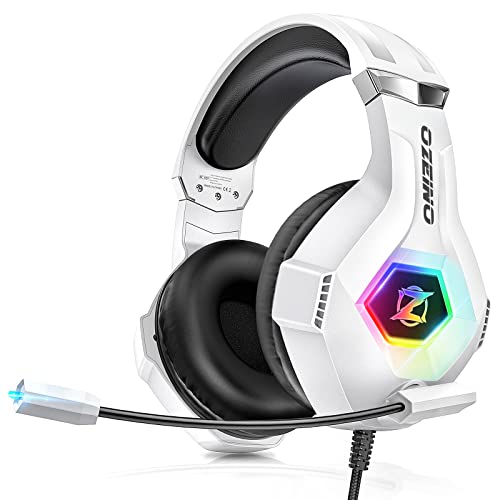
BENGOO G9000: Low-Cost Wired Features
The G9000 combines a flexible microphone, inline volume and mute controls, and a braided USB cable. Its product data lists several consoles and devices, but connection details can vary by platform; an older Xbox One controller may need a separate Microsoft adapter.
Pros: Inline controls; braided cable; broad stated platform list. Cons: The supplied information describes USB cabling but does not clearly explain connection requirements for every listed device. Who should skip it: Skip it if you need confirmed plug-and-play compatibility for a specific PC port or console.
BENGOO G9000 Stereo Gaming Headset for PS4 PC Xbox
NUBWO HG04L: 3.5 mm Headset with Directional Mic
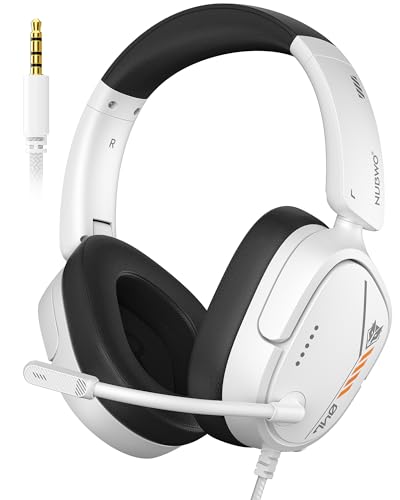
The HG04L uses a 3.5 mm jack and lists a unidirectional microphone, memory foam padding, and inline mute and volume controls. For a PC with separate audio and microphone jacks, a splitter is required and is not included.
Pros: Directional mic; foldable, rotatable ear cups; braided 1.5 m cable. Cons: A PC audio/mic splitter is not included, and Xbox use through a PC requires microphone settings to be enabled. Who should skip it: Skip it if you need wireless play or need a headset that includes every adapter.
NUBWO HG04L Gaming Headset for PS5/PS4
Logitech G733: Wireless PC and Console Option
The G733 uses Logitech Lightspeed wireless, lists a 20 m range, and states up to 29 hours of battery life. It is listed for PC, PS5, PS4, and Nintendo Switch, with G HUB software available for Blue VO!CE microphone filters and lighting customization.
Pros: Wireless connection; stated battery life and range; customizable mic filters on PC through G HUB. Cons: It costs more than wired picks in the supplied product data, and the listing specifies stereo play on PS4. Who should skip it: Skip it if you prefer a simple wired headset or want compatibility beyond listed devices.
Logitech G733 Lightspeed Wireless Gaming Headset
Valorise Wireless Gaming Headset: Several Connection Modes
This headset lists 2.4 GHz wireless, Bluetooth 5.4, and 3.5 mm wired connections. Its stated battery life ranges from 45 to 100 hours depending on connection and lighting or microphone use, so treat those figures as mode-specific manufacturer claims. Wireless microphone use is not supported on Nintendo Switch according to the listing.
Pros: Multiple connection modes; retractable microphone; wired fallback. Cons: Wireless operation is not compatible with Xbox Series, and Switch microphone use is listed as invalid. Who should skip it: Skip it if you need Xbox wireless support or dependable wireless voice chat on Switch.
Wireless Gaming Headset for PC PS5 PS4 Mac Switch
Xbox Wireless Gaming Headset: PC Bluetooth and Xbox Pairing
The Xbox headset pairs directly with Xbox consoles and supports Bluetooth 5.3 for PC or mobile devices. Its product data lists up to 20 hours of battery life, dual-device connection, and voice-isolation features, making it relevant if you also use an Xbox alongside PC Roblox.
Pros: Direct Xbox pairing; Bluetooth 5.3; adjustable audio through the Xbox Accessories app. Cons: The supplied specifications do not explicitly list Roblox or Windows compatibility details beyond PC pairing, and its Xbox-focused features may be unnecessary for PC-only play. Who should skip it: Skip it if you want an inexpensive wired PC headset.
Xbox Wireless Gaming Headset | Carbon Black
How to Choose a Roblox Headset for PC
Match the connector to your computer
Check available ports before choosing. USB-A models such as the Kraken V3 X need a compatible USB-A port, while 3.5 mm headsets may need a splitter when a PC separates headphone and microphone connections. Confirm platform-specific requirements before ordering.
Choose microphone pickup and controls
A cardioid or unidirectional mic is designed to focus pickup toward its front, while an omnidirectional mic picks up sound from multiple directions. Flip-up or inline mute controls help manage chat quickly; check whether your chosen model includes the control type you prefer.
Prioritize fit over surround features
For long sessions, compare listed weight, ear-cup materials, and headband design. Virtual 7.1 or spatial audio requires supported software or devices on several models, and it is optional for Roblox rather than a requirement for voice chat.
Frequently Asked Questions
Do Roblox players need a headset with surround sound?
No. A compatible headset and microphone are more important for ordinary gameplay and voice chat. Surround processing is an optional feature, and some models limit it to particular Windows versions or companion software.
Can I use a 3.5 mm gaming headset on a PC?
Yes, if the computer has a compatible 3.5 mm headset connection. If it has separate headphone and microphone jacks, use a compatible splitter; the NUBWO HG04L listing says its splitter is not included.


Write Your Review
No reviews yet. Be the first to share your experience!