

This is a review article about best desks for casual gaming.
Top Products
1
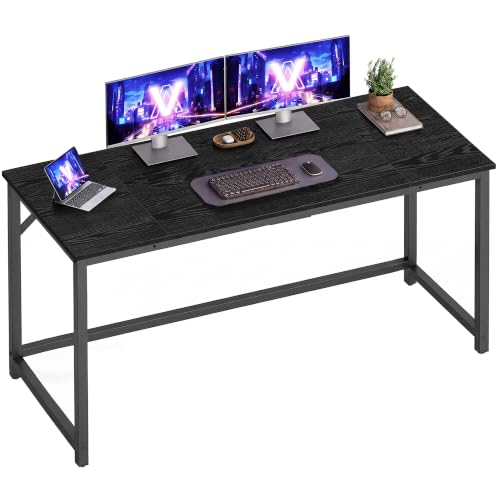
The VASAGLE 55.1-inch computer desk offers an expansive surface supported by a steel frame, making it well-suited for dual-monitor home office or study environments. However, its 110-pound total load capacity limits placement of heavier desktop towers and equipment.
Pros & Cons
Pros
- Spacious 55.1-inch wide work surface
- Sturdy steel frame construction
- Adjustable feet level the frame on uneven floors
- Straightforward assembly with labeled parts
Cons
- Modest 110-pound maximum weight capacity
- Relatively shallow 19.7-inch desk depth
2

3

The Itaar 79-inch gaming desk offers expansive surface area and built-in power connectivity for multi-monitor setups and productivity workstations. However, the included storage drawers use lightweight fabric construction rather than rigid materials.
Pros & Cons
Pros
- Expansive 78.7-inch desktop surface for multi-monitor setups
- Built-in power strip with AC outlets and USB ports
- Integrated raised monitor shelf improves display ergonomics
- Dedicated hooks, cup holder, and lower storage shelves
- App-controlled RGB lighting with music sync capability
Cons
- Drawers are constructed from fabric instead of solid materials
- Requires extensive assembly of multiple components
4

The PayLessHere 39-Inch L-Shaped Computer Desk offers a compact corner workstation with reversible shelving, making it ideal for space-constrained bedrooms or small home offices. However, its 39-inch span and 150-pound load capacity limit its ability to accommodate larger multi-monitor setups.
Pros & Cons
Pros
- Space-saving L-shaped corner footprint
- Reversible two-tier storage shelves
- Adjustable feet for uneven floors
- 150-pound rated weight capacity
- Lightweight frame is easy to move
Cons
- Compact 39-inch size limits large multi-monitor setups
- Constructed with particleboard rather than solid wood
5
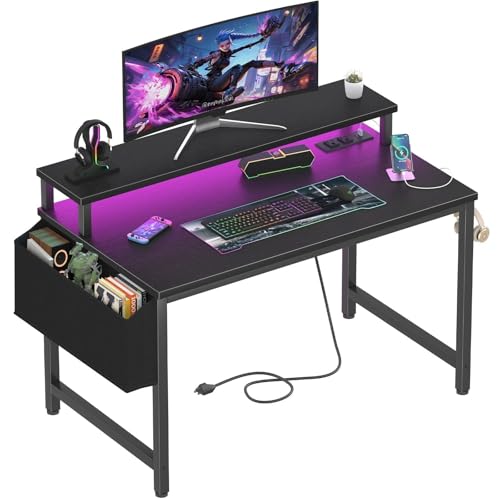
The Lufeiya 32-inch gaming desk integrates a built-in power strip and an elevated monitor shelf to maximize utility in compact bedrooms and study nooks. While it offers convenient charging and lighting in a small footprint, the 31.5-inch width limits desktop workspace for larger multi-monitor setups.
Pros & Cons
Pros
- Built-in AC outlets and USB charging ports
- Elevated monitor shelf improves viewing posture
- Includes removable storage bag and headphone hooks
- Compact footprint ideal for small spaces
- Customizable integrated RGB lighting system
Cons
- Small 31.5-inch surface limits multi-display configurations
- Particle board tabletop provides entry-level material build
6
7

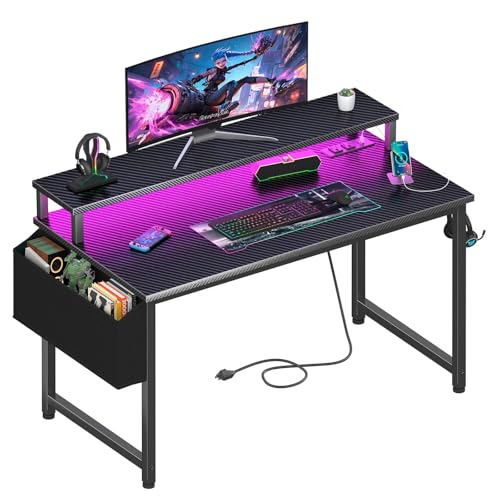
The Korfile 40-inch gaming desk integrates built-in AC and USB power outlets, ambient LED lighting, and an elevated monitor shelf for compact gaming setups. However, its 39.4-inch desktop width limits usable space for multi-monitor arrays and large PC towers.
Pros & Cons
Pros
- Built-in 3 AC outlets and 2 USB ports
- Sturdy frame supports up to 220 pounds
- Includes raised monitor stand, cup holder, and headphone hook
- App-controlled RGB ambient light strip included
Cons
- Compact 40-inch width restricts larger peripherals and monitors
- Assembly required taking up to an estimated hour
8

9

The Korfile 66-Inch L-Shaped Gaming Desk provides an integrated power strip, monitor riser, and dedicated peripheral storage for corner PC setups. However, the included storage drawers are constructed from fabric rather than rigid materials.
Pros & Cons
Pros
- Integrated 3 AC outlets and 2 USB charging ports
- Reversible design adapts to left or right corner layouts
- Raised monitor stand frees up desktop surface space
- Includes sliding CPU shelf and dual headphone hooks
- Customizable LED strip with multiple colors and brightness modes
Cons
- Storage drawers are fabric rather than solid materials
- Assembly required for multi-piece frame and components
10

The PRAISUN 51.2-Inch L-Shaped Gaming Desk integrates seven built-in power outlets and versatile accessory mounting into a reversible corner workstation. It suits gamers and remote workers who need organized multi-device management in compact spaces.
Pros & Cons
Pros
- Integrated power strip with seven charging ports
- Reversible L-shaped layout fits varied room corners
- Adjustable pegboard mounts in horizontal or vertical orientations
- Dedicated CPU stand elevates PC towers off floors
- App-controlled LED strip with music synchronization modes
11

The OLIXIS 47-Inch L-Shaped Gaming Desk maximizes small spaces with a reversible corner layout, integrated device charging, and built-in storage. It suits compact bedroom or dorm setups, though the 47-inch desktop limits room for oversized multi-monitor rigs.
Pros & Cons
Pros
- Reversible design fits left or right corner layouts
- Built-in AC, USB, and Type-C desktop power hub
- Detachable monitor stand with adjustable RGB lighting
- Includes dedicated storage shelves and drawer
- Waterproof and scratch-resistant MDF work surface
Cons
- Compact surface limits space for large multi-monitor setups
- Requires complete self-assembly before use
12

The GTPLAYER 55-inch gaming desk combines a carbon-fibre-style surface, built-in mouse pad, LED lighting, and headphone hook for gaming or home-office setups. Its 23.62-inch depth may limit space for larger monitor and equipment arrangements, and the listed data does not specify load capacity.
Pros & Cons
Pros
- Wide 55-inch workspace
- Built-in mouse pad
- Integrated adjustable LED lighting
- Convenient headphone hook
- Rounded corners
Cons
- 23.62-inch depth may constrain larger setups
- Load capacity is not specified
Buying Guide
When choosing best desks for casual gaming, consider the following factors…


Write Your Review
No reviews yet. Be the first to share your experience!